Page 10 of 42
2.2 Installing the back box
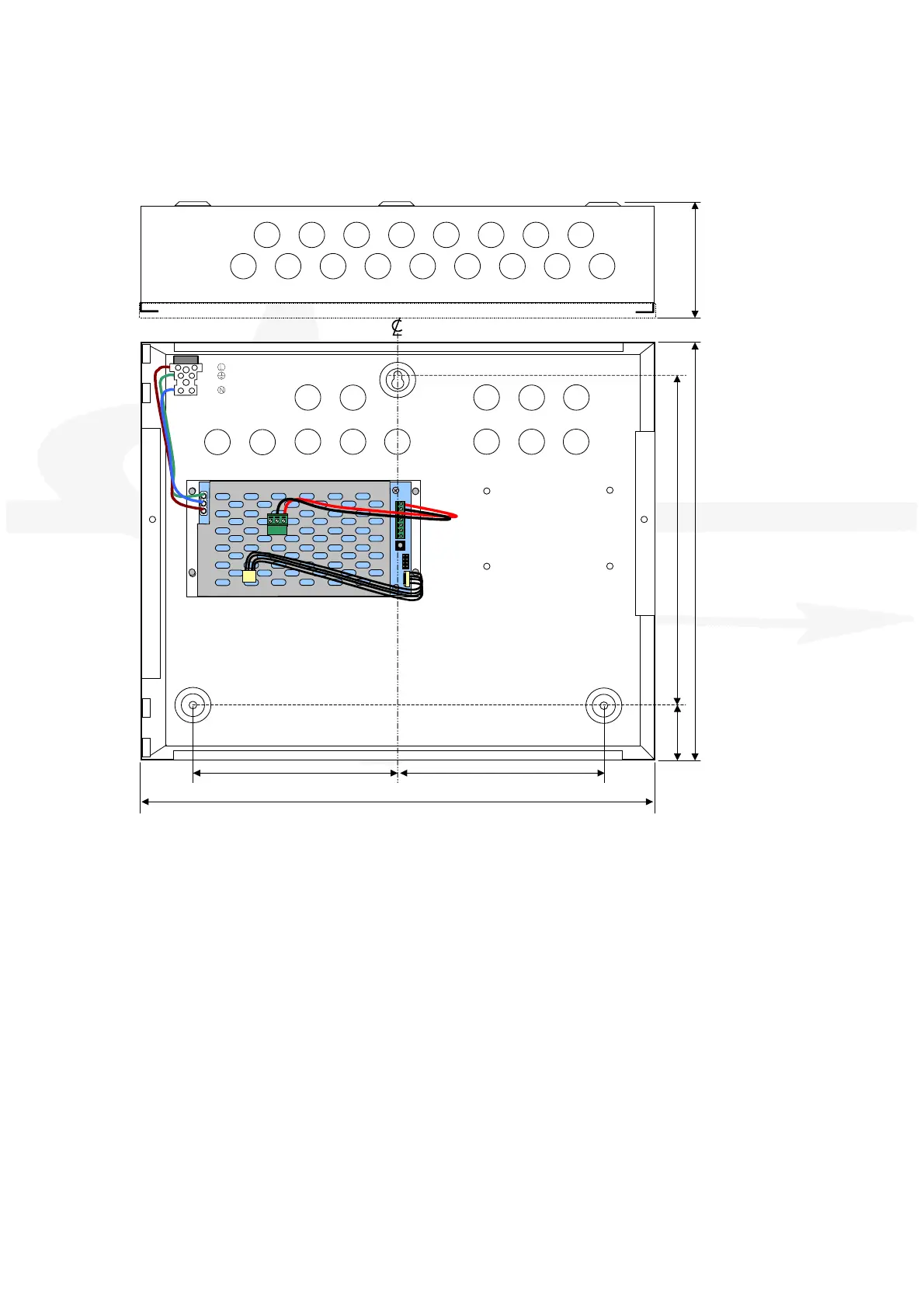
Enclosure dimensions and fixing points are shown in the diagram below. Remove the chassis
before installing the enclosure (retain in a safe place).
LIVE
EARTH
NEUT RAL
400
160160
26
275
330
90
When batteries are installed, the Ex-3000 can weigh in excess of 10Kg. Use appropriate fixing
hardware to secure the panel to the wall.
For example, drill the required holes in the supporting wall using a drill bit diameter 7.0 mm and
plug with a suitable 40mm long expansion plug. Affix the panel to the wall with M5 screws (length
40mm) or No.10 screws (length 1½”).
Ensure that there is sufficient space to allow the cover to be removed / opened when the panel is
finally mounted.



 To Next Page