Page 22 of 42
Normal Display Non-normal Display Typical Menu Display
[System status]
1 of 1 conditions:
DETECTION ZONE3
OPEN CIRCUIT
SYSTEM NORMAL
22 AUG 2007 16:39:00
[Release status]
UNAFFECTED
[Level 2 Menu]
VIEW .
TEST
EXTINGUISH MODES
DISABLE/ENABLE
EXIT LEVEL 2
Release Imminent Release Activated Release Complete
RELEASE ACTIVATED
5 Seconds Elapsed
RELEASE ACTIVATED
24 Seconds Elapsed
[Release status]
RELEASE IMMINENT..
-15
DISCHARGE COMPLETE
(No Flow Detected)
RESET ALLOWED
The display shows a countdown
timer with the amount of time
remaining before the extinguishant
is released.
3.1.3 Enable Controls
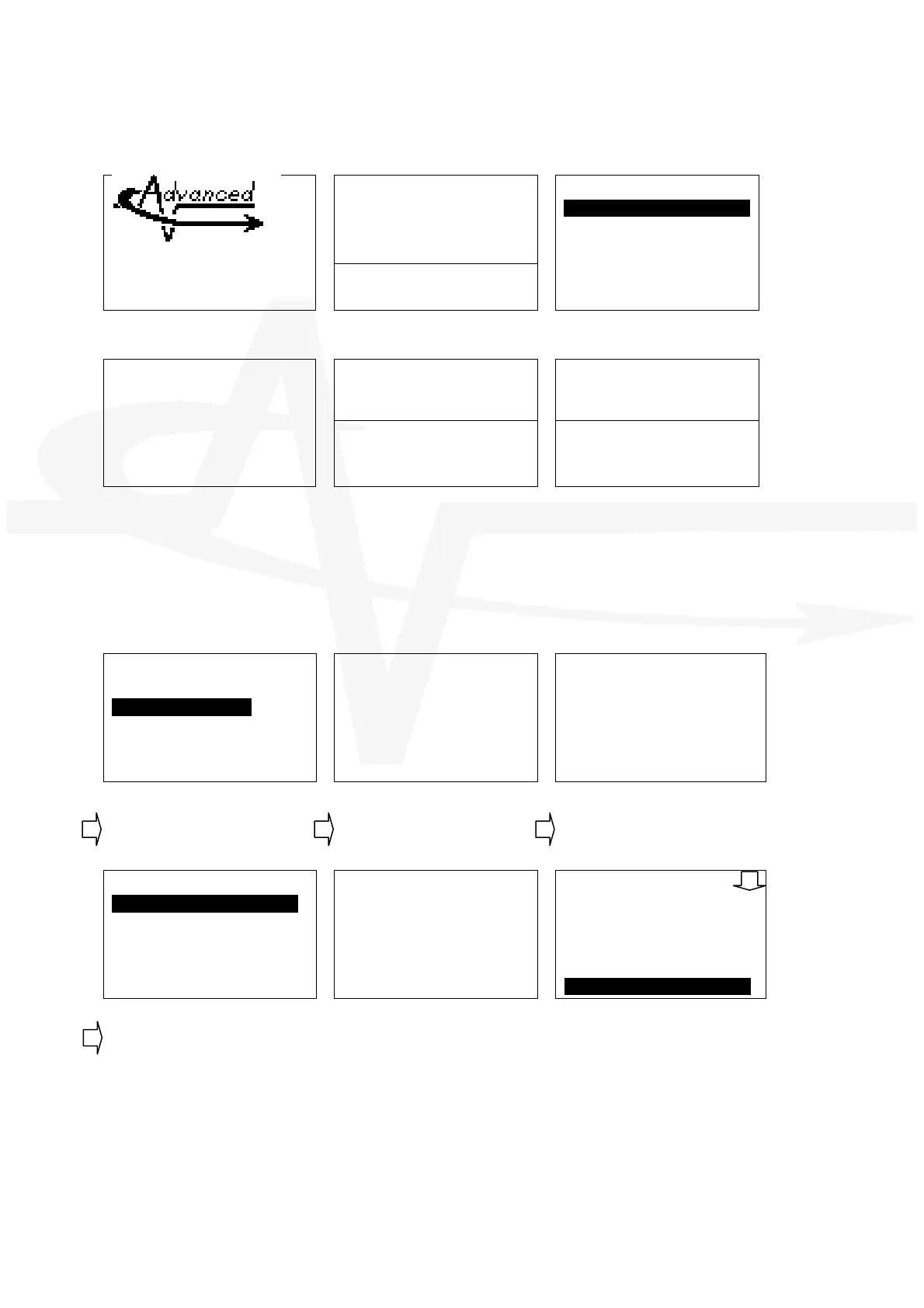
Controls are normally disabled. To access the menus, press the Menu button. The display shows
the following:
[CONTROLS DISABLED]
ENABLE CONTROLS
VIEW
LED TEST
Enter Your Password
Enter Your Password
**
Press the button to select the
‘Enable Controls’ option.
The display prompts for entry of
the password.
Enter the password. As each
number is pressed, an * character
is displayed. Finally, press the
button to confirm.
[Level 2 Menu]
VIEW .
TEST
EXTINGHUISH MODES
DISABLE/ENABLE
EXIT LEVEL 2
Enter Your Password
Not Recognized!
[Level 2 Menu]
EXTINGHUISH MODES
DISABLE/ENABLE
EXIT LEVEL 2
DATE/ TIME
COMMISSION .
The display then shows the Level 2
Menu options.
If the password is incorrect (or if
not entered in time) the above
message is shown.
Scroll down to the Commission
Menu
3.1.4 Navigating through menus
When a menu is displayed, use the ÏÐ buttons to highlight the required menu option and then
press the button to select it.
Press the ‘Esc’ button from within a menu option to return to the previous menu.



 To Next Page