Chapter 1 Installation and setup
13
Anoxomat
®
III Service Guide
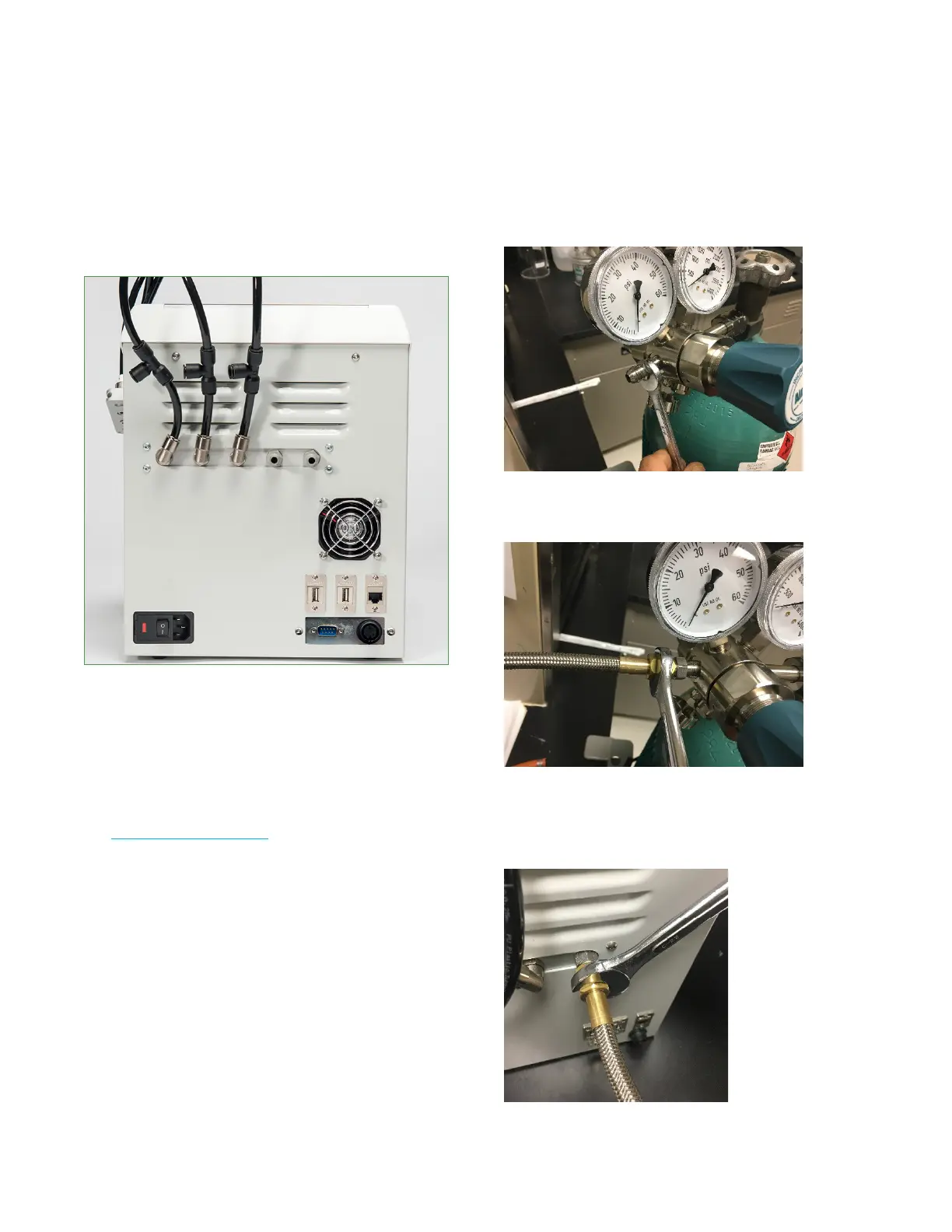
Rear connector panel
This image is for reference only. Your Anoxomat system
may have dierent connections.
This
6. Open the gas cylinder’s main supply and set the
regulator gas pressure to 1.75 ± .15 bar
(25.5 psi ± 2 psi).
7. Repeat for each gas connection.
Connecting the gas supply to a 100V or 110V system
See Installing the gas supply before you begin.
1. Mount the regulator on the gas cylinder using the
adjustable wrench.
2. Tighten the regulator per manufacturer's
recommendations to avoid gas leakage.
3. Set the regulator's gas pressure to zero.
4. Hand-tighten the gas fitting into the regulator.
Use a 5/8 in. wrench to fully tighten the fitting.
5. Hand-tighten the metal gas hose to the gas fitting.
Use an 11/16 in. wrench to fully tighten the hose.
Hand-tighten the other end of the hose to the gas fitting
on the back of the Anoxomat. Use an 11/16 in. wrench to
tighten the hose.


 To Next Page
 Loading...





