Chapter 4: Using the Controls Log Database
OsmoPRO MAX Automated Osmometer User Guide
45
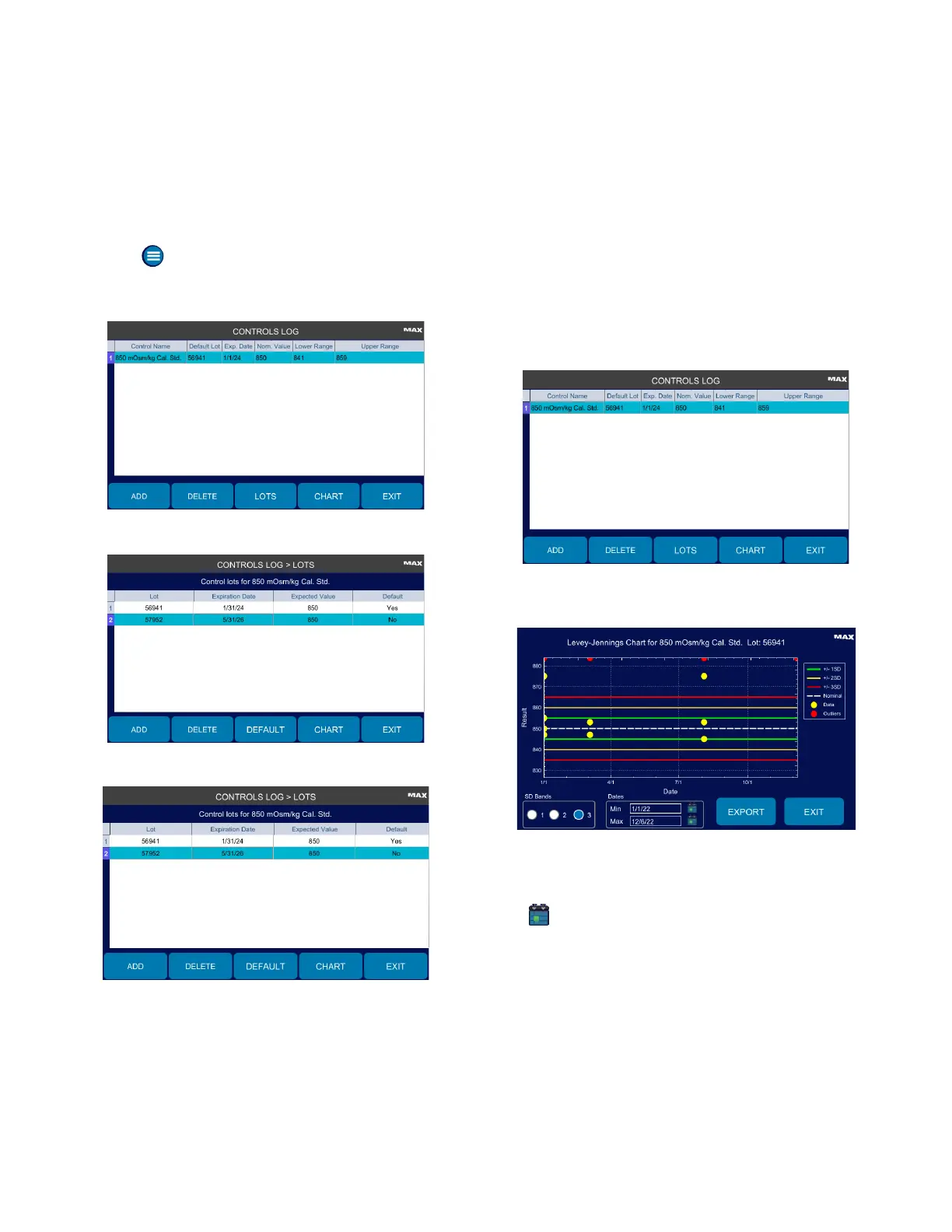
Changing the Default Control Lot
To change the default control lot used in testing:
1. Press > Controls Log and login.
2. Press the control you want to change.
3. Press Lots.
4. Select the control lot to set as default.
Y
5. Press Default.
6. Press Exit to return to the Controls Log screen.
4.4 Displaying and Exporting a Levey-
Jennings Chart
Your instrument can generate Levey-Jennings charts for
controls with standard deviation (SD) bands.
To generate a chart, the control must be entered in the
controls database.
1. Press to select a control on the Controls Log screen.
2. Press Chart.
3. Select 1, 2, or 3 SD Bands.
4. Select a date range using the Min and Max calendars
( ).
5. Press Export to export the chart image to a USB
drive.
6. When you have finished viewing and/or exporting the
chart, press Exit to close the chart and return to the
Controls screen.












 To Next Page