17
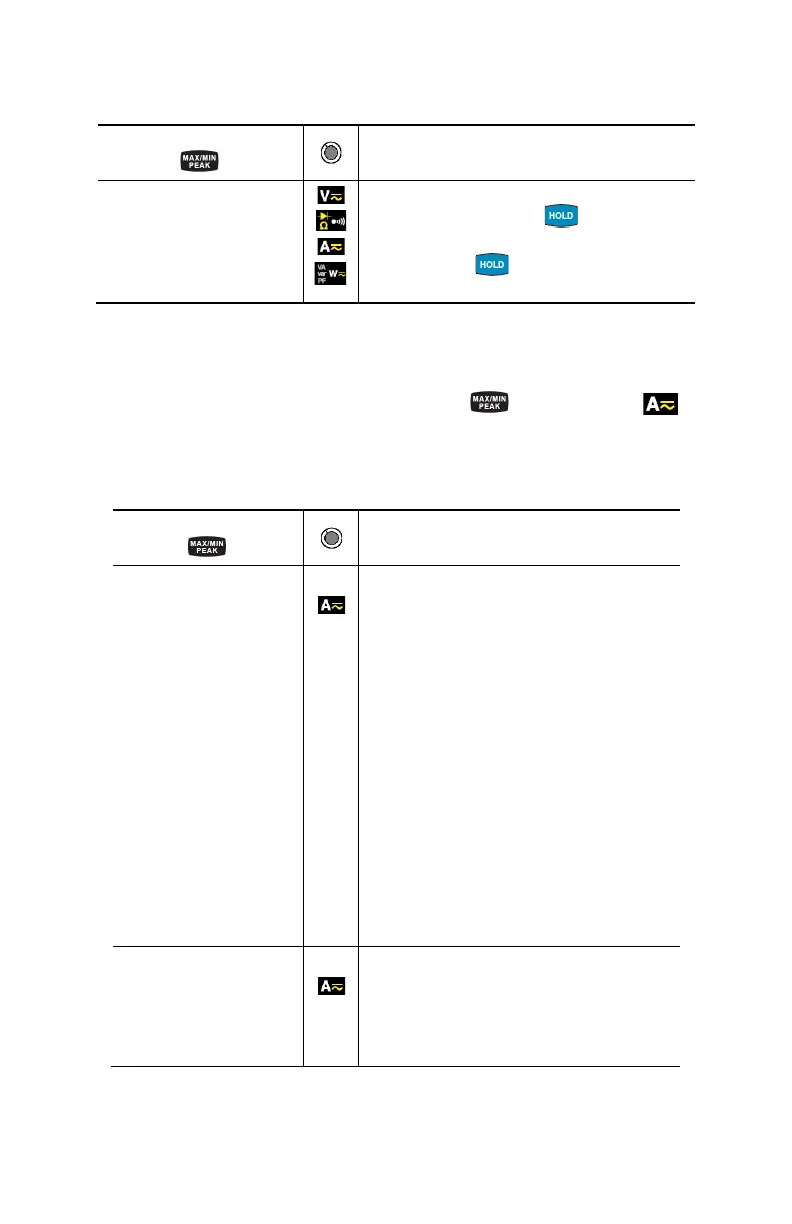
2.4.2 The MAX/MIN Mode + Activation of the HOLD Mode
Successive presses on
Function
short
- Displays the MAX/MIN/PEAK values
detected before the
button was
pressed.
- When the button is pressed, the
last value is held on the display.
NOTE: The HOLD function does not interrupt the acquisition of new MAX, MIN, PEAK
values
2.4.3 Access to the True Inrush
®
Mode ( set switch to )
This button allows measurement of the True Inrush
®
current (starting current, or
overcurrent in steady-state operation) for AC or DC current only (not operational
in AC+DC).
Successive presses on
Function
long (>2 sec)
- First press: Enters the True InRush
®
mode
- "Inrh" is displayed for 3s (the
backlighting blinks)
- The triggering threshold is displayed for
5s (the backlighting is steady)
- "------" is displayed and the "A" symbol
flashes (backlighting turns off)
- After detection and acquisition, the
InRush current measurement is
displayed, after the calculations stage
"------" (backlighting off)
NOTE: The A symbol flashes to indicate
"surveillance" of the signal.
- Second press: Exits the True InRush
®
mode (returns to simple current
measurement).
short (<2 sec)
Note: A short press
is functional only if a True
InRush value has been
- Displays the PEAK+ value of the current
- Displays the PEAK- value of the current
- Displays the RMS True InRush
®
current
NOTE: The A, AC and PEAK values flash



 To Next Page