32
The measured value is displayed on the screen.
3.13.3 Frequency Measurement (W)
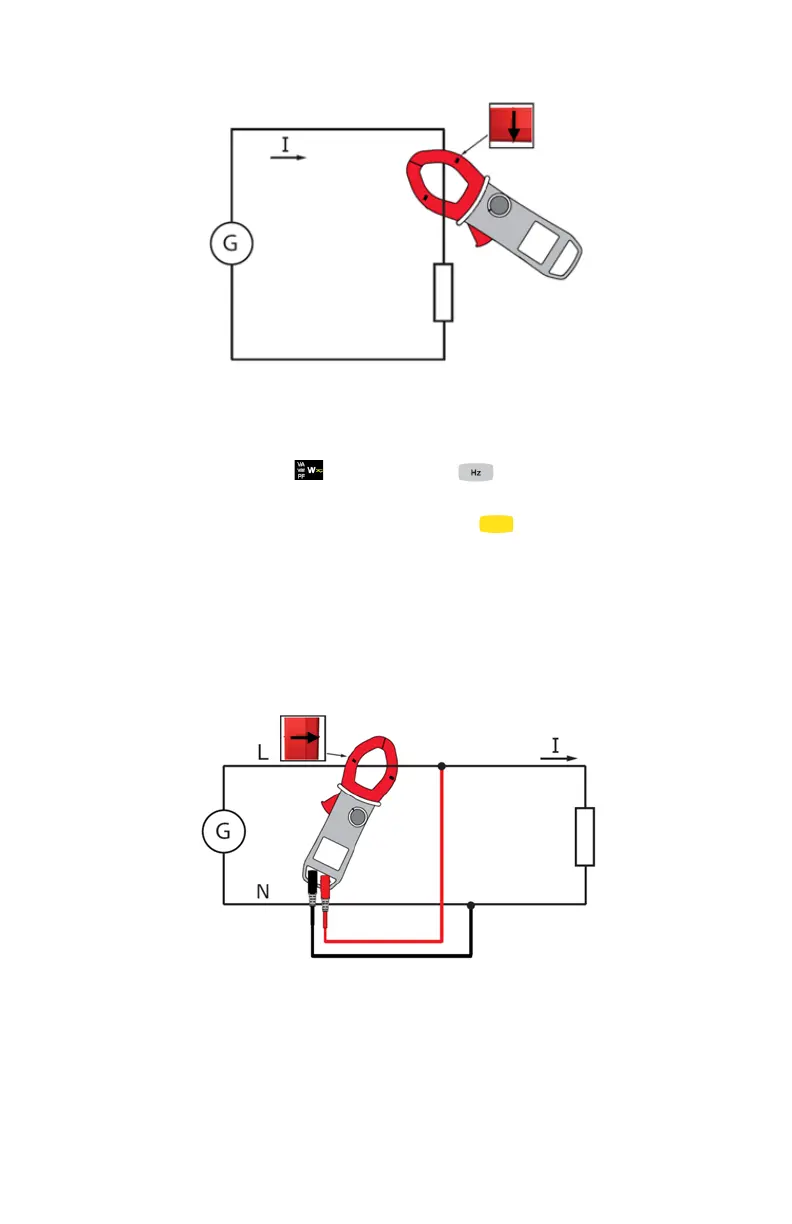
1. Set the switch to and press the button four times. The Hz
symbol is displayed;
2. Select AC or AC+DC by pressing the (yellow) button until the
desired choice is reached.
3. Connect the black lead to the COM terminal and the red lead to the "+"
terminal.
4. Place the test probes or the alligator clips of the black lead on the
neutral (N) and that of the red lead on the L phase.
5. Clamp the jaws around the conductor to be measured.
The measurement is displayed on screen.



 To Next Page