36
NOTE: If the Chrono is on the display (while on
the surface), it will remain on the display even
if a descent is made (dive started), until the M
button is pressed/released to revert to the
Surface or Dive Main.
SURFACE MODE
Depressing the M button for 2 seconds while the Watch Default
Time screen is displayed (Main or ALT) accesses the SURF
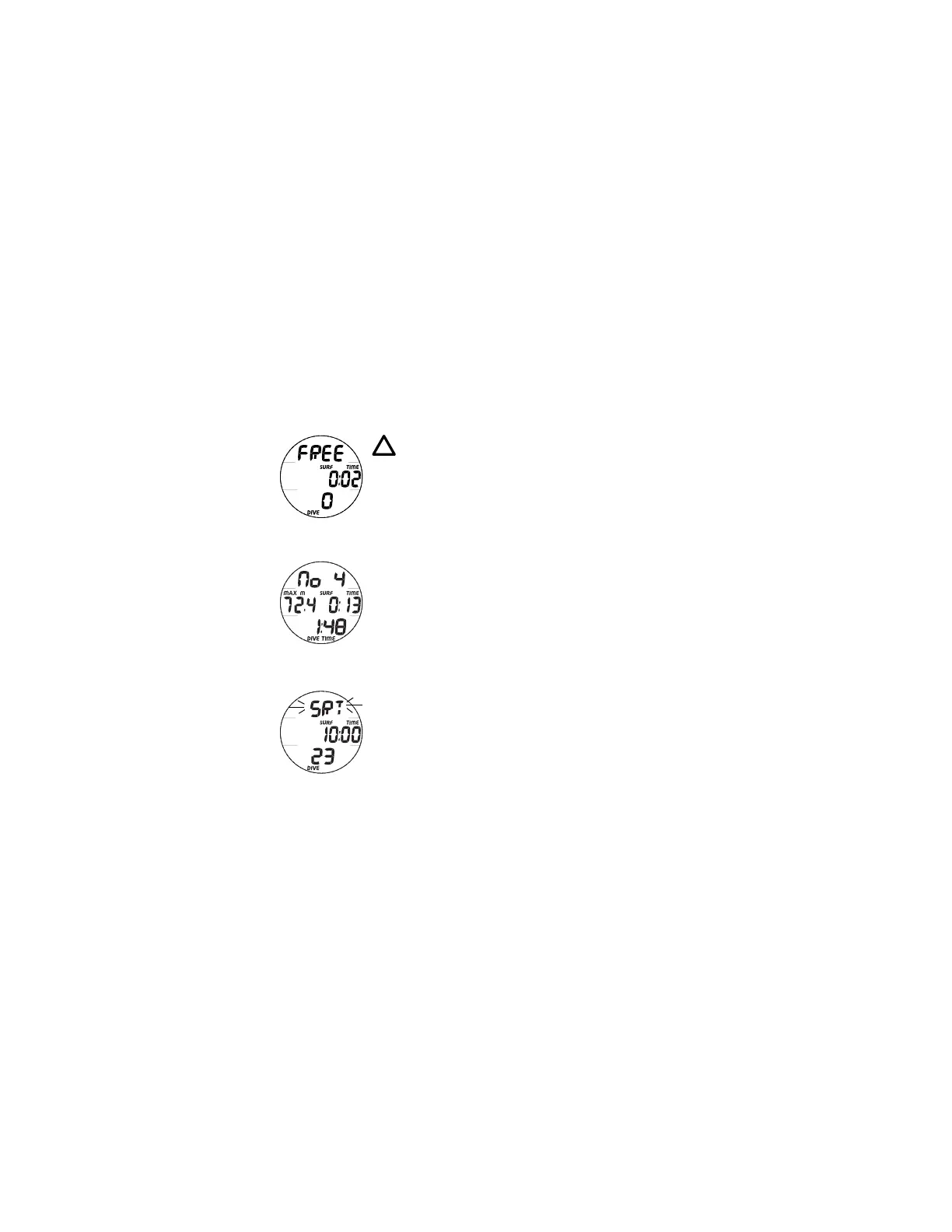
MAIN screen indicated by the graphic FREE (Fig. 27).
Descent to 4 FT (1.2 M) for 1 second will activate Dive Mode,
which will run in the background if the Chrono is on display.
The F10 will enter Post Dive Surface Mode following a dive
upon ascent to 2 FT (0.6 M) for 1 second. The SURF icon will
flash during the first 1 minute after a dive.
During the first hour after a dive, the Post Dive Surface screen
will be displayed (Fig. 28). When the hour has elapsed or the
M button is pressed, the SURF MAIN screen will be displayed
and Watch Mode can be accessed by pressing the M button
for 2 seconds. The SURF MAIN screen can then be accessed
again by pressing the M button for 2 seconds.
When set ON, the SRT (Surface Recovery Time) alarm will
sound and the graphic SRT will flash (Fig. 29) when the
Surface Interval after surfacing reaches the Time set (min:sec).
Fig. 27 - SURF MAIN
(0 = no dive made)
Fig. 29 - POST DIVE
SRT ALARM
Fig. 28 - POST DIVE
SURF (first hour)



 To Next Page