38
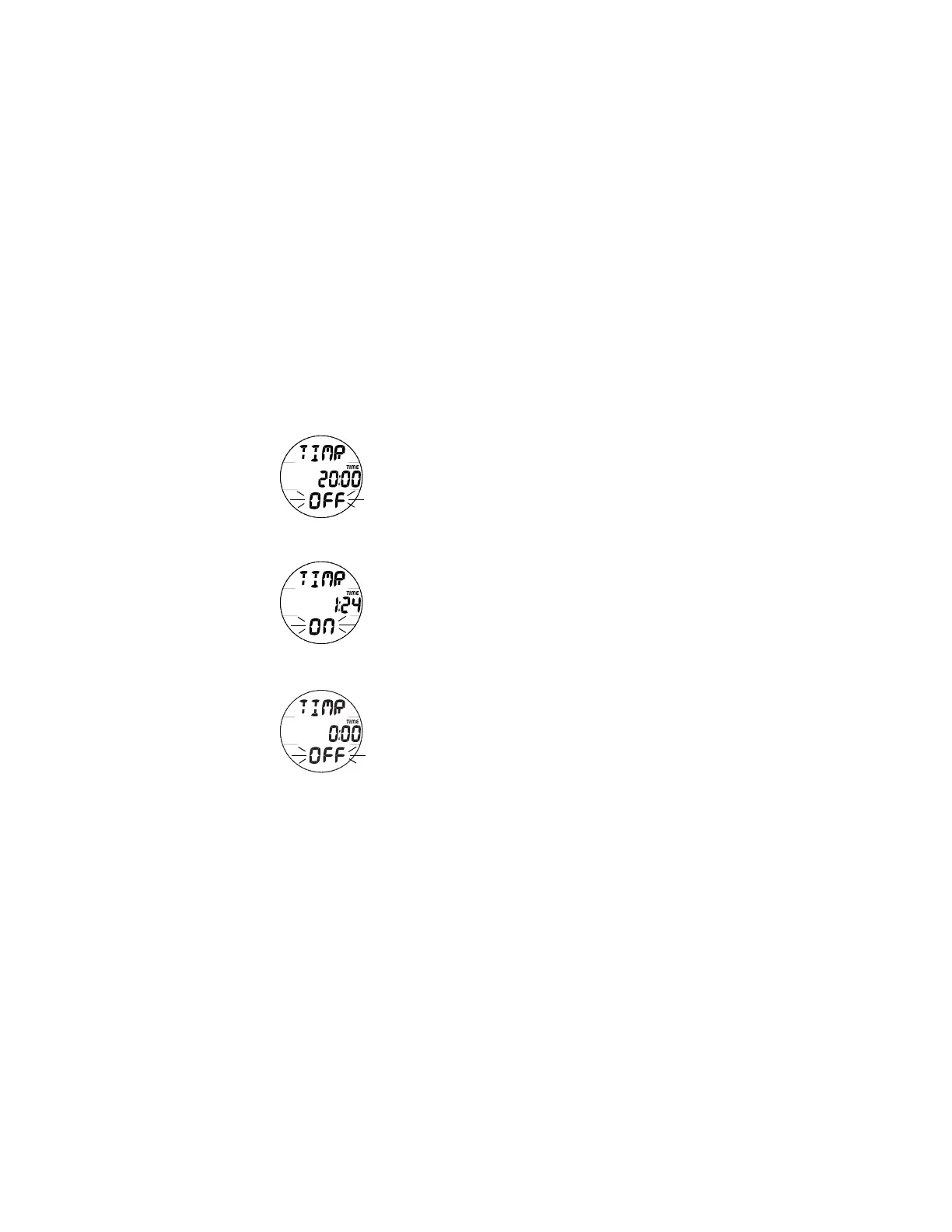
CDT STATUS -
RUNNING
CDT STATUS - SET
READY TO START
Fig. 31 - CDT STATUS
CD COMPLETE
SURF ALT 1 (CDT STATUS), information includes (Fig. 31):
The FREE Mode CDT (Count Down Timer) counts down time
values in minutes:seconds and is separate from the Watch CDT
that counts down time in hours:minutes.
> Graphic TIMR
> Remaining Countdown time (min:sec) with the colon
flashing and the TIME icon, if ON and a CD is in
progress.
> 0:00 and graphic OFF will be displayed, if the CD Timer
was ON and no time is remaining.
> If the CD Timer is OFF, the CD Time (min:sec) previously
set will be displayed.
> Graphic OFF (or ON), flashing
• Pressing and releasing the S button momentarily (< 2
seconds) will toggle between ON and OFF.
> If a Time has been set, a toggle from OFF to ON will Start
the CD Timer indicated by the colon flashing.
• While viewing the CDT Status screen, depressing the A
and S buttons simultaneously for 2 seconds with the CD
Timer set OFF will access the Set CDT screen with the
Minute Set Point flashing.
• Pressing and releasing the A button momentarily (< 2
seconds) will access the SURF ALT 2 screen.



 To Next Page