LOCAL OPERATION
3-79
DCS receiver decoder testing
To test the DCS decoder function of a mobile transceiver, set up and connect the Service Monitor
with the mobile as described in the Rx testing section earlier in this chapter.
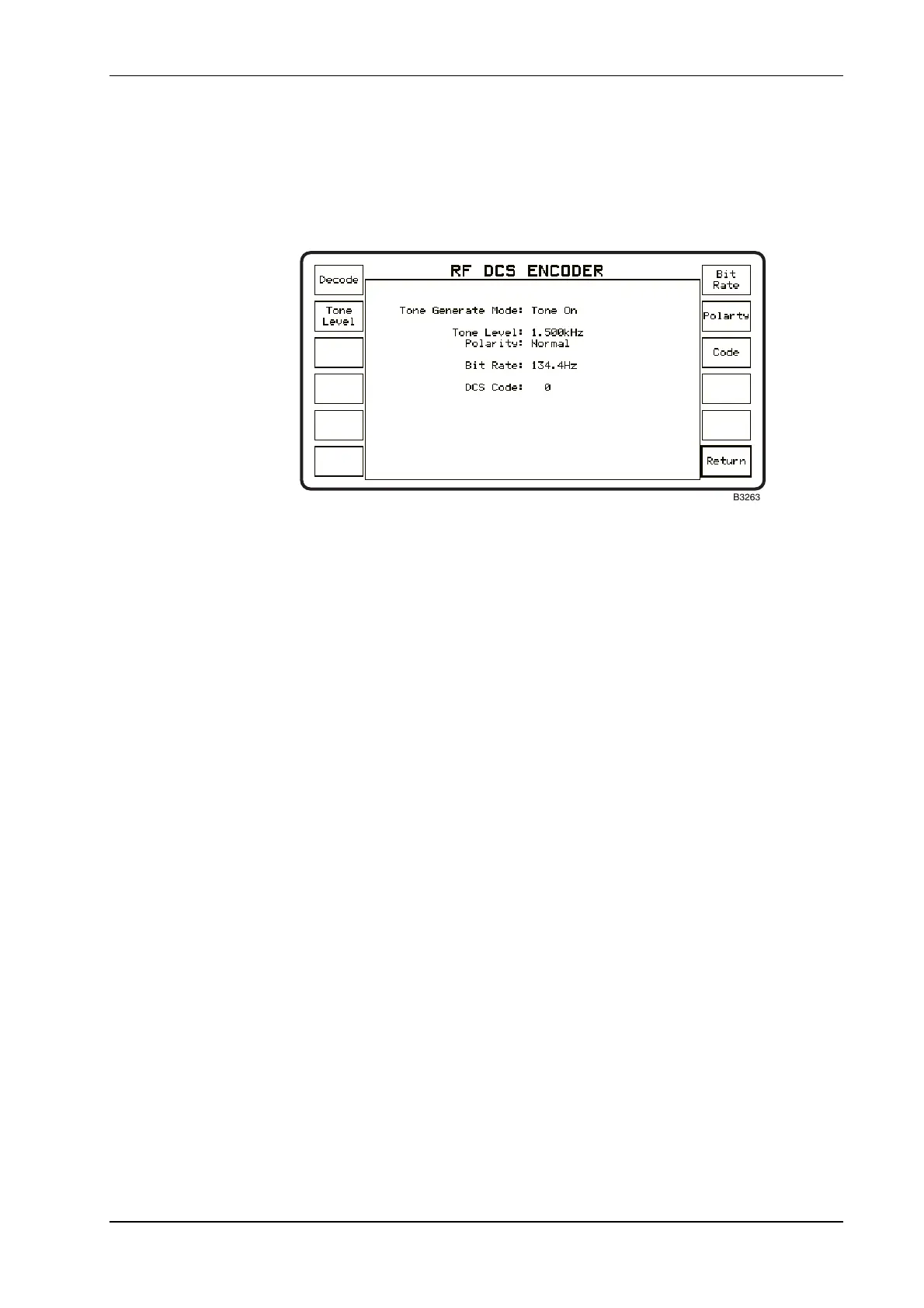
Access the DCS facility within the RF tones mode by using the sequence, [Tones], [DCS]. The
RF DCS Encoder screen and menu is displayed as shown in Fig. 3-22, RF DCS ENCODER screen
and menu.
Fig. 3-22 RF DCS ENCODER screen and menu
Check that the bit rate is correct for the unit to be tested. If a different bit rate is required to that
which is shown on the display, enter the required value as follows.
Press the [Bit Rate] key to highlight the
Bit Rate legend on the display. Use the data entry
keys to enter the correct value and press the Hz terminator key. Note. The most common bit
rate for DCS systems is 134 bits/s.
Check that the tone (modulation) level is correct for the system specification. If a different level is
required to that which is shown on the display, enter the required value as follows:
Press the [Tone Level] key to highlight the
TONE LEVEL legend on the display. Use the
data entry keys to enter the correct value and press the [kHz] or [Hz] terminator key as
appropriate. Note. The level of modulation for DCS signal modulation is usually within the
range 10% to 20% of the system maximum level.
Check the modulation polarity of the transceiver. For positive modulation the polarity should be
set to Normal and for negative modulation, set to
Inverted.
The [Polarity] key toggles between these two options.
To enter or change the DCS code for the transceiver to be tested, first press the [Code] key to
highlight the legend
DCS Code:. Key in the code using the data entry keys. The Service Monitor
will accept any octal sequence in the range 0 to 777.
Complete the entry by pressing the [Enter] key. Leading zeros will be suppressed.
Return to the Rx TEST mode and check that the RF generator is active, then return to the TONES,
DCS mode. The DCS coded signal will be produced when the legend
Tone On is displayed
against
Tone Generate Mode:. See Tone ON/OFF control below.



 To Next Page