LOCAL OPERATION
3-4
Front panel layout
12 3
7
8
91012
11
1314
16
17
communications service monitor 2944B
kHz
mV
MHz
V
!
!
7
4
1
0
8
5
2
9
6
3
ENTER
150W MAX
1W MAX
1W MAX
REMOTE
LOCAL
RF IN/OUT
ANTENNA
LEVEL
FREQ
sC
dB V D
*
E#F
ms B
sA
Hz
V
dB
%
ON
OFF
AC
DC
INC
dBm
DELETE
SELECT
MEM
HELP/
SETUP
Tx
TEST
Rx
TEST
Dx
TEST
SPEC
ANA
AF
TEST
FREQ
LEVEL
DISPLAY
HOLD
AF INPUT
ACCESSORYAF GEN
OUT
C6030
15
4
5
6
SUPPLY
REPSINGLE
VOLUMESQUELCH
SCOPE
ON/
CHARGE
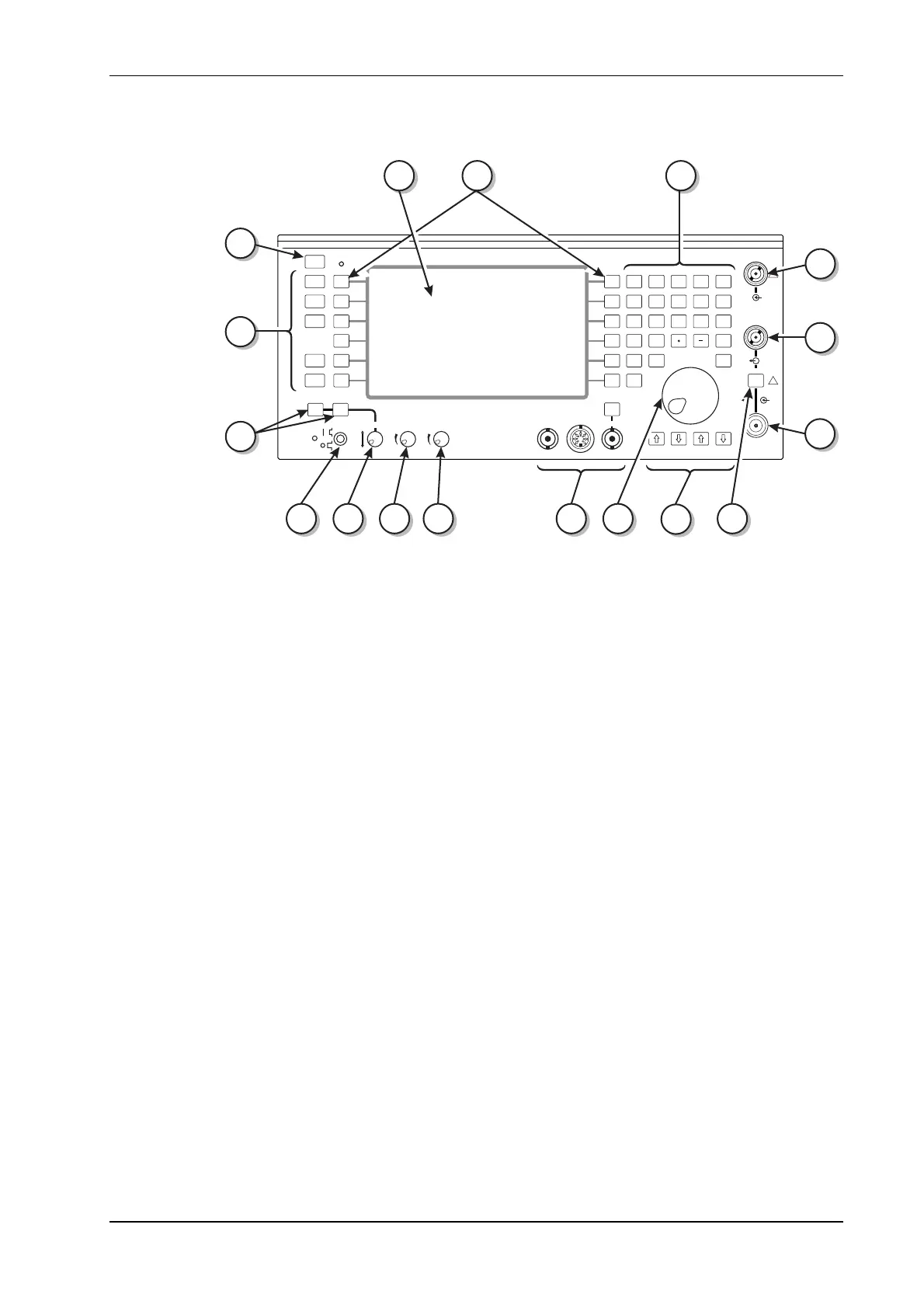
Fig. 3-1 Front panel.
(1) Display. The dominant feature of the front panel is the display screen, used to give information
about the operation of the instrument.
Information relating to the state of the instrument, the mode of operation and results of
measurements and tests is all given visually on the display screen. See Fig. 3-2, Typical displays.
The screen is divided into four main areas. They are:
The information display area, which shows the parameters relating to the test, together with
settings and results, including bar charts. When the oscilloscope function is called up, all bar
charts are removed from the display and the standard or expanded oscilloscope screen displayed.
When the SPEC ANA test mode is selected, the display changes to the
SPECTRUM ANALYZER
screen.
The test title area, where the current test description is displayed. LED indicators adjacent to
each RF connector show the assignment of the connectors. This information is also shown in the
test title area of the display when in Dx TEST mode.
Soft key menus, left and right. These areas each have menus of soft key labels designated to the
adjacent soft keys. Some modes of operation only require one menu area of six selections. For
example, the Tx TEST mode and the AF TEST mode both display and use only the right hand soft
keys, the Rx TEST mode only the left hand soft keys. The Dx TEST mode uses the right hand soft
keys for transmitter test functions and the left hand soft keys for receiver functions.



 To Next Page