Deployment Guide 105
Chapter 9 HiveManager Online and
HiveManager Virtual Appliance
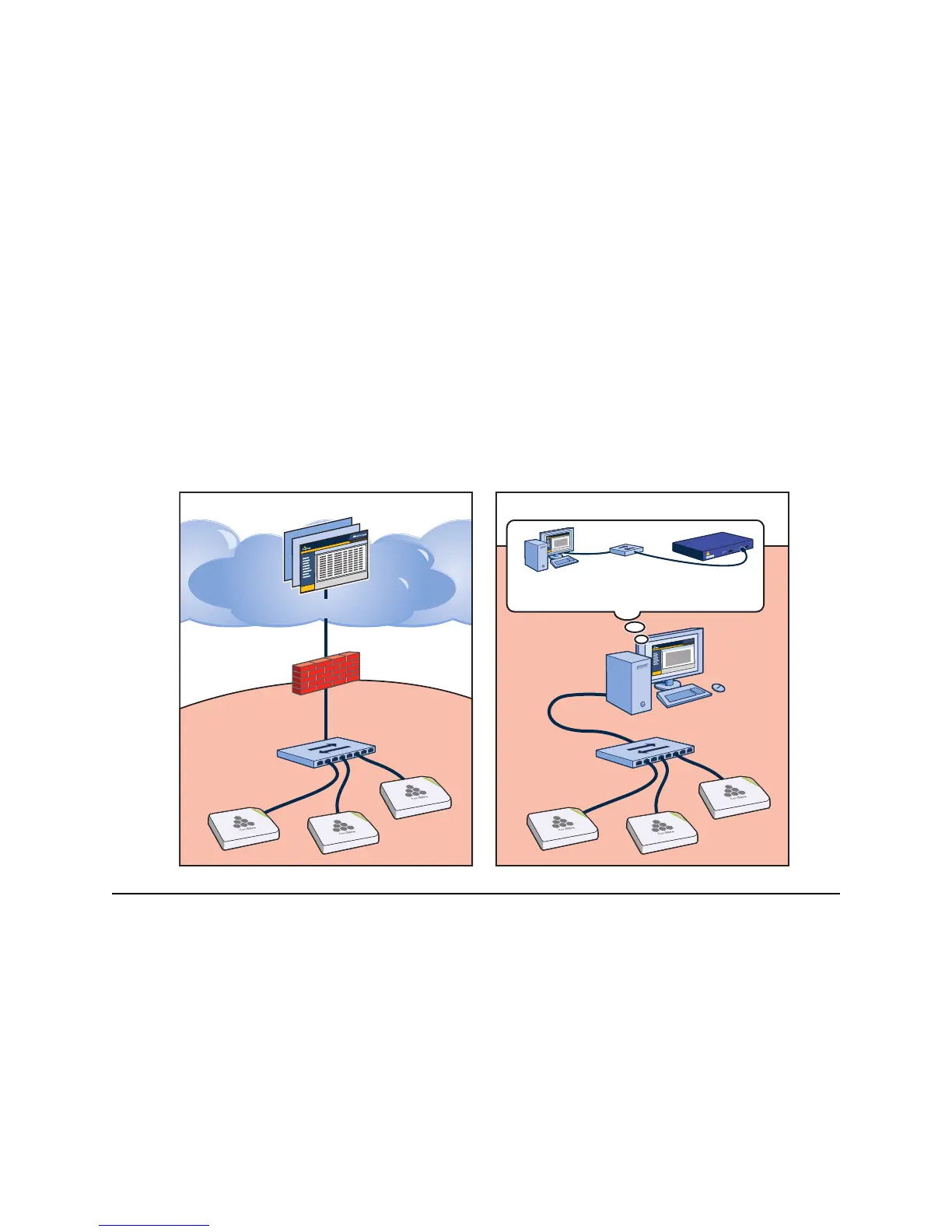
In addition to a physical HiveManager appliance, the HiveManager network management system is available in two
other forms. HiveManager Online is a cloud-based service running on hardware hosted and maintained by Aerohive
and HiveManager Virtual Appliance is VMware that you can install and run on a computer on your network (see
Figure 1). These two management systems provide cost-effective alternatives for managing WLAN networks that
might not require the investment of a physical HiveManager appliance.
Figure 1 HiveManager Online and HiveManager Virtual Appliance
HIVEMANAGER ONLINE
Aerohive hosts HiveManager Online at myhive.aerohive.com, maintaining the HiveManager hardware and updating
the HiveManager software as new releases become available. You receive access to a VHM (virtual HiveManager)
running on the HiveManager hardware. Each VHM is an independent management system with its own administrators
managing their own set of HiveAPs. Without the expense of buying a physical appliance or HiveManager Virtual
Appliance, HiveManager Online can be the most cost-efficient choice for managing a small number of HiveAPs.
After purchasing HiveManager Online, you receive your login URL and credentials in an email message. After logging
in, you enter the MyHive landing space. From there, you can access the staging server and your VHM.
Virtual PC
10.1.1.5/24
HiveManager
10.1.1.8/24
Admin’s PC
10.1.1.5/24
Virtual
Switch
myhive.aerohive.com
HiveManager Online HiveManager Virtual Appliance
SwitchSwitch
Firewall
Internal Network
10.1.1.0/24
Managed
HiveAPs
Managed
HiveAPs
Internal Network
10.1.1.0/24



 To Next Page