Chapter 7 The HiveManager Platform
90 Aerohive
PRODUCT OVERVIEW
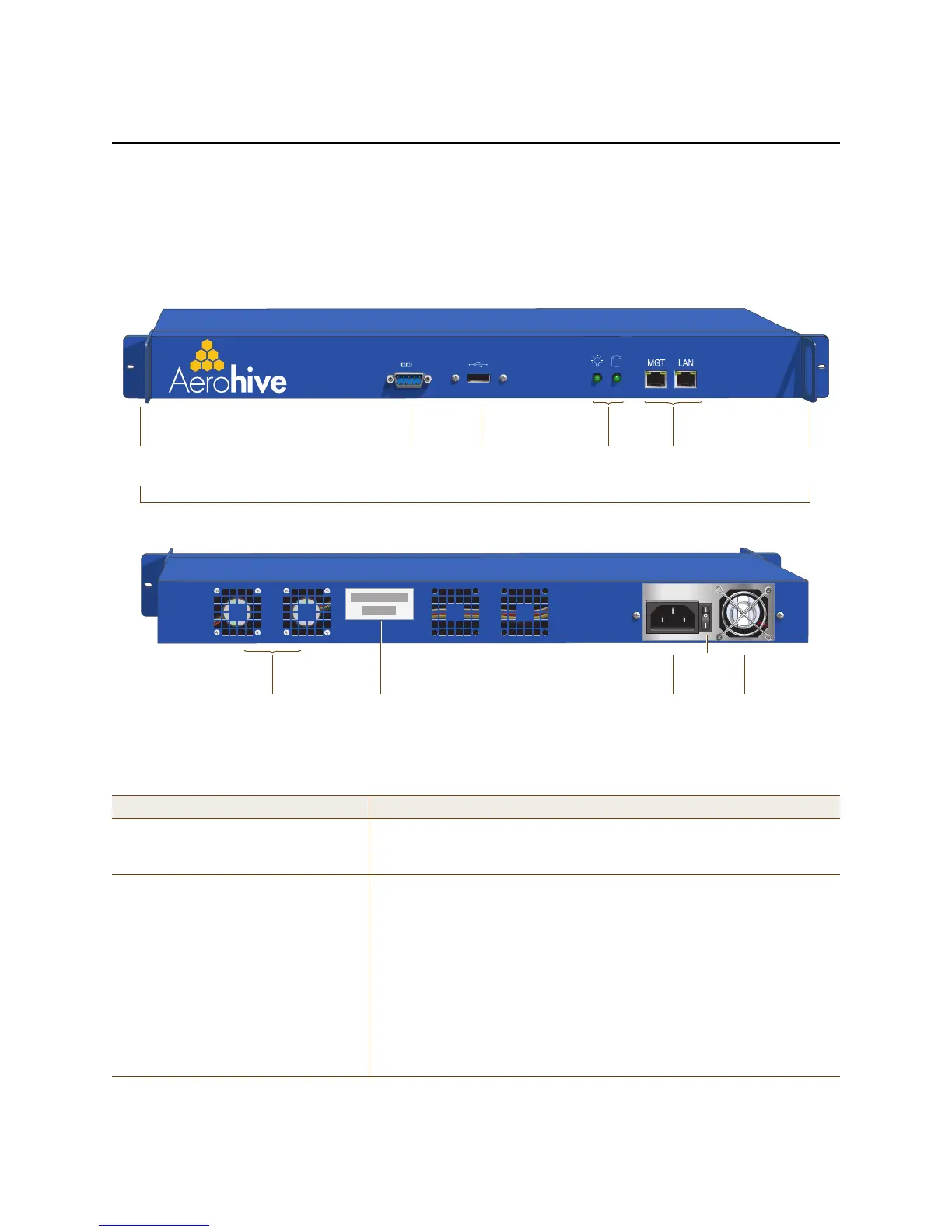
The Aerohive HiveManager is a central management system for configuring and monitoring HiveAPs. You can see its
hardware components in Figure 1 and read a description of each component in Table 1.
Figure 1 HiveManager hardware components
Table 1 HiveManager component descriptions
Component Description
Mounting Brackets The two mounting brackets allow you to mount the HiveManager in a
standard 19" (48.26 cm) equipment rack. You can also move the brackets
to the rear of the chassis if you need to reverse mount it.
Console Port A male DB-9 serial port to which you can make a console connection using
an RS-232 (or "null modem") cable. The pin assignments are the same as
those on the HiveAP (see "Ethernet and Console Ports" on page 30).
The management station from which you make a serial connection to the
HiveManager must have a VT100 emulation program, such as Tera Term
Pro
©
(a free terminal emulator) or Hilgraeve Hyperterminal
®
(provided
with Windows
®
operating systems). The following are the serial
connection settings: bits per second: 9600, data bits: 8, parity: none,
stop bits: 1, flow control: none. The default login name is admin and the
password is aerohive. After making a connection, you can access the
Linux operating system.
USB
Port
Console
Port
Status
LEDs
Mounting
Bracket
MGT and LAN
Ethernet Ports
Mounting
Bracket
Power
Fan
System
Fans
AC Power
Inlet
Serial Number
Label
On/Off
Switch
Front Panel
Rear Panel



 To Next Page