Chapter 12 Common Configuration Examples
156 Aerohive
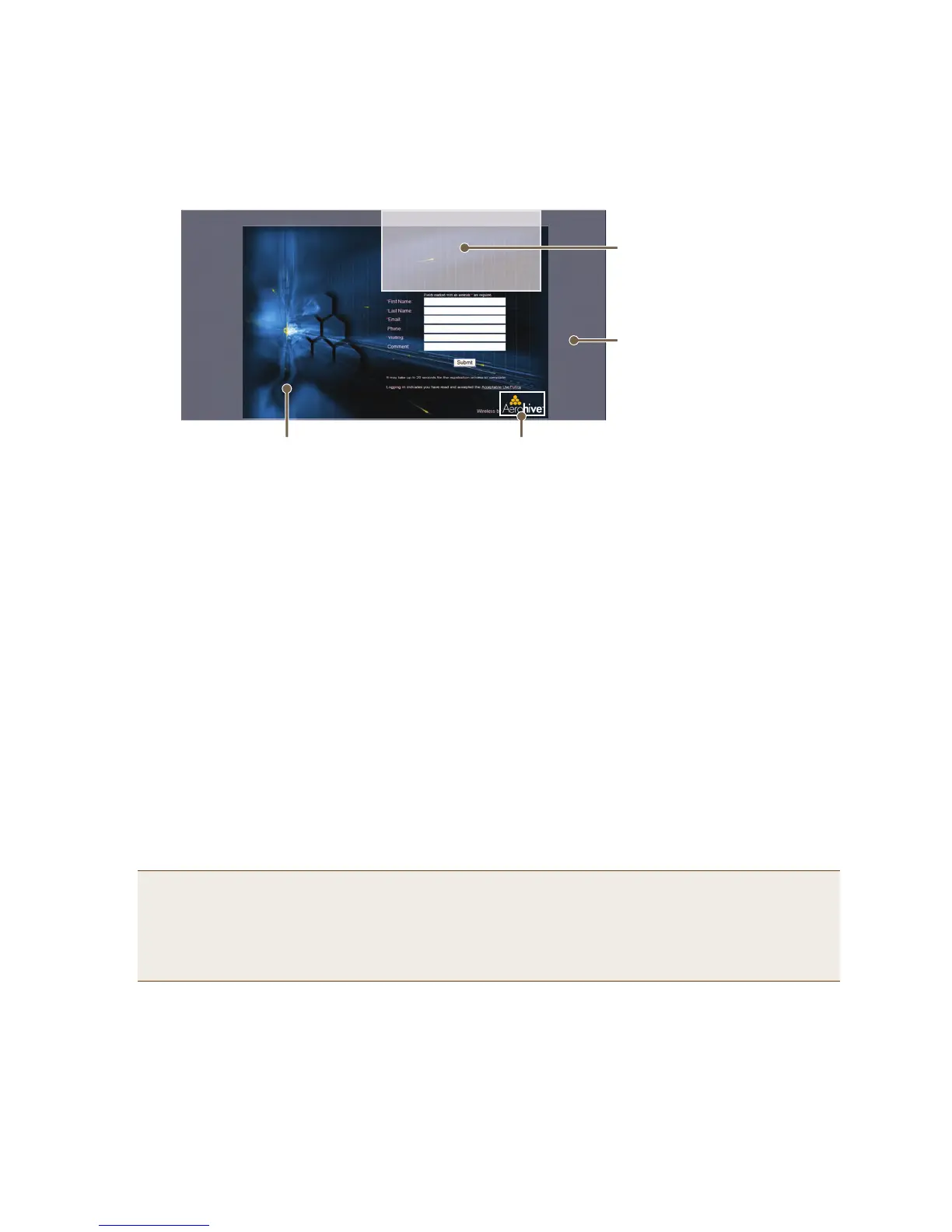
Figure 10 Components of the captive web portal self-registration page
Unregistered users’ browsers are redirected to the login page of the captive web portal for the SSID to which they
associate. The login page might be registration.html, authentication.html, or auth-reg.html, depending on the
registration method that you configure the portal to use. You can have a different registration page for each SSID.
To modify the default set of .html and image files for a captive web portal, do the following:
1. Click Configuration > Advanced Configuration > Authentication > Captive Web Portals > New.
2. Enter a name for the captive web portal configuration, and choose one of the following methods from the
Registration Type drop-down list:
User Authentication: Requires users to submit a valid user name and password to log in. The HiveAP then
forwards the submitted login credentials to a RADIUS server for authentication.
Self-registration: Requires users to enter data and accept a network use policy before being allowed to pass
through the captive web portal.
Both (Auth/Self-reg): Requires users to submit either one of the two types of registration.
Use Policy Acceptance: Requires users to accept a network usage policy before accessing the network.
There is also a fifth option, External Authentication, which redirects unregistered users’ HTTP and HTTPS traffic
to a captive web portal on an external server instead of redirecting it to an internal captive web portal on a
HiveAP. For information about configuring it, see the HiveManager online Help.)
Note: You can use Aerohive GuestManager or User Manager to provide network access to wireless users. A
GuestManager administrator, called an operator, sets up user accounts on GuestManager. Then
GuestManager uses its built-in RADIUS server to authenticate them. For information, see the Aerohive
GuestManager Getting Started Guide. With User Manager, an admin or operator can create permanent
or temporary user accounts based on private PSK accounts previously defined by a HiveManager admin.
Information about setting up User Manager can be found in the HiveManager online Help.
aerohive_logo_reverse.png
(111 x 48 px; 72 dpi)
The registration.html page with Self registered set as the registration type (When you set the registration
type as Authenticated or Both, there are different fields for the user to complete than those shown here.)
aerohive_spacer.png
(transparent image to offset the
registration section from the top;
size 200 x 103 px; 72 dpi)
aerohive_3d_bg.png
(solid background;
color #031e2f;
size 5 x 5 px; 96 dpi)
aerohive_3d.jpg
(background image;
842 x 595 px; 72 dpi)



 To Next Page