Deployment Guide 163
EXAMPLE 3: PROVIDING GUEST ACCESS THROUGH A CAPTIVE WEB PORTAL
SSID
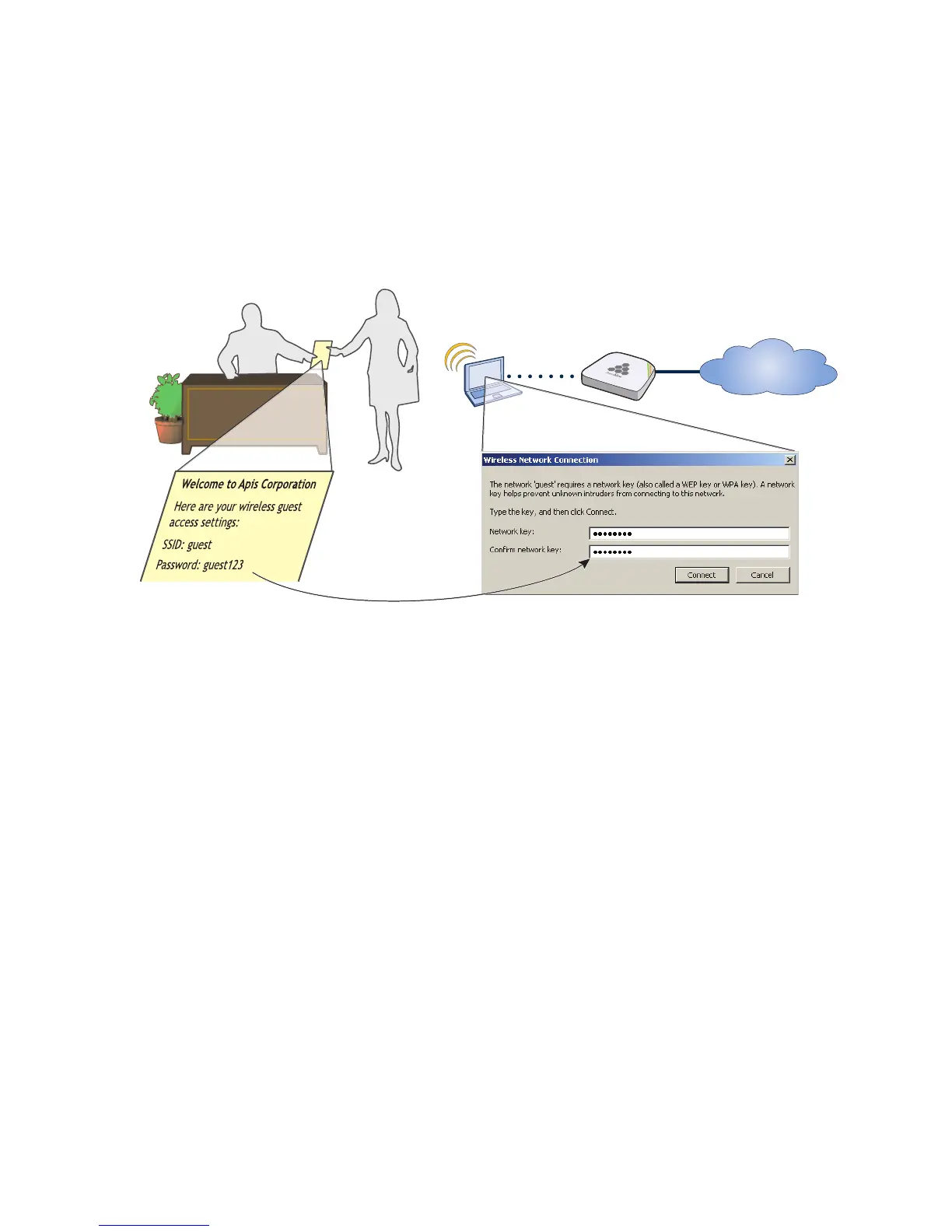
You can provide visitors with secure but unregistered network access by issuing them a preshared key to use
when associating with the guest SSID. A receptionist can provide visitors with the preshared key along with
access instructions upon their arrival, as shown in Figure 12. his approach provides visitors with secured
network access by using WPA or WPA2 with preshared keys and TKIP or CCMP (AES) encryption.
Figure 12 Guest access using a preshared key
The guest SSID provides secure network access for visitors. Also, by linking visitors to the guest SSID, you can
differentiate them from employees—who associate with other SSIDs—so that you can apply one group of settings
for visitors and another for employees. In addition, by assigning employees and guests to different VLANs, you
can separate their traffic.
To create an SSID for guest access, click Configuration > SSIDs > New, enter the following, leave all other
values at their default settings, and then click Save:
Profile Name: guest
SSID: guest
Description: SSID for registering company guests
SSID Access Security: WPA/WPA2 PSK (Personal)
Use Default WPA/WPA2 PSK Settings: (select)
Key Value and Confirm Value: guest123
Enable Captive Web Portal: (select); CWP-guest1
Self-Registration Access: User Profile: Self-reg-guests(3)
SSID Broadcast Band: 2.4 GHz (11n/b/g)
Receptionist
Visitor
Visitor’s Laptop
HiveAP
Internet
The visitor enters the
preshared key
“guest123” when
forming an association
with the HiveAP using
the SSID “guest”.



 To Next Page