Chapter 13 HiveOS
180 Aerohive
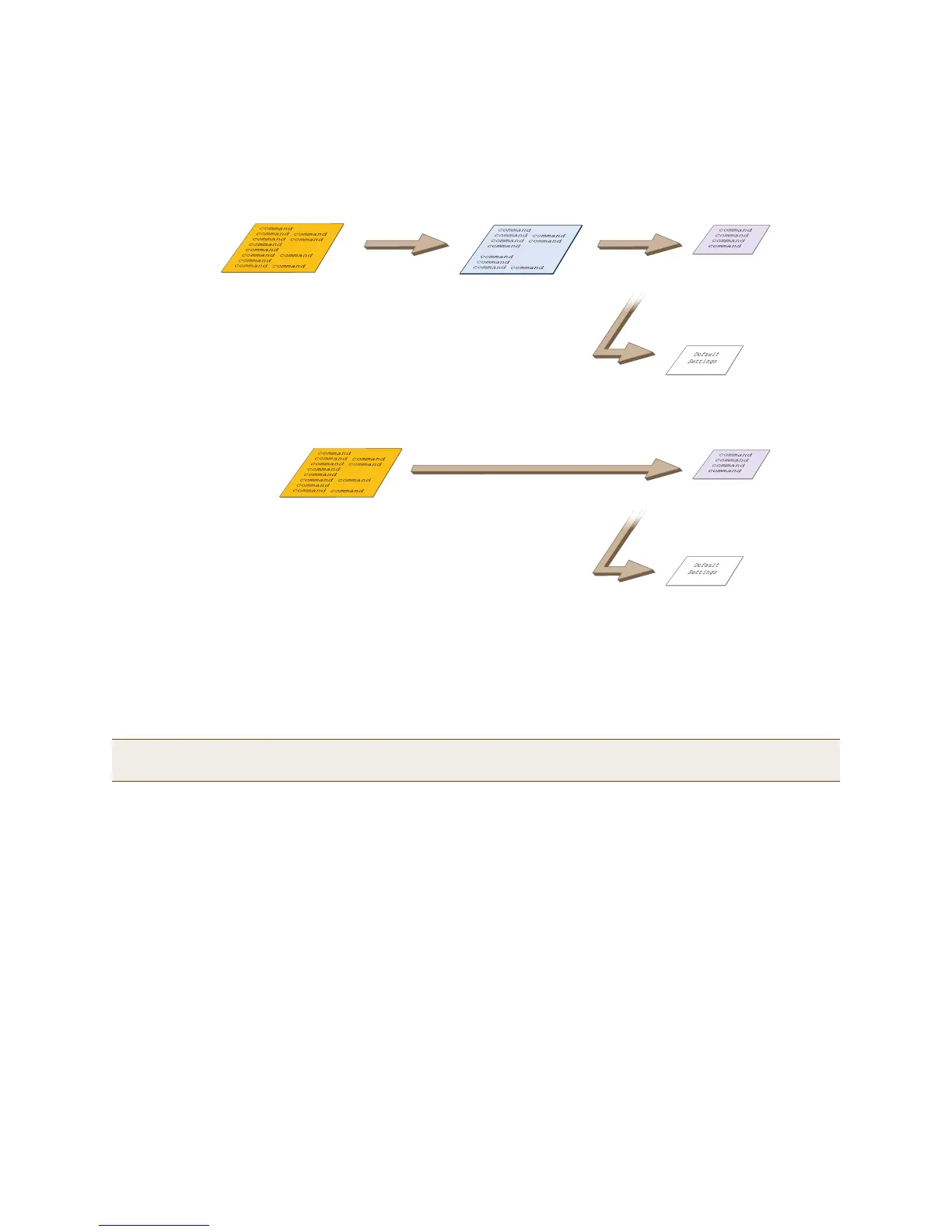
Figure 6 Relationship of current, backup, bootstrap, and default config files
To create and load a bootstrap config, make a text file containing a set of commands that you want the HiveAP to
load as its bootstrap configuration (for an example, see "Loading a Bootstrap Configuration" on page 200). Save the
file locally and then load it with one of the following commands:
save config tftp://ip_addr:filename bootstrap
save config scp://username@ip_addr:filename bootstrap
After it is loaded, you can enter the following command to view the bootstrap file: show config bootstrap
If you want to run the bootstrap config, enter the following commands:
load config bootstrap
reboot
When the bootstrap config loads, enter the login parameters you defined for that configuration. To return to your
previous current config file, enter the following commands:
load config backup
reboot
Note: Similar to the way that a current config consists of the commands you added on top of the default config,
a bootstrap config consists of default definitions and settings plus whatever other settings you configure.
When you enter the reset config reset config command or press the
reset button on the front panel of the HiveAP device, the
HiveAP deletes the previous current config, reboots, and
loads the bootstrap config if present or the default config.
reset config
Current Config
Bootstrap Config
Default Config
. . . or if there is no bootstrap config . . .
Resetting the Configuration
Current Config
Backup Config Bootstrap Config
Default Config
. . . or if there is no bootstrap config . . .
If the HiveAP cannot load either the current or backup
config files, it deletes them, reboots, and loads the
bootstrap config if present or the default config.
Configuration Failover Behavior
Failover Failover



 To Next Page