Network features
• The modular design offers optimal application to your specific networking
requirements.
• The functionality is completely controlled via the network.
• You can control the printer via the local keypad or via a remote PC
featuring a browser functionality.
Software license information
• The printer uses software developed by the Apache Software Foundation
(http://www.apache.org/licenses/LICENSE).
Options and accessories
Topics:
• Mobile installation kit
• Mammography application
Mobile installation kit
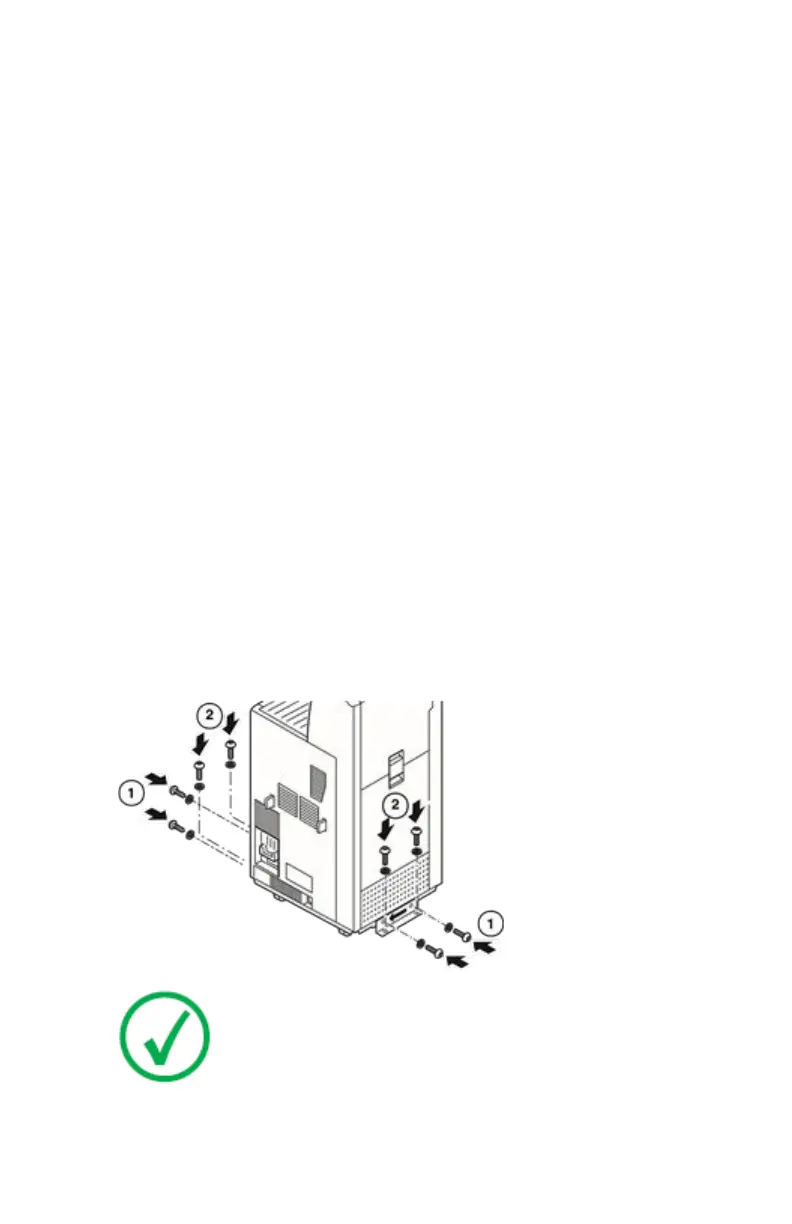
The default installation kit allows you to use the printer (Mammo inclusive) in
mobile applications (e.g. a van), or in unstable environments.
Safe transportation is ensured by two fixation bars that lock the printer to its
location (see illustration below). The fixation bars are included in the default
installation kit.
Note: For more information, refer to the Plug & Play Installation
manual.
22 | Drystar 5500, Drystar 5503 | Introduction
2901J EN 20191018 0826













 To Next Page