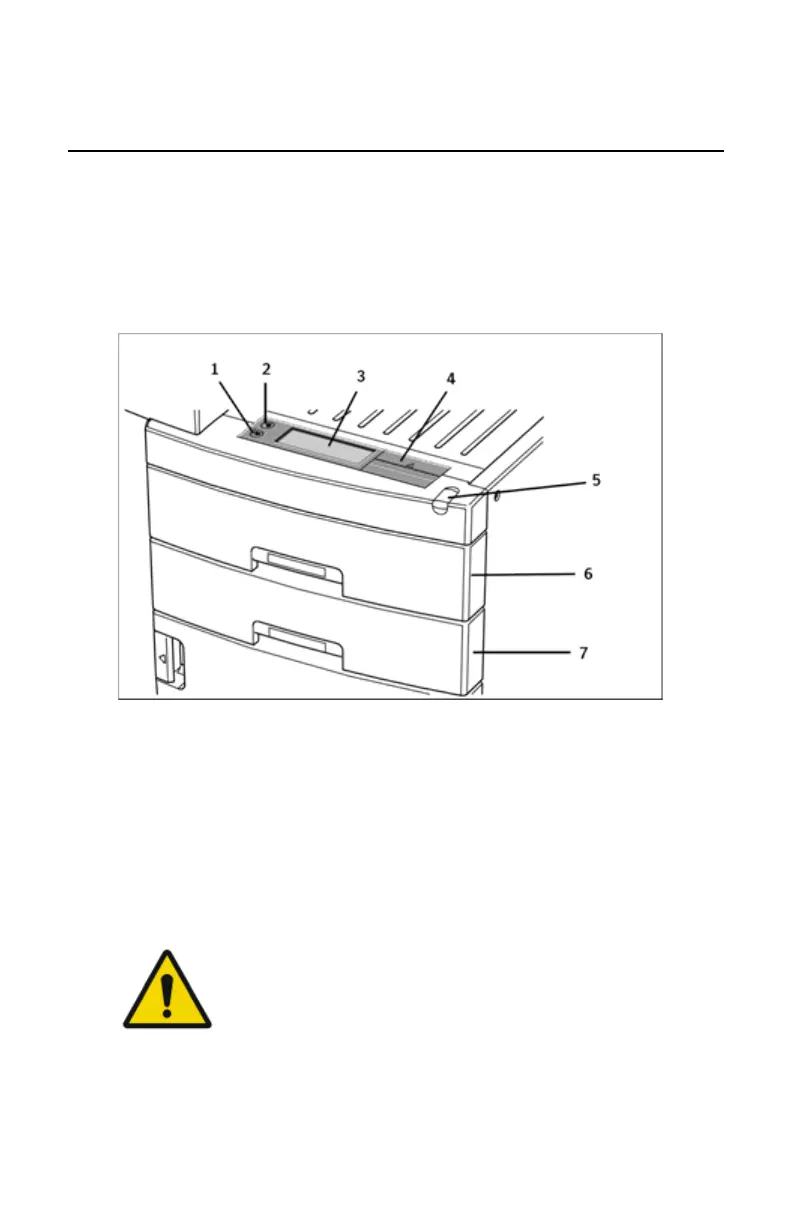
The local user interface
The printer interfaces with the user via the following controls:
• Power button;
• Unlock button;
• a keypad and a display;
• a status indicator LED;
• audio signals.
1.
Unlock button
2.
Power button
3.
Display
4.
Keypad cover
5.
Status indicator LED
6.
Film input tray (Upper input tray)
7.
Film input tray (Lower input tray)
Figure 7: Overview of user interface controls
WARNING:
Never try to open the printer during printing. Always follow the
instructions on the display!
Topics:
• The status indicator LED
• The control buttons
Drystar 5500, Drystar 5503 | Introduction |
57
2901J EN 20191018 0826













 To Next Page