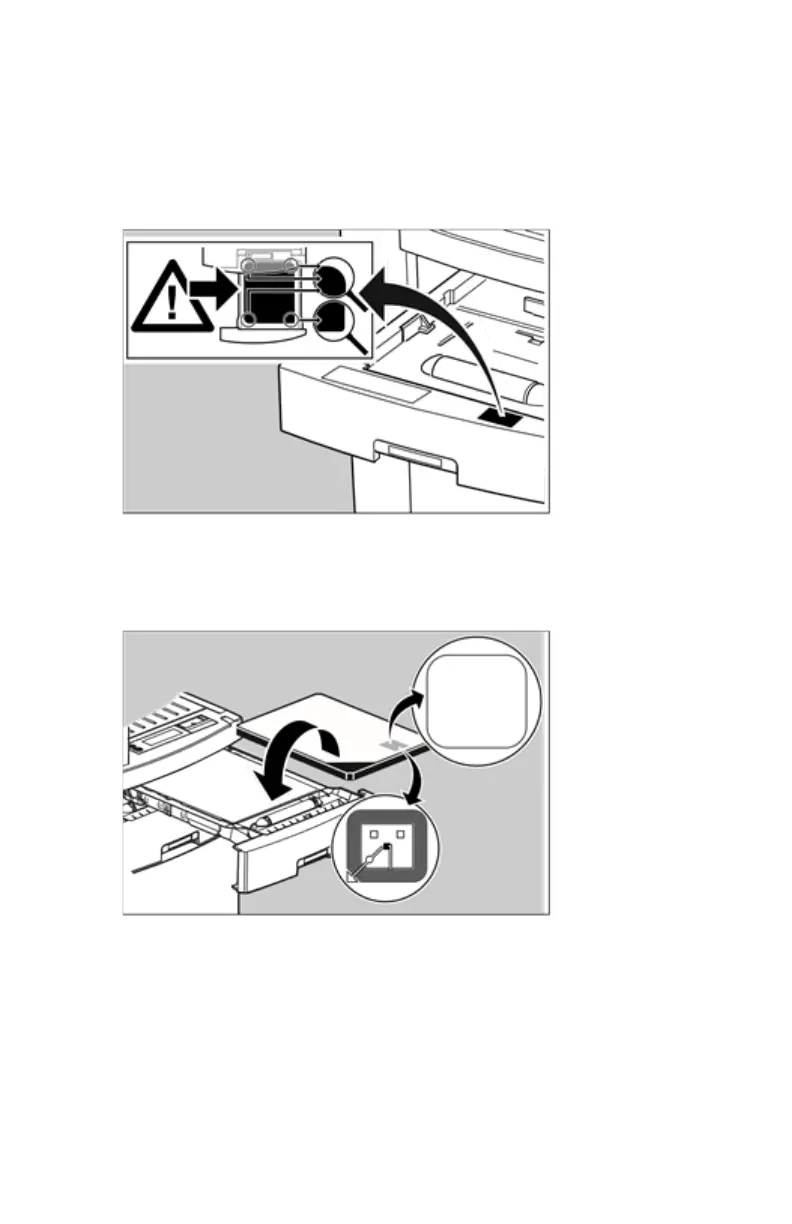
Checking the correct position of a film in the input tray
You can verify that the film is properly loaded by watching the lower right
corner of the films in the input tray. The rounding of this corner should be
smaller than the other three corners. This is also indicated on the sticker at
the right side of the input tray cover.
When closing the input tray, the Film Identification tag is read and the printer
settings are automatically adjusted. The Film Identification tag is located on
the protective sheet on the backside of the film pack. The figure below shows
the film pack upside down.
For some new film types, the Film Identification tag will be covered by a
sticker and therefore will not be visible.
Drystar 5500, Drystar 5503 | Basic Operation (operator mode) | 85
2901J EN 20191018 0826













 To Next Page