Changing the film format of the trays
The Key-operator can adjust the film size setting of both the input trays and
the output tray (8x10” up to 14x17” film sizes).
First, the Key-operator has to perform a mechanical modification. After this
modification, the ‘film format’ parameter is automatically read from the Film
Identification tag when the new film pack is loaded.
Note:
Never load another film format when the input tray is not
empty. Intermediate changing of film formats increases the risk
for dust, which can damage the thermal print head (TPH).
The system performs an automatic calibration when the film
format has been changed.
Proceed as follows to perform the mechanical modification:
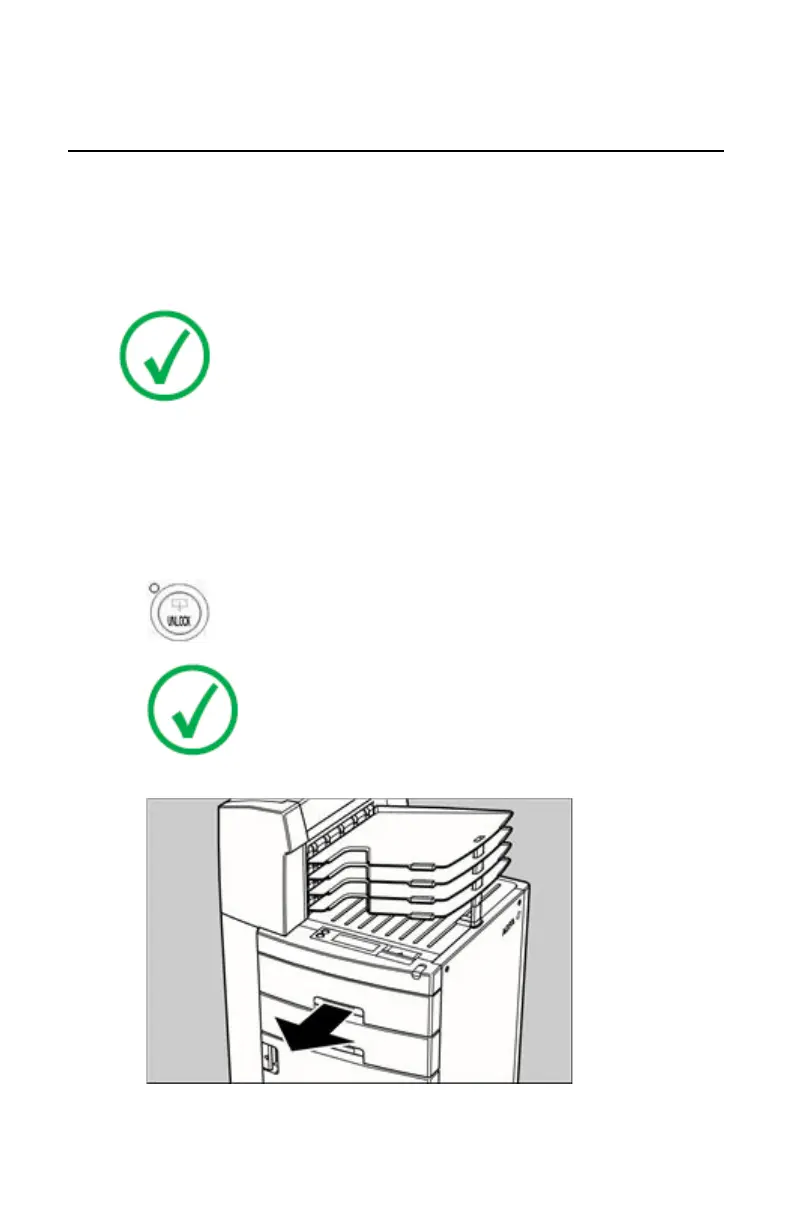
1. Make sure that the printer is in ‘Ready’ mode.
2. Press the Unlock button to unlock the trays.
Note: You have 5 seconds to open the input tray. If you do
not open the tray within that time, the first screen (step 1 or
5 respectively) is presented again, or printing is resumed
when a job is received for which media is available.
3. Open the input tray you want to adapt.
4. Remove the film position tab.
76 | Drystar 5500, Drystar 5503 | Basic Operation (operator mode)
2901J EN 20191018 0826













 To Next Page