The progress indicator keeps the user informed of the progress of a process
(e.g., calculation of a bitmap, printing of a film, copying files). The line is
gradually filled from left to right, from 0% to 100% as the process proceeds.
Note: On the print queue screen the modality name defined
during installation (nickname) will be used to refer to the
corresponding modality. In case no nickname has been defined
during installation, the AE-title will be used.
Related Links
Managing the print queue on page 71
Key-operator mode
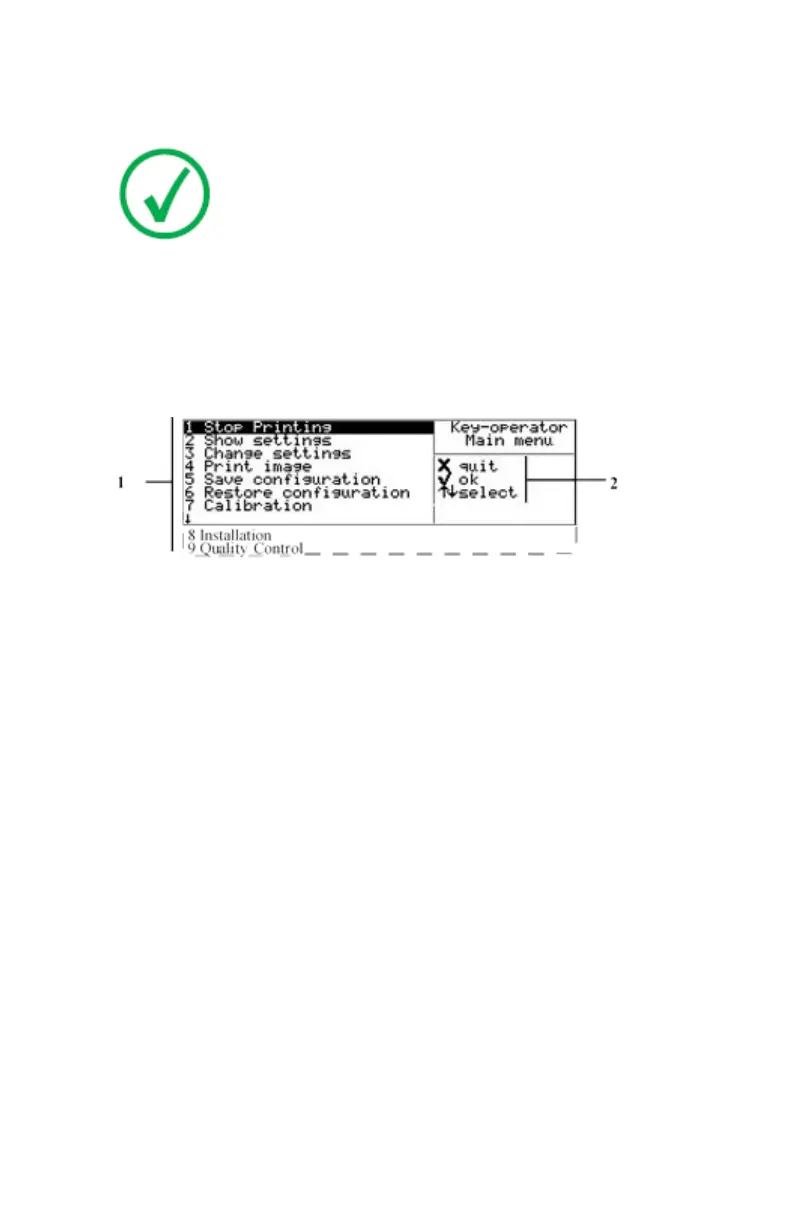
In Key-operator mode, operation is menu driven. The menu displays the
Keyoperator functions and the active keys.
1.
Key-operator main menu functions
2.
Active keys
Drystar 5500, Drystar 5503 | Introduction | 65
2901J EN 20191018 0826













 To Next Page