AgfaPhoto OPTIMA 8328m
28
Using the Self-timer & Burst
Use the self-timer to set a delay from the time the shutter button is pressed to the time
the image is shot. Use the burst to record continuous still images shooting.
Turn the power on, and set the
camera to the REC mode
(
page 14).
Open the REC menu (
page 17).
y Use
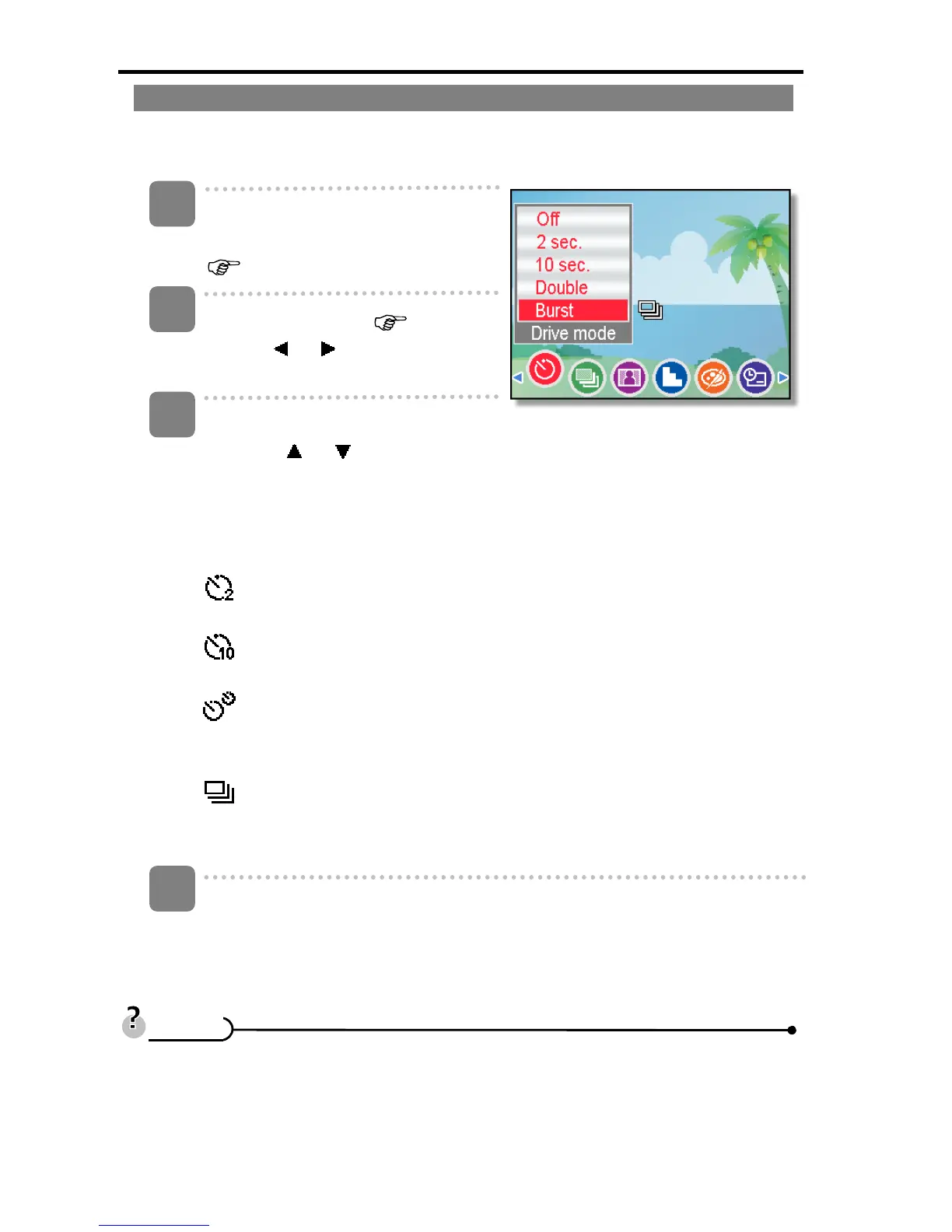
or to select [Drive
mode] from the REC menu.
Change the setting.
y Press
or to select a drive
mode, then press the SET
button.
Off:
Record a single image.
2 sec.:
The shutter release will delay for 2 seconds.
10 sec.:
The shutter release will delay for 10 seconds.
Double:
Record two images in a shot after pressing the shutter release button 10
and 12 seconds.
Burst:
Keep pressing the shutter button fully to take continuous shooting.
Release the shutter button to stop shooting.
Press shutter button to take a picture.
y When using the self-timer function, be sure to use a tripod or place the digital
camera on a level, stable surface.
4
1
2
3
T
T
i
i
p
p
s
s













 To Next Page