AgfaPhoto OPTIMA 8328m
31
Recording Movie Clips
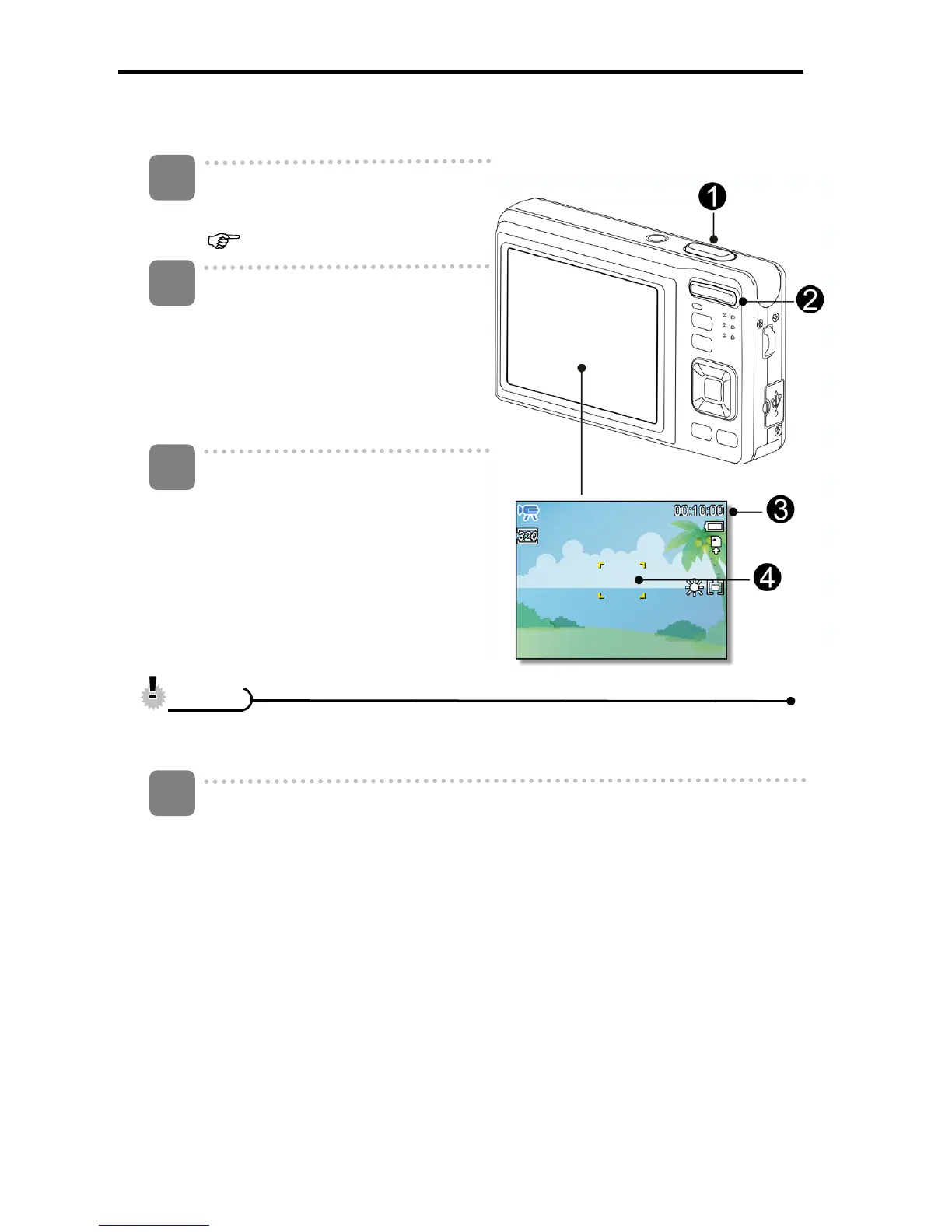
Turn the power on, and set the
camera to the Movie mode
(
page 14).
Compose the subject on the
monitor.
y Aim the focus area (q) to the
subject that you want to take.
y The LCD monitor displays the
available recording time (p).
Start recording.
y Press the shutter button (n) to
start recording.
y Use the zoom button (o) to
adjust the image size.
y The White Balance is set and
locked to the settings of the first
frame
y Sound cannot be recorded while pressing the zoom button.
y The digital zoom cannot be used in Movie mode.
Finish recording.
y Press the shutter again to end recording.
y The camera will stop recording automatically when the memory capacity
has been reached.
1
2
3
C
C
a
a
u
u
t
t
i
i
o
o
n
n
4












 To Next Page