AgfaPhoto OPTIMA 8328m
40
Playing Back Movie Clips
Turn the power on and set the camera to the Playback mode.
(
page 14).
Press
or to select a movie clip that you want to playback.
Start playing back.
y Press to start playing the movie clip.
y Press to stop the movie clip, or press to pause it. When the movie
paused, press again to resume.
y During movie playing back, press to fast forward or press to rewind it.
y Press the shutter to capture the still image from the movie clip while it had paused.
Magnifying & Trimming Still Images
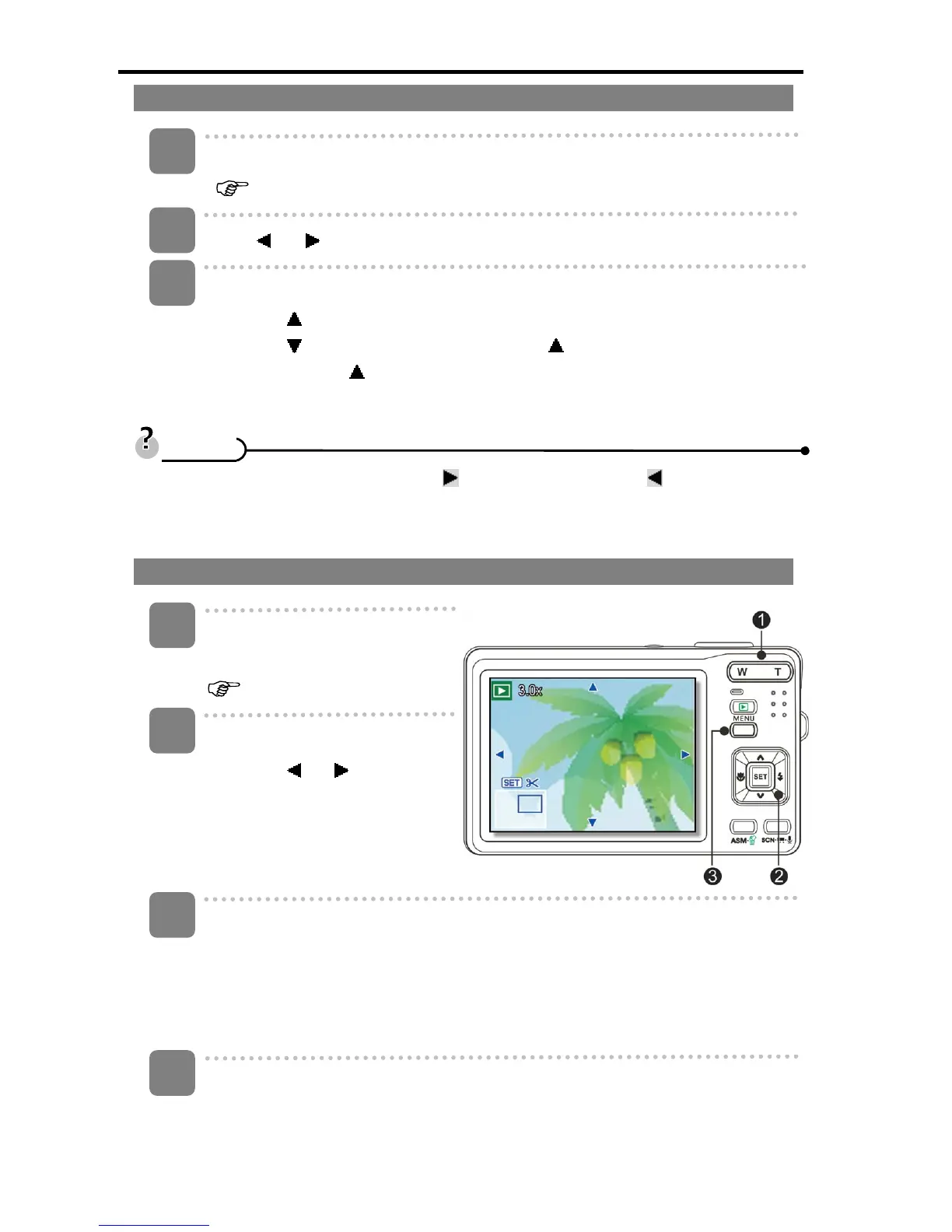
Turn the power on, and set the
camera to the Playback mode
(
page 14).
Select an image.
y Press
or (p) to select
the image that you want to
magnify or trim.
y Only still images can be
magnified and trimmed.
Magnify the image.
y Press [T] (n) to magnify the image and the central portion of the image is
displayed. You can use the arrow button (p) to view different parts of the
magnified image.
y Press the MENU button (o) to return to the normal size.
Trim the image.
y Press the SET button (p) to set the image trimming.
3
2
1
T
T
i
i
p
p
s
s
3
4
1
2













 To Next Page