AgfaPhoto OPTIMA 8328m
50
Choosing a Start-up Image
Turn the power on, and set the camera to the Playback mode
(
page 14).
Open the menu.
y Press the MENU button, then use the four-way control to select Start-up
Image (
) and press the SET button.
Press
or to select the image you want, then press the SET button to
apply the choice.
y A message “Completed” appears.
Set the camera to the Setup Menu (
page 18).
Press
or to select
Start-up Image (
) then
press
or the SET button.
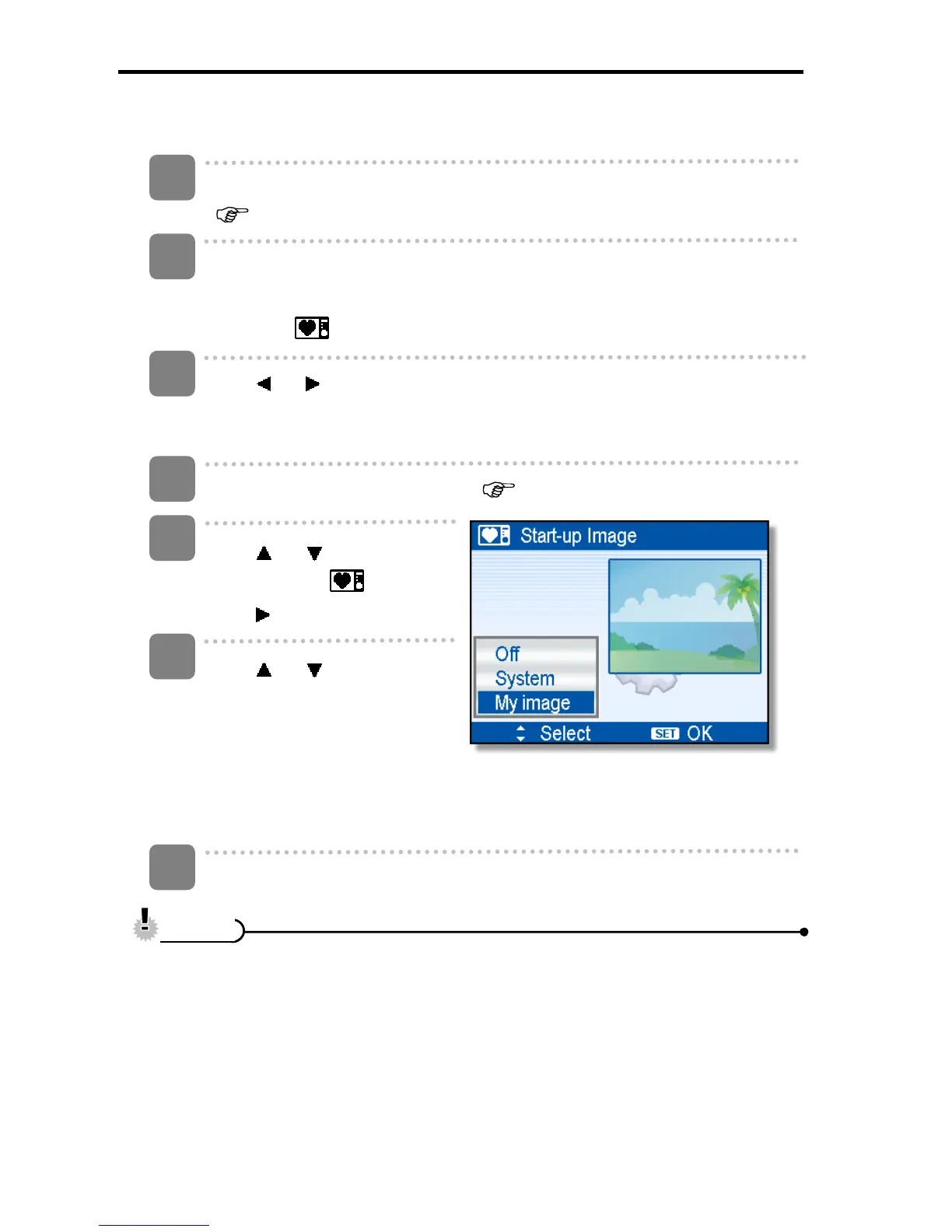
Press
or to select a
desired option and press the
SET button to apply the
setting.
[Off]:
Disable the start-up image.
[System]:
Use camera default image.
[My image]:
Use the image that you just specified in step 3.
Press the MENU button to close the menu.
y The start-up image will not be deleted even if the original image is deleted or
memory formatted.
3
1
2
4
5
6
7
C
C
a
a
u
u
t
t
i
i
o
o
n
n













 To Next Page