Spa
25
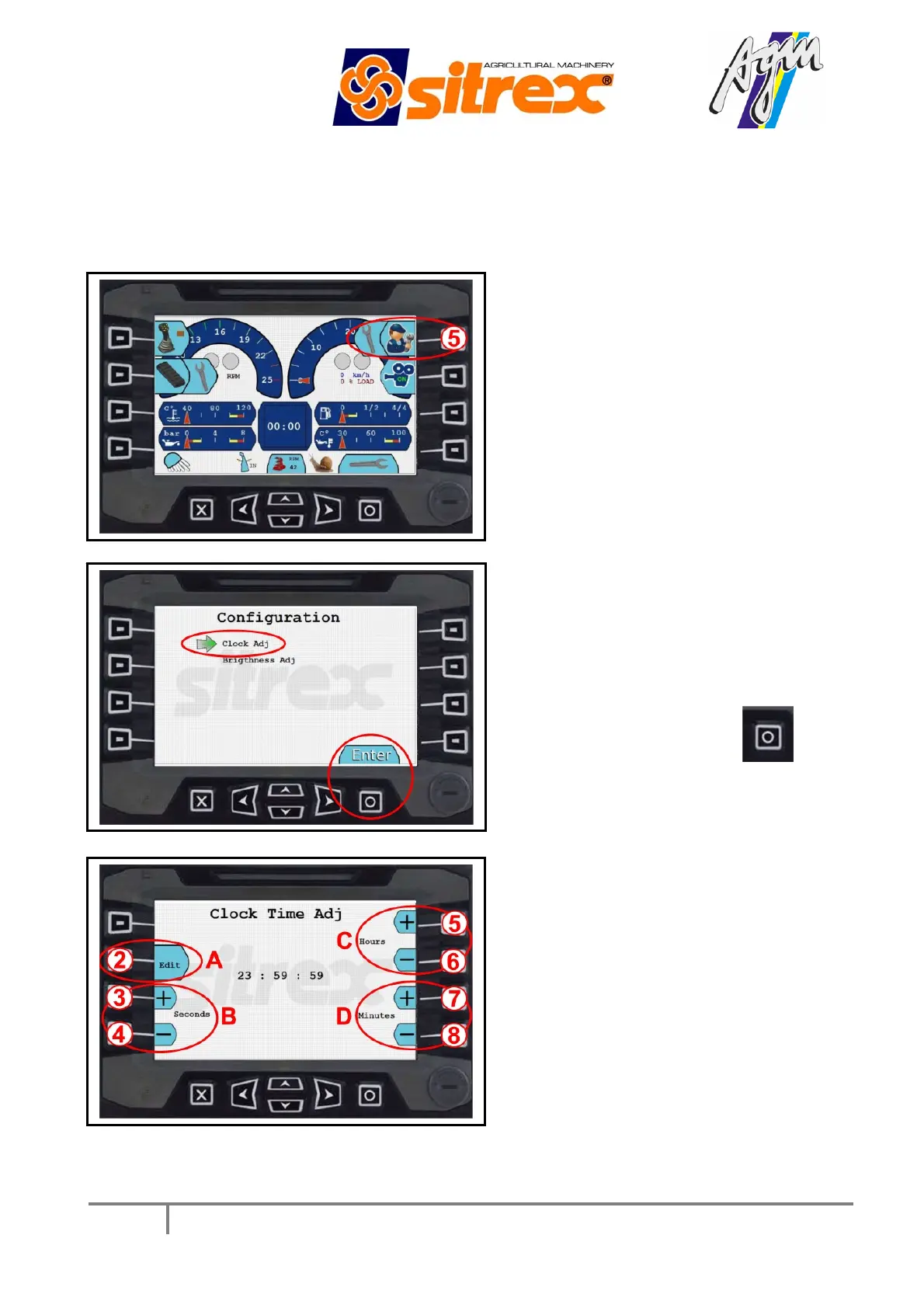
3.2 SETTING THE TIME
To set the time, carry out the following operations:
Press button n°
5 “setting”
Select
“configuration” and then “clock
adj” and press “ENTER”
.
Press button 2 (
)
and then set the
seconds, minutes and hours with buttons
3-4 (B), 7-8 (D), and 5-6 (C)
respectively and then press button 2
again to save the settings. To exit from
settings press the “X” button.



 To Next Page