Spa
65
5.2 RESET ALARM SENSORS
Tra With the control panel it is possible to reset any errors in the sensors and solenoid valves
with the following sequence:
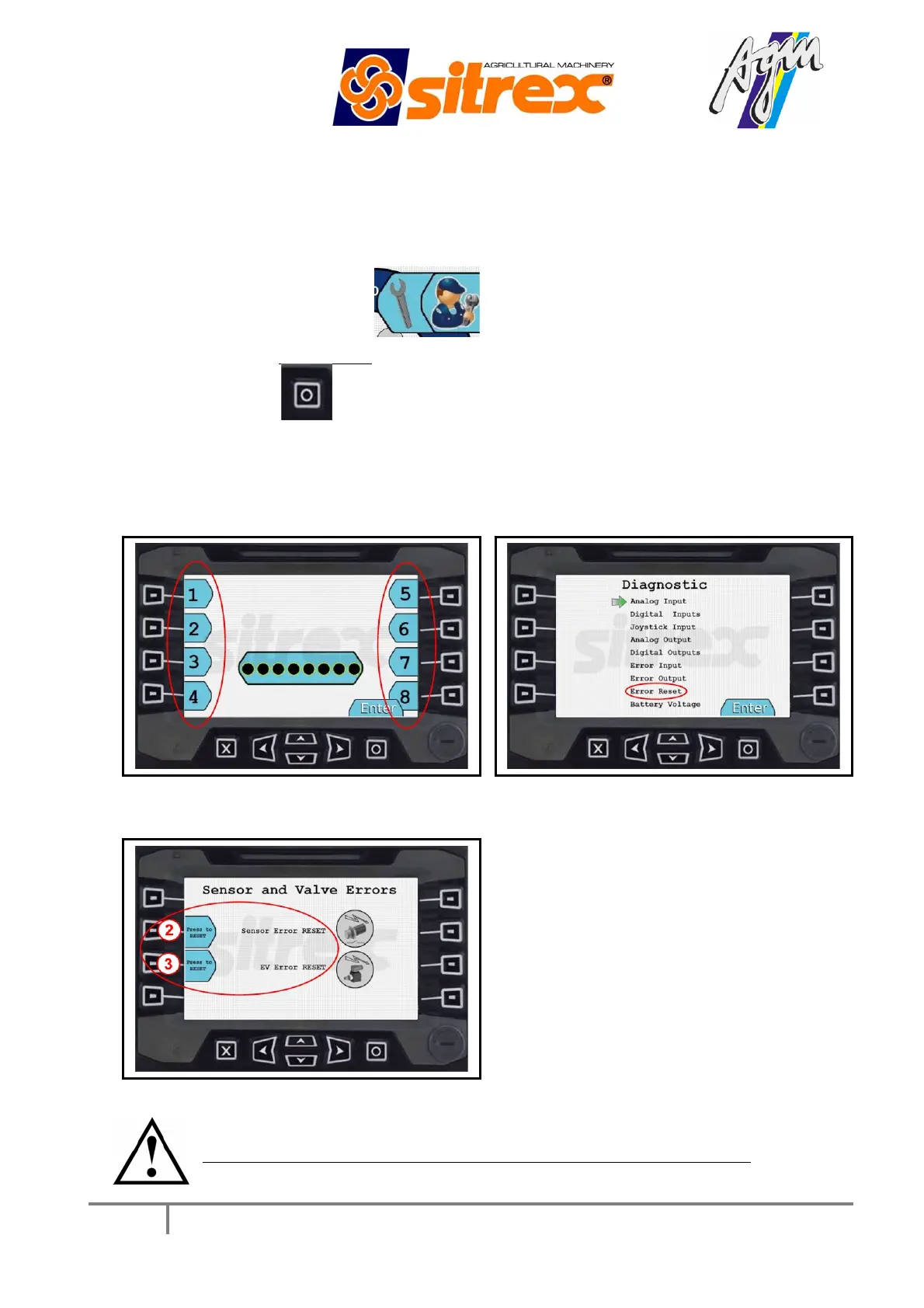
Press button n° 5 “setting”
Enter password 12345677 to be able to access the buttons indicated in FIG.1 and
press "ENTER" (it is also possible to enter without the password but only for
consultation, without being able to reset the errors).
Move with the “up and down” arrows and select “ERROR RESET” (FIG.2).
Reset any alarms with button n° 2 if the error is in the sensors, or button n° 3 if the
error is in the solenoid valves (FIG.3).
FIG.1 FIG.2
FIG.2
Before resetting any errors find out what is causing the system alarm.



 To Next Page