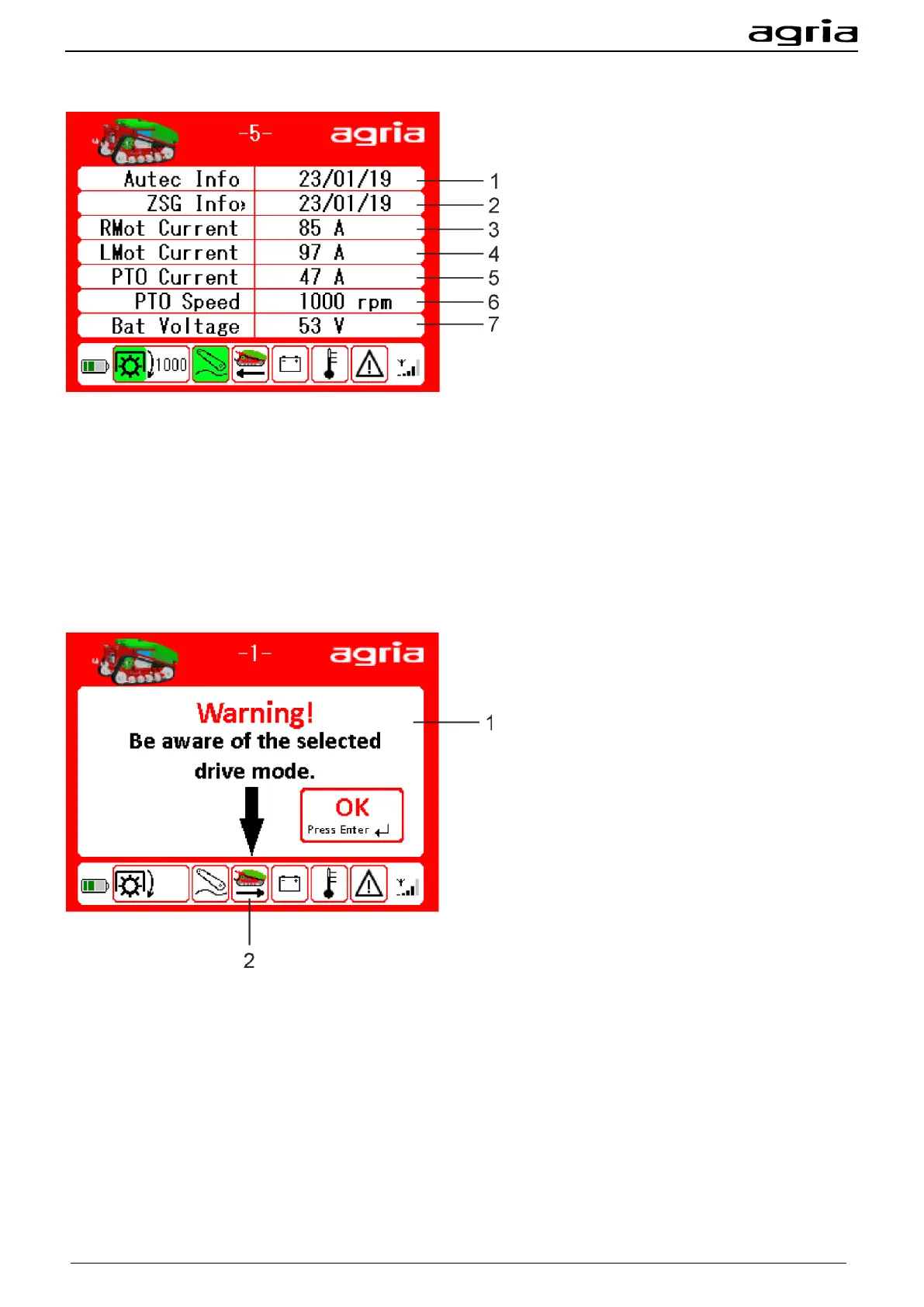
Menu page 5 Information
The display shows additional information about the machine:
(1) Version of the software in the remote control
(2) Version of the software in the central control unit
(3) Current at the wheel motor right
(4) Current at the wheel motor left
(5) Current at the PTO shaft drive
(6) Actual PTO shaft speed
(7) Battery voltage
Warning driving direction
If this display field appears on the display when the machine is started, the travel direction if set to trailed
mounted implements. The machine is thus reversing compared to the standard setting.
(1) Take note of the pre-set travel direction.
You can acknowledge the message with the Enter (B/20) key.
(2) Schematic depiction of the travel direction


 To Next Page