38
CAUTION
Ifthesystemfailurelightblinks,there
isaproblemwiththeelectricalsystem.
Quicklyandfullyretracttheboom,stop
theoperation,andhavethemachine
checkedimmediately.
M085F621
SystemFailureLight
fig.8‒25
LowerControls4.
(fromground)
CAUTION
• Donotpushtheboomorplatformto
theground,orusethemtocrashinto
objects,orpushthingsup.
• Checkthattherearenoobstaclesinthe
waybeforerotating.
• Iftheboomisrotatedwhilethe
machineleans,therotationmaybe
rough.
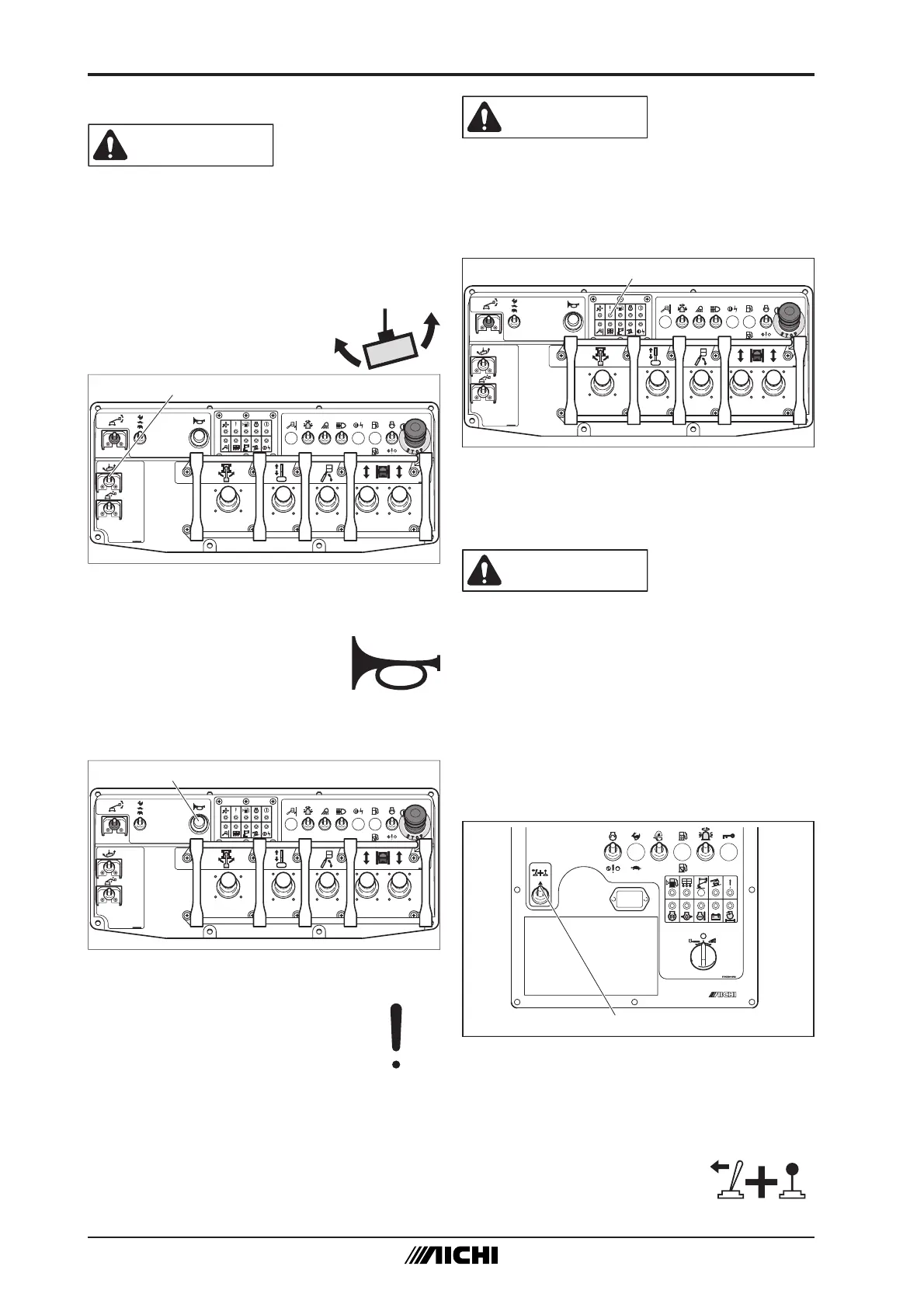
EnableSwitch4‒1
M082L122
EnableSwitch
fig.8‒26
(1) Whenusingthelowercontrolpanelto
operatethemachine,turnthekeyswitch
to“LOWERCONTROL.”
(2) Holdtheenableswitchupto“ON”while
operatingtheboomor
platformfromthelower
controlpanel.
PlatformRotatingOperation3‒4
CAUTION
• Keeptheplatformstraightwhile
traveling.
• Beforerotatingtheplatform,stopthe
machinemovementandmakesurethat
nopersonorobstacleisaroundthe
machine.
Depressthefootswitchand
operatetheplatformrotation
switchtorotatetheplatform.
M085F820
PlatformRotationSwitch
fig.8‒23
HornOperation3‒5
Usethehornbutton.
Whilepressingthehornbutton,
analarmwillsound.
Pressthehornbutton
beforestartingworktoalert
surroundingpersonnel.
M085F920
HornButton
fig.8‒24
SystemFailureLight3‒6
Thesystemfailurelightturnson
whenthereisaproblemwiththe
electricalsystem.


 To Next Page