1. Introduction
AirLive N.MINI User’s Manual
4
Off WLAN function off
On WLAN link / active
Wireless
LAN
WLAN Green
Blinking WLAN traffic transmitting
Off WPS Off
WPS WPS Green
Blinking WPS is enabled to make a
connection
Off No Ethernet cable connecting
On Ethernet cable connected
Ethernet Ethernet Green
Blinking Receiving/ sending data
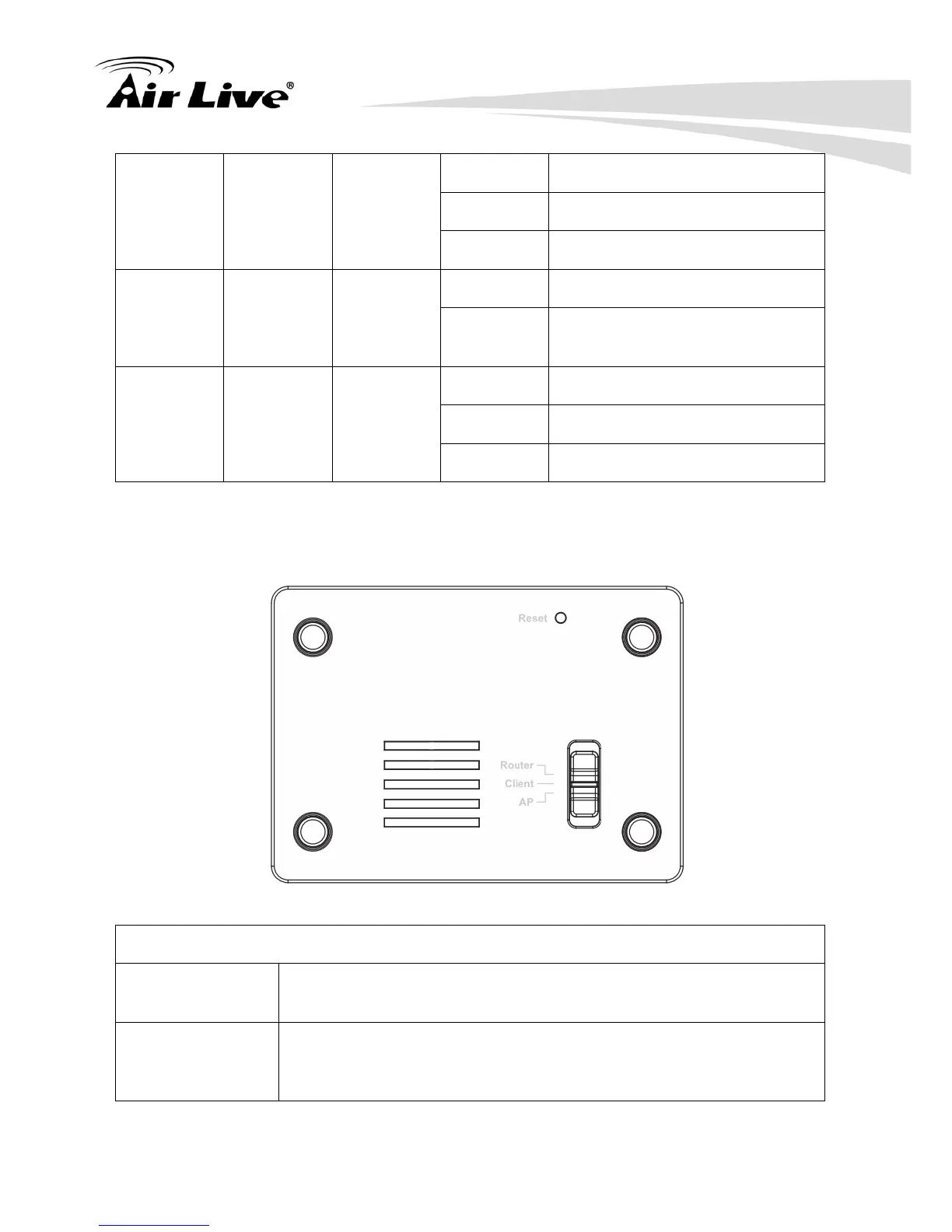
1.4.2 Bottom Switch
Reset button and switch bar
Reset Keep on pressing the Reset button more than 3 seconds, the
Wireless Router will set all setting back to factory default values.
Switch User need to MANUALLY switch the bar into the mode preferred,
Router, AP or Client mode, then the device will reboot automatically
into the mode selected.



 To Next Page