5. PC Configuration
AirLive N.MINI User’s Manual
68
5.2.4 Checking TCP/IP Settings - Windows Vista
1. Go to Start > Control Panel> Network and Internet> Network and Sharing Center>
Manage Network Connections> Local Area Connection.
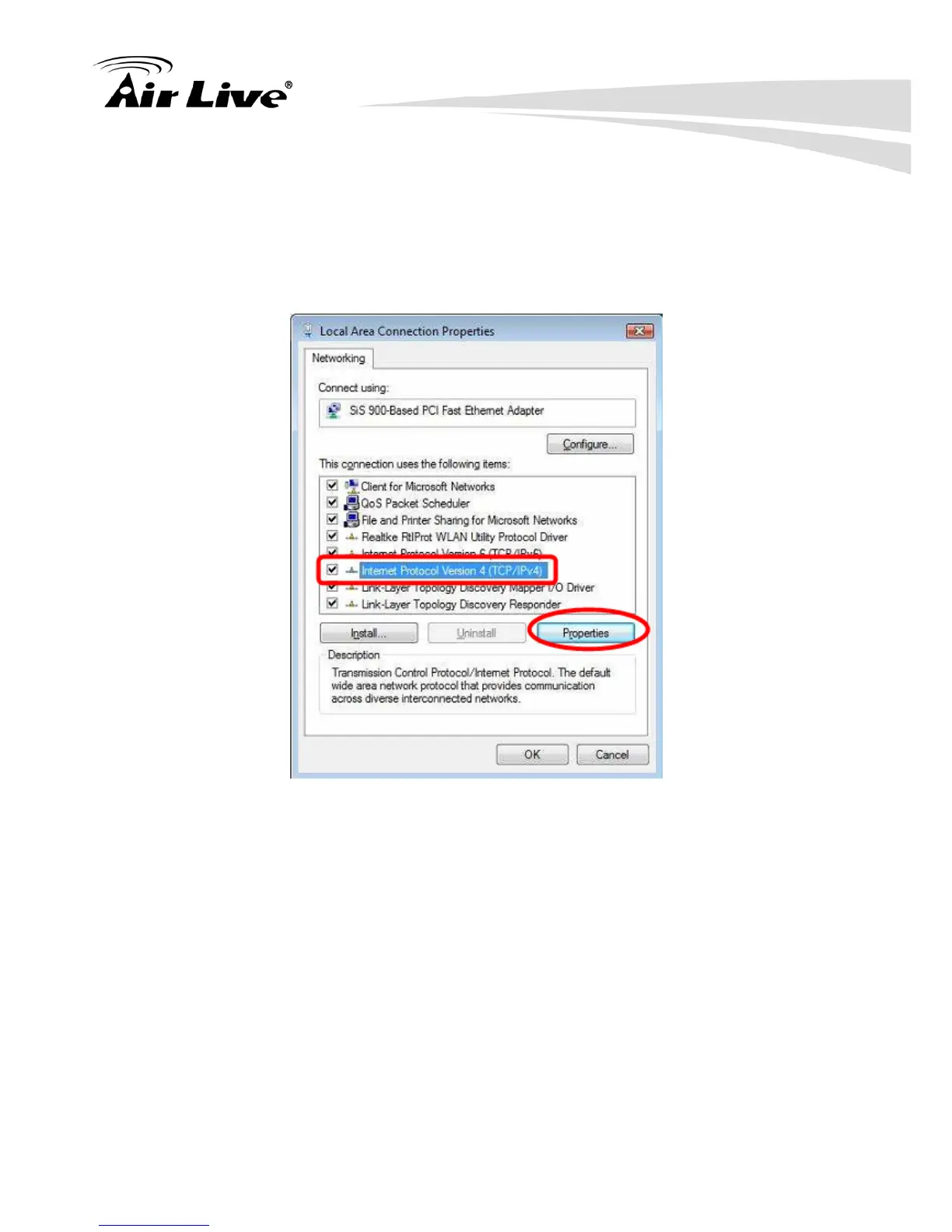
2. Right click the Local Area Connection icon and choose Properties. You should see a
screen like the following:
3. Select the Internet Protocol Version 4(TCP/IPv4) or 6 (TCP/IPv6) for your network card.
4. Click on the Properties button. You should then see a screen like the following.



 To Next Page