3. Installation
9
AirLive N.MINI User’s Manual
3.1 Hardware Connection
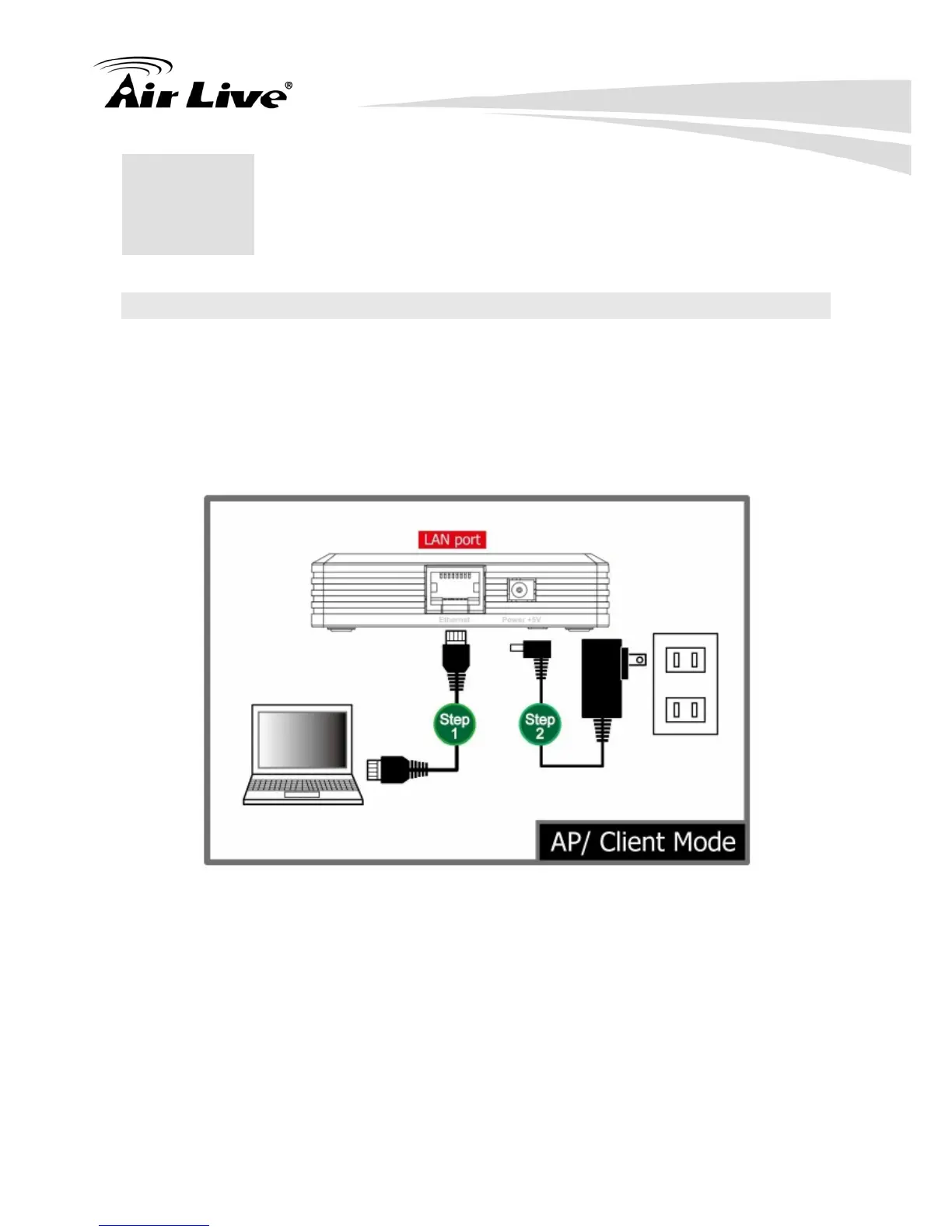
3.1.1 AP/ Client Mode
Connect via cable …
Step1. Connect one end of the Ethernet cable to the Ethernet port(act as a LAN port here)
of the Wireless Router, another end to your PC or notebook.
Step2. Then, connect the Wireless Router with a power to an outlet.
3.1.2 Router Mode
Connect via wireless…
Step1. Power on the wireless router first, connect the Wireless Router with a power to an
outlet.
Step2. Then, connect the computer with the wireless router via wireless LAN interface.
Step3. After make a connection and set up(please refer to TCP/IP Settings> WAN Interface
Setup) successfully, connect the ADSL or cable modem with an cable to the
Ethernet port(act as WAN port here). If your modem came with a cable, use the
supplied cable.
3
3 . Installation



 To Next Page