4. Web Configuration
AirLive N.MINI User’s Manual
25
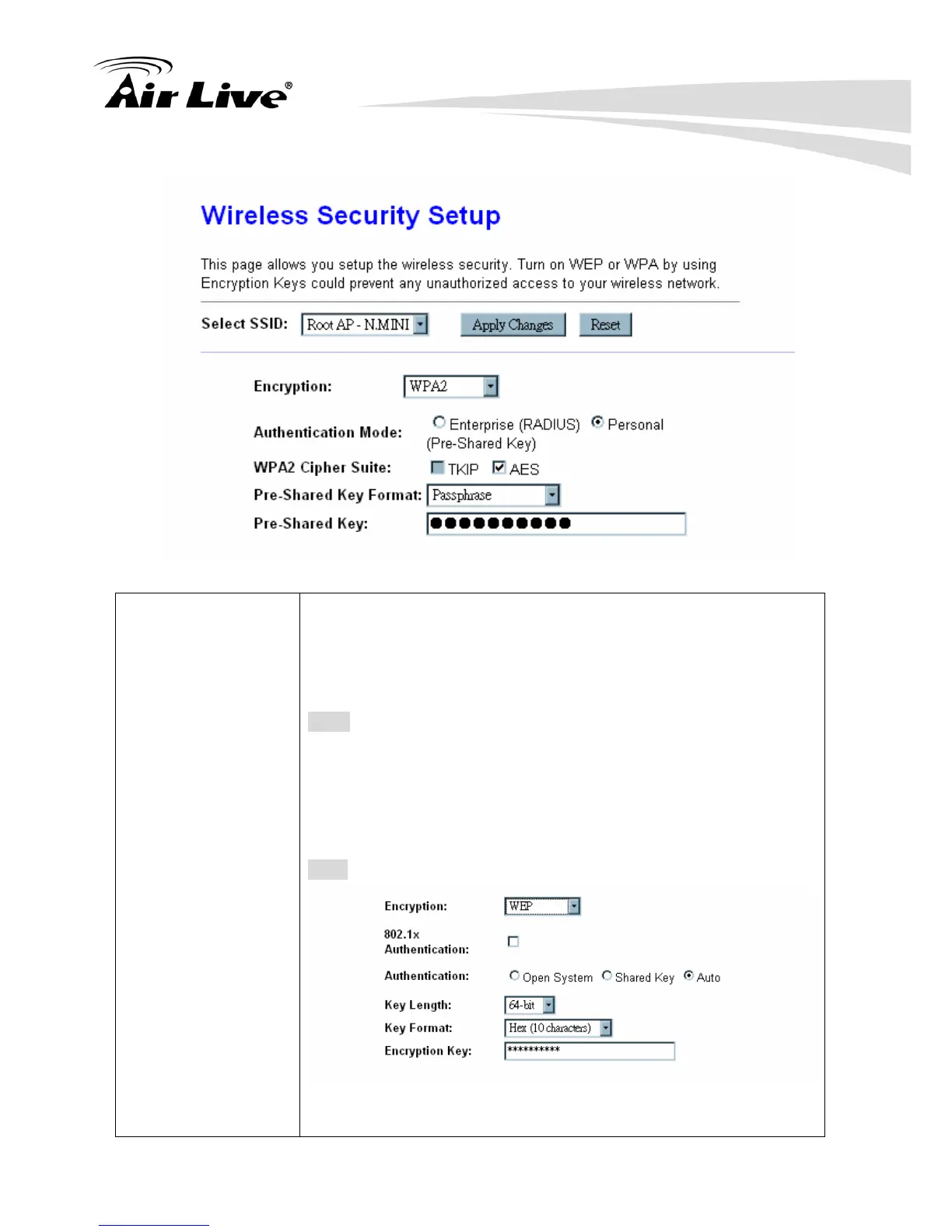
4.2.3 Security
Security Mode Select desired security type from the pull-down menu Disable,
WEP, WPA, WPA2 and WPA2-Mixed. The default setting is
Disable. It is strongly recommended to set up security mode
(WEP, WPA, WPA2 and WPA2-Mixed) to prevent any
unauthorized accessing.
Note:
WPA and WPA2 only support TKIP and AES as encryption
method. Shared Key only supports WEP as encryption
method. AUTO(Open/Shared) means AP can accept station
connect to it using OPEN-WEP or SHARED-WEP
WEP
802.1x Authentication: Check the box to enable the 802.1x
authentication.



 To Next Page