4. Web Configuration
AirLive N.MINI User’s Manual
26
Authentication: Select Open System, Shared Key or Auto.
Key Length: select key length 64-bit or 128-bit.
Key Format:
Hexadecimal (WEP 64-bit): 10 Hex characters (0~9, a~f).
Hexadecimal (WEP 128-bit): 26 Hex characters (0~9, a~f).
ASCII (WEP 64-bit): 5 ASCII characters (case-sensitive).
ASCII (WEP 128-bit): 13 ASCII characters (case-sensitive).
Encryption Key: Enter the key in the key setting field.
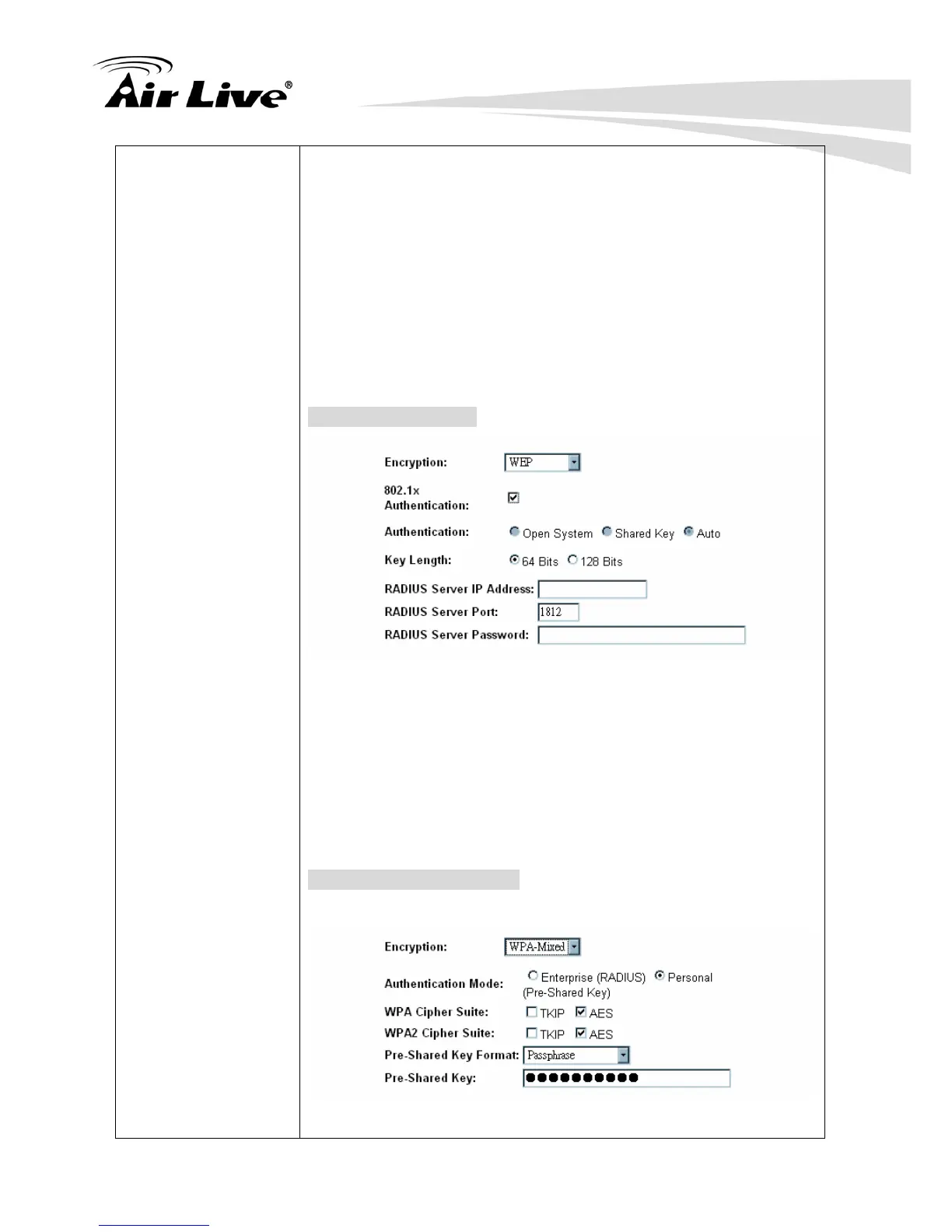
802.1x Authentication
Key Length: select key length 64 Bits or 128 Bits.
RADIUS Server IP Address: Enter the RADIUS Server’s IP
Address provided by your ISP.
RADIUS Server Port: Enter the RADIUS Server’s port number
provided by your ISP. The default is 1812.
RADIUS Server Password: Enter the password that the AP
shares with the RADIUS Server.
WPA/ WPA2/ WPA2-Mixed



 To Next Page