4. Web Configuration
27
AirLive N.MINI User’s Manual
Personal (Pre-Shared Key)
Authentication Mode: Select Enterprise (RADIUS) or Personal
(Pre-Shared Key) mode.
WPA Cipher Suite: Here supported AES only.
WPA2 Cipher Suite: Here supported AES only.
Pre-Shared Key Format: There are two formats for choice to set
the Pre-shared key, Passphrase and Hex (64 characters). If Hex
is selected, users will have to enter a 64 characters string. For
easier configuration, the Passphrase (at least 8 characters)
format is recommended.
Pre-Shared Key : Pre-Shared Key serves as a password. Users
may key in 8 to 63 characters string if you selected passphrase.
Pre-shared key format to set the passwords or leave it blank, in
which the 802.1x Authentication will be activated.
Make sure the same password is used on client's end.
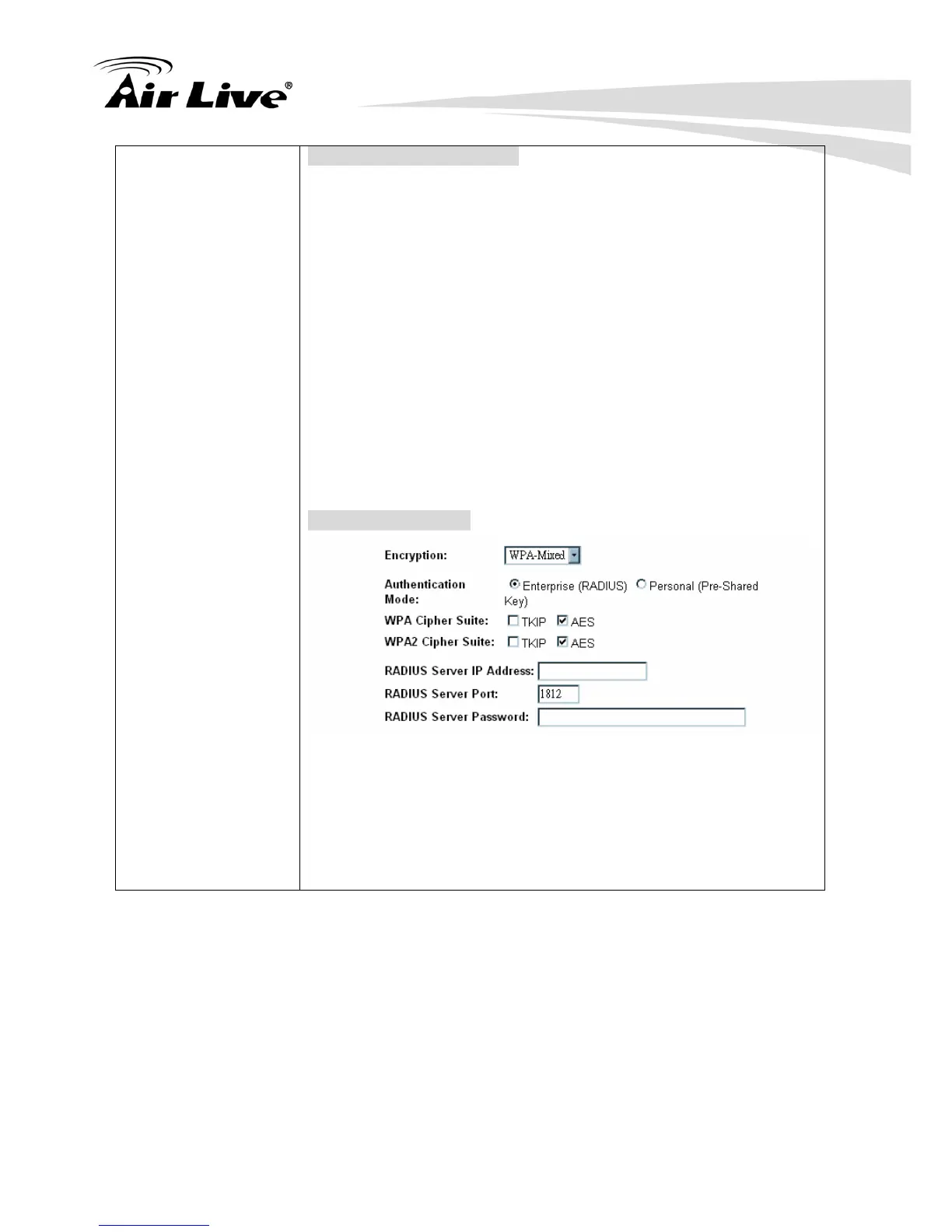
Enterprise (RADIUS)
RADIUS Server IP Address: Enter the RADIUS Server’s IP
Address provided by your ISP.
RADIUS Server Port: Enter the RADIUS Server’s port number
provided by your ISP. The default is 1812.
RADIUS Server Password: Enter the password that the AP
shares with the RADIUS Server.



 To Next Page