3. Installation
13
AirLive N.MINI User’s Manual
3.3 Default Settings
The default settings of N.MINI are listed below:
• AP or Router Mode IP: 192.168.1.254
• Client Mode IP: 192.168.1.253
• Username: admin
• Password: airlive
• SSID: airlive
If you cannot connect...
If the Wireless Router does not respond, please check following:
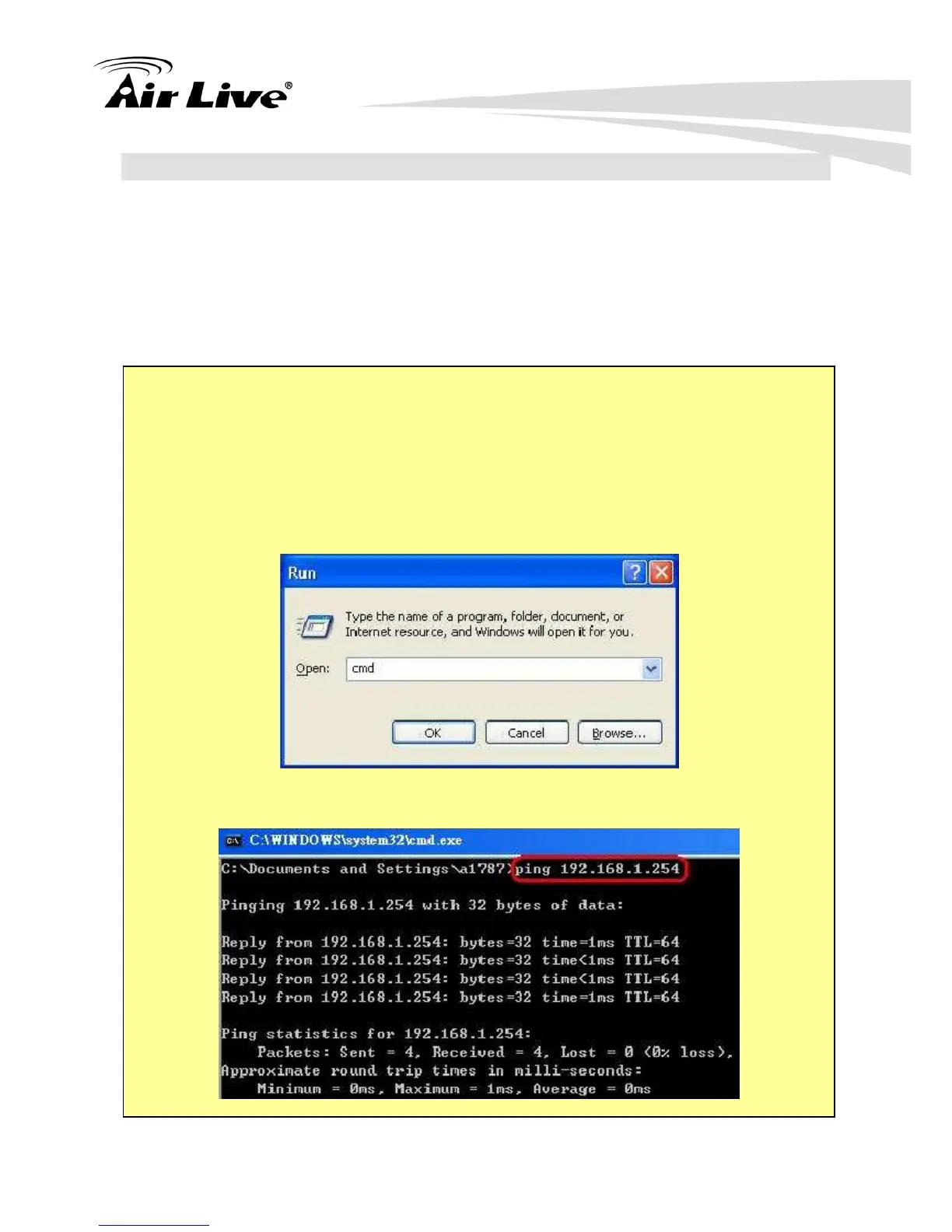
Step1. The Wireless Router is properly installed and connection with computer is OK,
and it is already powered ON. You can test the connection by using the "Ping"
command:
Step2. Please go to Start>Run…> Enter “cmd” command in the column to open the
MS-DOS window.
Step3. Enter the command: ping 192.168.1.254



 To Next Page