5.1.3. Other functions of the platform control panel
5.1.3.1. Manual horn
The horn warns that the machine is moving. It is manually operated by means of the press-button S.
5.1.3.2. Emergency stop button
By pressing the red emergency STOP button R all control functions are stopped. Normal functions are enabled by rotating the
button of 1/4 turn clockwise.
5.1.3.3. Motor generator operation mode selector
On hybrid models, you can select the operation mode of the motor generator by means of selector ZG. In AUTO position the motor
generator turns on and off independently according to the level of charge and discharge of the battery. In MANUAL position the
motor generator can be turned on and off by the operator with the switch Q.
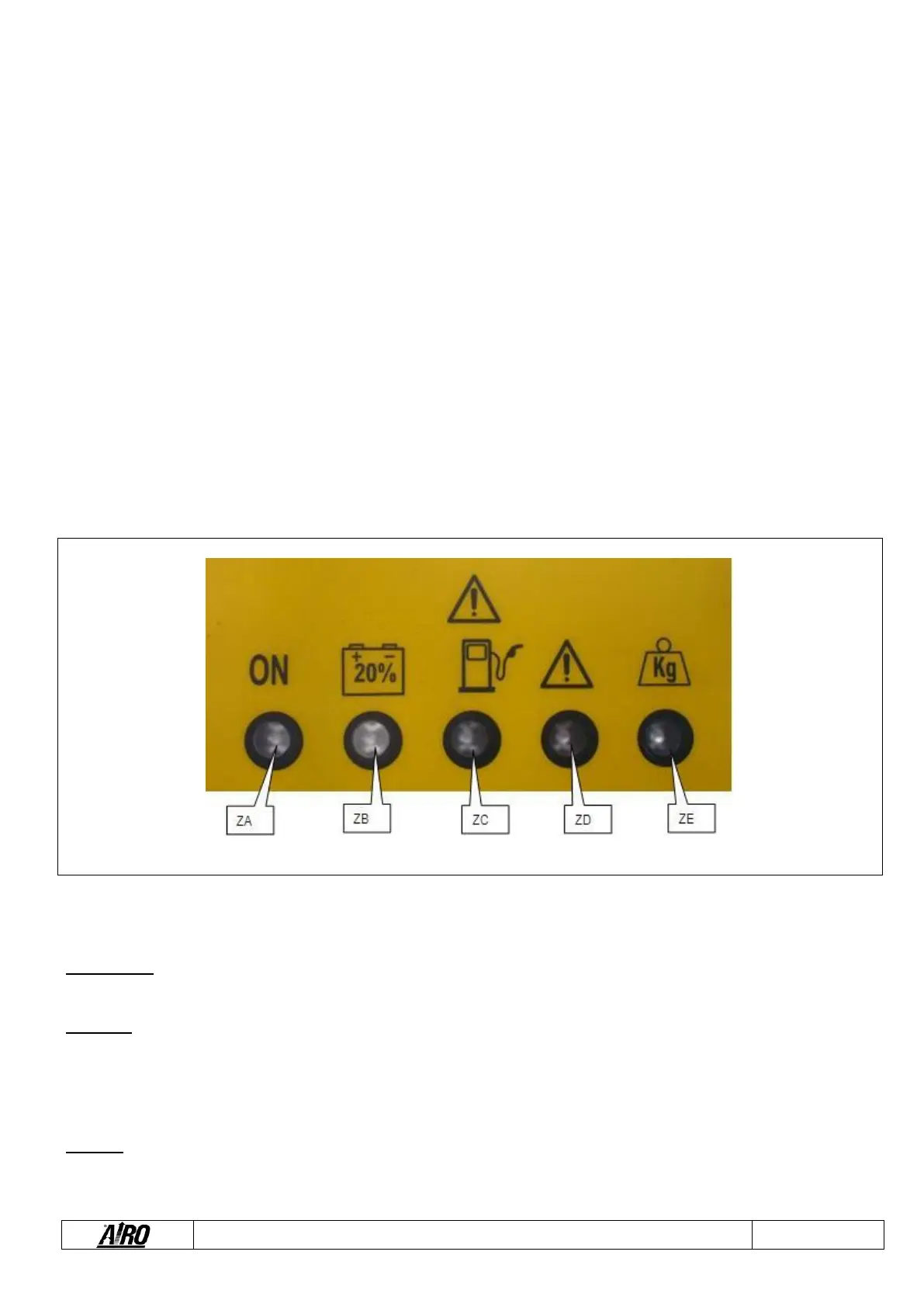
5.1.3.4. Warning lights
5.1.3.4.1. Enabled control panel green warning light (ZA)
Lit up flashing when the machine is turned on. If the platform control panel has been selected and this light flashes the controls are
not enabled because the dead-man pedal is not pressed or it was pressed for more than 10 seconds and no operation was
performed.
On steady with machine on and dead-man pedal pressed for less than 10 seconds. With platform control panel all controls are
enabled (unless other types of warning show up – see next paragraphs).
5.1.3.4.2. Red warning light: flat battery (ZB)
Flashing when battery is charged at 20% only. In this condition lifting and telescopic boom extension are disabled. Batteries should
be immediately recharged.


 To Next Page