Io XT/4K Capture, Display, Convert v14.0 31 www.aja.com
• RGB Full - Sets the output to RGB full range video for the SDI output.
• Video+Key - The SDI 1 Output video is set to the same format as the
framebuer. SDI 2 Output is set to a video key signal associated with SDI 1
(the shape to be cut out from the video - this will appear as a black and white
image/matte). Using the second output as an Alpha Channel key, with the
video output, may be useful for feeding production switchers, DVEs or other
professional video equipment.
• Stereo - Indicates SDI 1 represents the left eye output and SDI 2 represents
the right eye output of stereoscopic material, or a single link output of
multiplexed Stereo 3D.
Transport Options
• Dual Link - Output (SMPTE 372M) using SDI 1 and SDI 1 in concert.
• 3Gb - Output (SMPTE 424M) using a single-link transport.
SDI Output 2
Select the SDI Output 2 format same as you selected SDI Output 1 above.
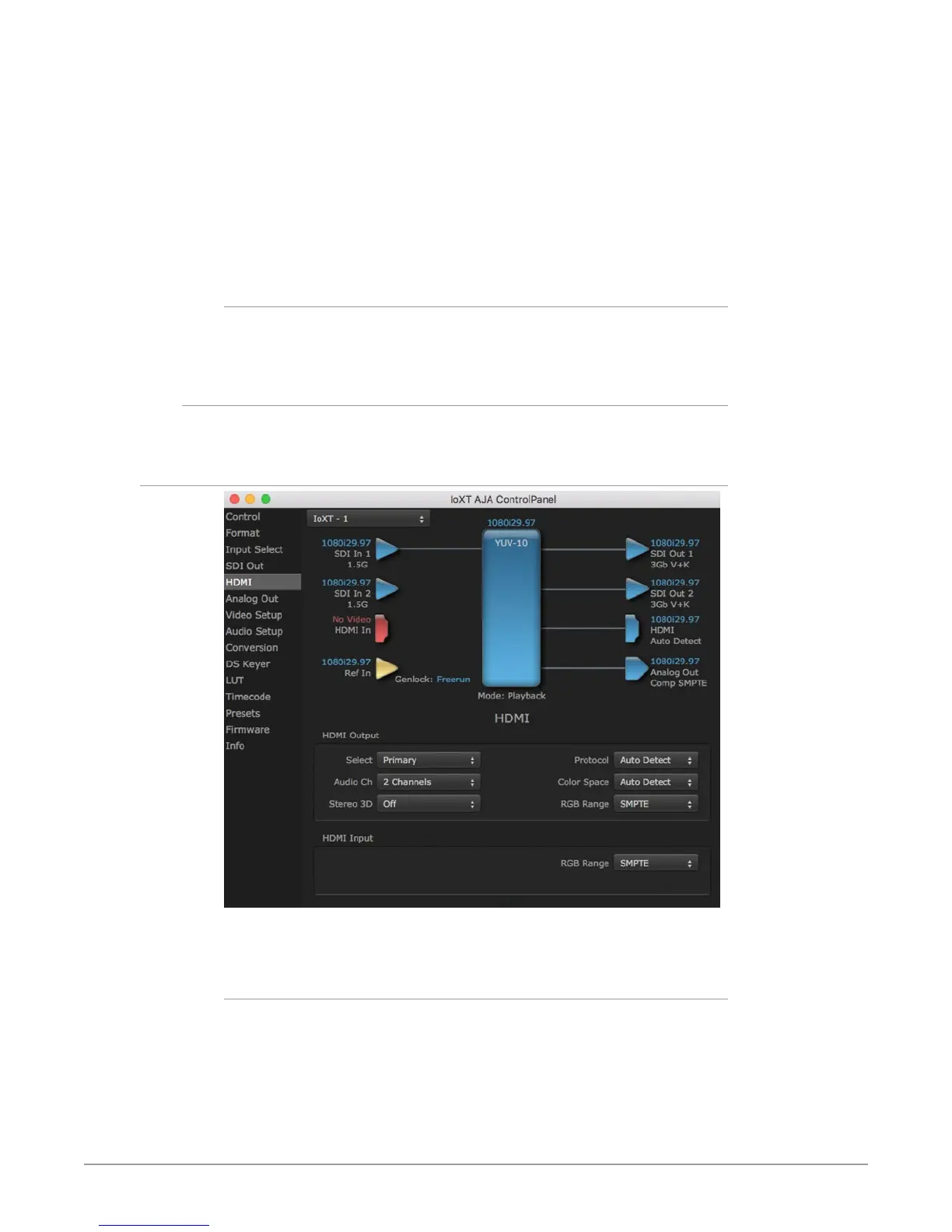
HDMI Screen
The Io XT/4K HDMI input and output are configured at this screen. For Io 4K
UltraHD and 4K format setup, see "Io 4K HDMI Screen in 4K Mode" on page 53.
HDMI Output
• Source - This pulldown menu allows you to select either the primary video
format (framebuer) or (if conversion is supported) a secondary one (up/
down/cross-conversion).
• Protocol - This pulldown allows you to choose either “HDMI” or “DVI”
protocol—use DVI if you’re outputting to a DVI monitor using an HDMI to DVI
adapter.
• RGB Range - This pulldown lets you congure video output range. Choose
from SMPTE or Full.



 To Next Page