Io XT/4K Capture, Display, Convert v14.0 33 www.aja.com
Audio Monitor
Here you select which two channels will be mapped to the analog audio stereo
output (headphone jack).
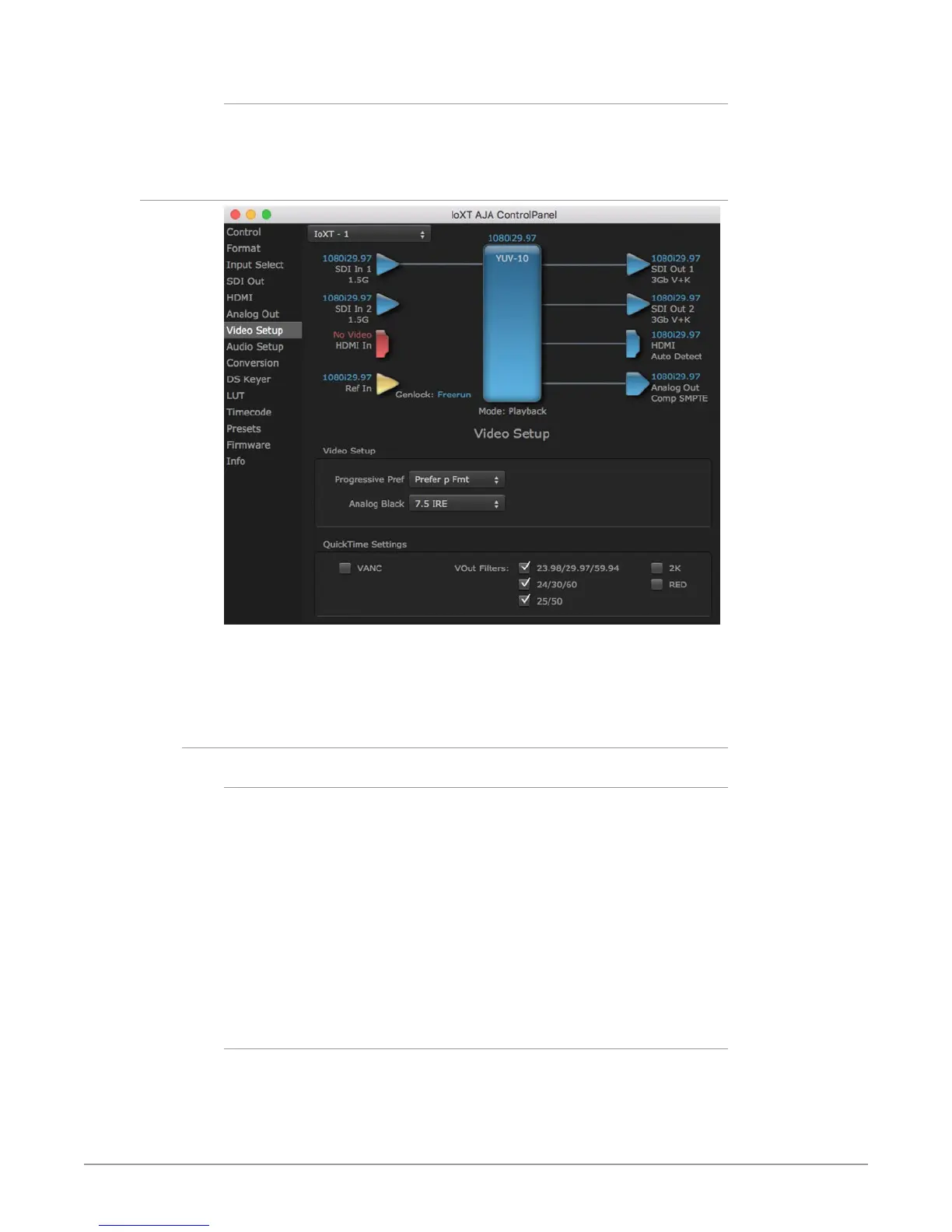
Video Setup Screen
The Video Setup screen shows various other settings which will affect how video
inputs and outputs behave, and how Io XT/4K interacts with some software
applications.
Video Setup
Progressive Pref
This feature is used to default the hardware to use either p or PsF output over SDI
when it has not been specified by the application. This setting also determines
the VOut formats to be displayed (see "VOut Filters" on page 34). Choose
between:
• Prefer p Format - progressive frames non-interlaced output
• Prefer psf Format - progressive segmented frames
NOTE: If you change this option while your NLE is open and running, you may need to
then make a change in one of your NLE settings in order for this to be reflected
dynamically in the project. For example in Media Composer, simply toggling the
Video Quality menu in the Timeline will cause a project format refresh to occur,
thus recognizing the change you just made in Control Panel.
Analog Black Level (in Io XT only)
Choices available for Black Level are the two Composite analog formats. Choices
presented are for US or Japan:
• 7.5 IRE (NTSC US)
• 0 IRE (NTSC Japan) 56



 To Next Page