Io XT/4K Capture, Display, Convert v14.0 29 www.aja.com
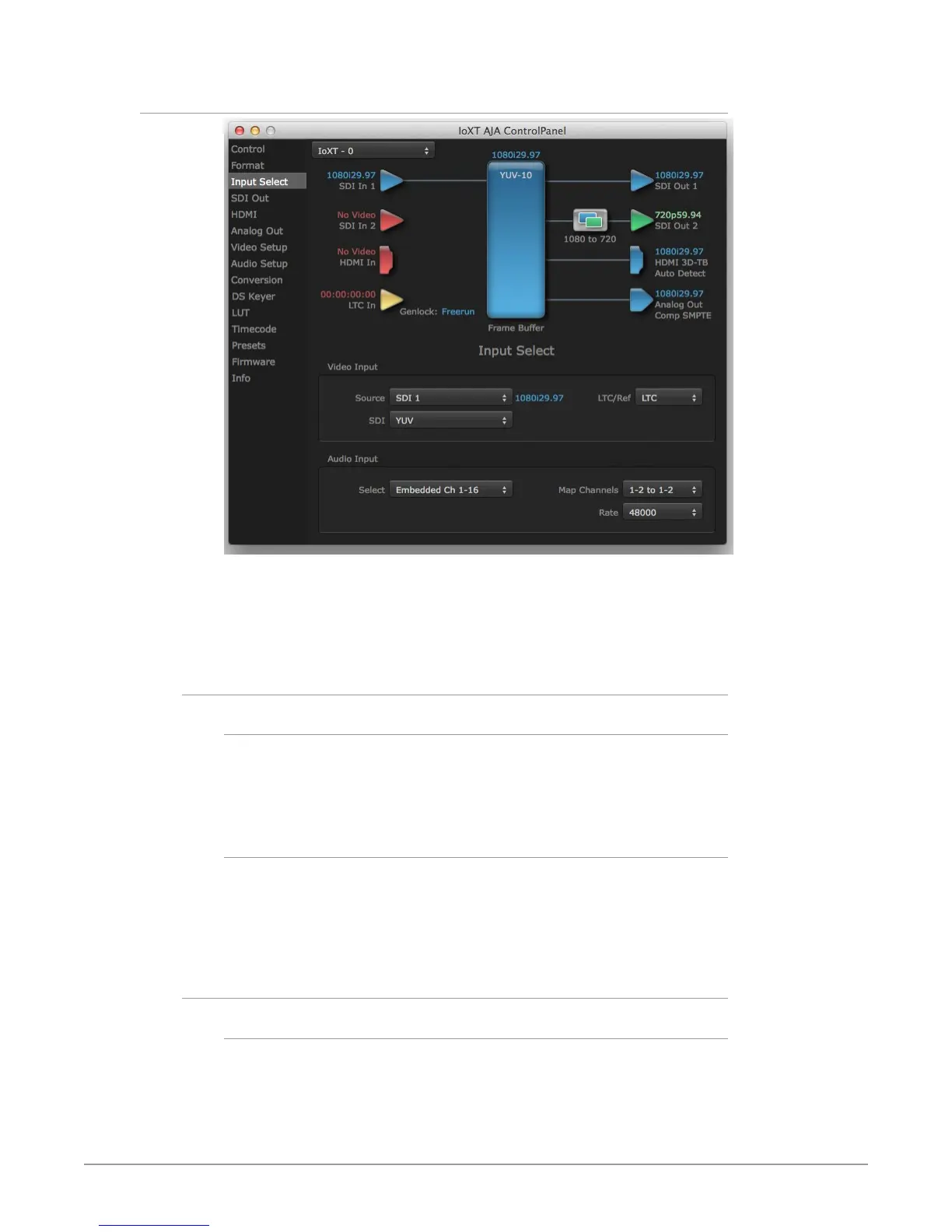
Input Select Screen
On the Input Select screen you can view or set the currently selected video and
audio input sources and map audio sources to the channels supported by your
editing application. Two information panes in the screen are provided: Video
Input and Audio Input.
Video Input
Source
The Source pulldown menu allows you to see and change what’s currently
selected and shows the video format that Io XT/4K has detected (if any). To select
a different input use the pulldown to choose from:
• SDI 1, SDI 2, Dual Link, or HDMI
LTC/Ref
Use the LTC/Ref menu pulldown to identify the type of signal being received by
the LTC/Ref BNC:
• Reference - BNC is used as a video reference input.
• LTC- BNC is used for linear time code (LTC) input.
Audio Input
Select
This pulldown menu allows you to pick where the audio comes from. Io XT/4K
supports up to 16 channels of embedded audio, up to 8 channels of HDMI audio.
Choose from:
• HDMI, or SDI Ch 1-16



 To Next Page