Io XT/4K Capture, Display, Convert v14.0 56 www.aja.com
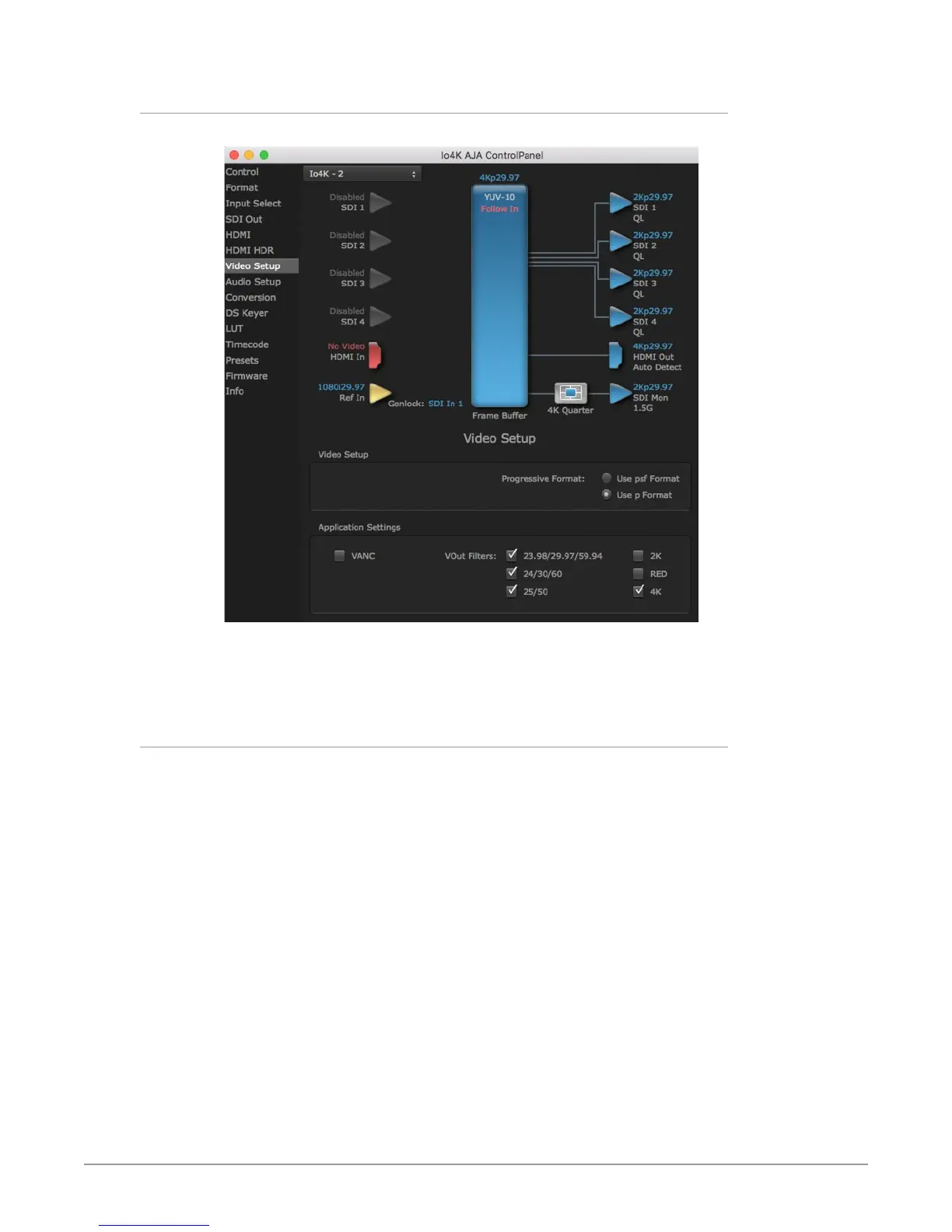
Io 4K Video Setup Screen in 4K Mode
Figure 23. QuickTime Video Output Filter 4K Geometry Checkbox
4K Mode adds the 4K Geometry selection (check box). Like other raster sizes, the
Geometries checkbox for 4K needs to be enabled for the format to be presented
and selectable in applications like AJA VTR Xchange and AJA TV.
Io 4K Audio Mixer Screens (4K Mode only)
The Audio Mixer screen lets you control Playback and Capture audio sources
(if the application supports capture), and also mix that audio. Two screens are
available, selected by clicking on the Playback Monitor or Capture Monitor tabs.
Controls in each tab are only in effect when Io XT/4K is in the correct operating
mode. When the mode doesn't match, the mode indicator on the right goes red.
However, settings can be adjusted in that incorrect mode, and will be applied
when you select the other operating screen.
The branching arrow on the right indicates which sources are being routed in that
operating mode, and is colored blue when active and red when disabled.



 To Next Page