Io XT/4K Capture, Display, Convert v14.0 57 www.aja.com
Playback Monitor Mode (4K Mode only)
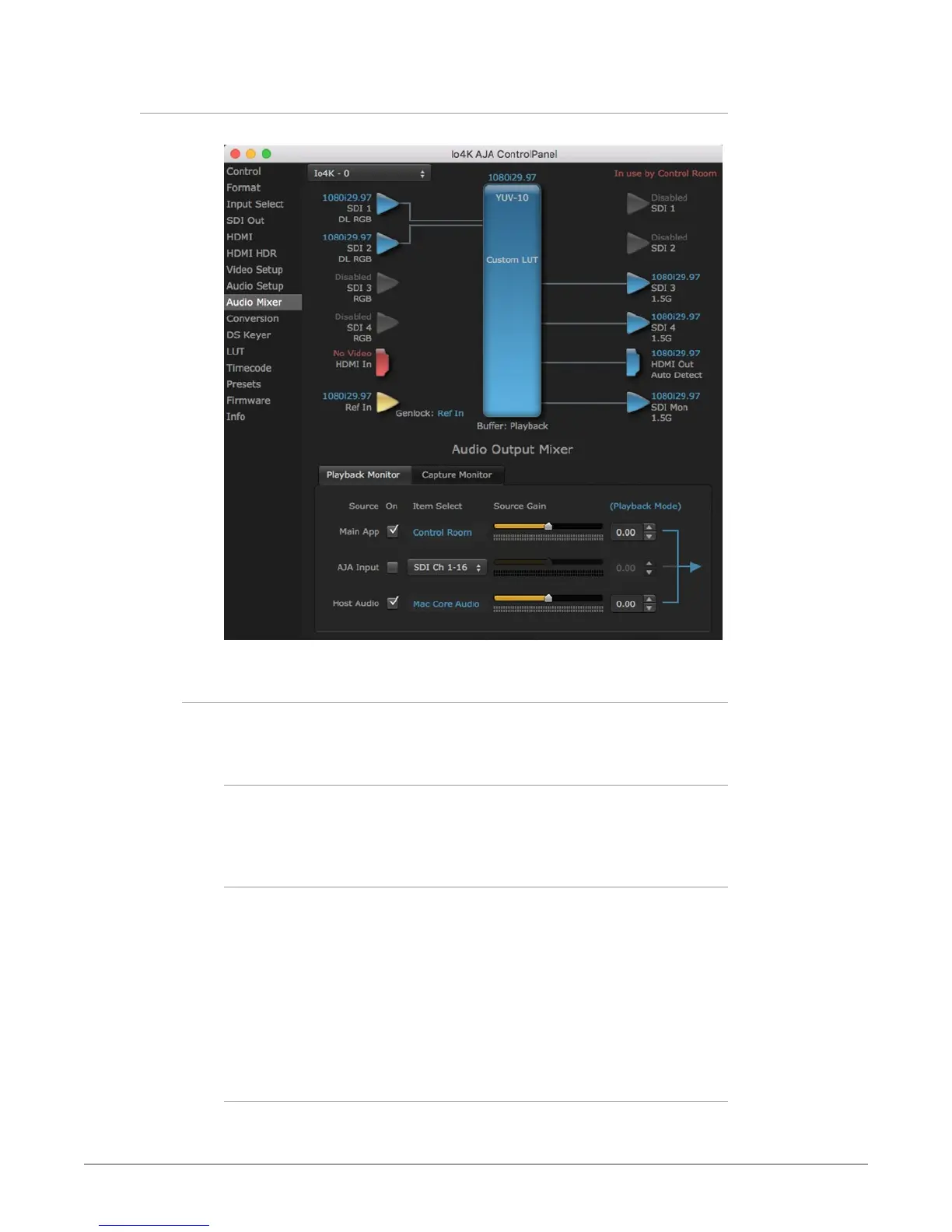
Figure 24. Audio Mixer Screen, Playback Monitor Mode
Playback Source Selection
Clicking the On checkbox selects the audio for that item for playback to the audio
monitor outputs. Multiple sources can be selected.
Main App
If an external application is controlling the Io XT/4K, it will be displayed in
the Item Select column and its audio can be selected for playback with the
checkbox.
AJA Input
Selects for monitor playback the audio being input to Io XT/4K.
NOTE: The AJA Input Item Select dropdown selection is linked to the Input Select screen's
Audio Input Select dropdown. Changing the setting on one screen will also
change the setting on the other screen.
In the Item Select column, click on the dropdown and choose from:
• HDMI - The audio being received the Io XT/4K HDMI In connector.
• SDI Ch 1-16 - The embedded audio being received on the Io XT/4K SDI In
connectors.
Host Audio
Selects the audio from the host computer. For example, you can playback audio
from a loaded session if the computer is configured to playback that audio.



 To Next Page