Io XT/4K Capture, Display, Convert v14.0 41 www.aja.com
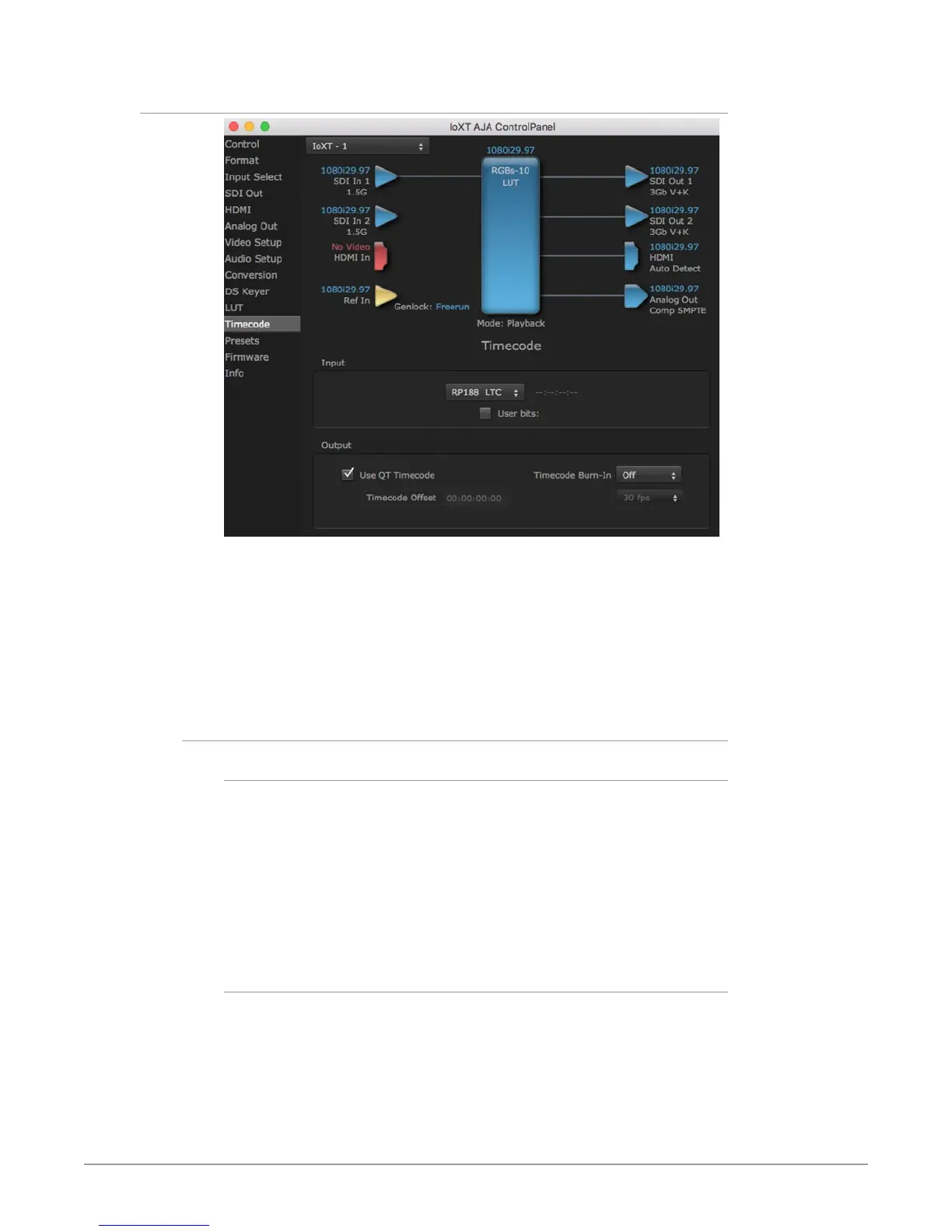
Timecode Screen
The Timecode screen:
• Selects the timecode stream read for applications that use it (for example, AJA
Control Room, when the timecode source is set to “Use control panel setting,”
will read the selected stream)
• Is used for monitoring the RP-188 timecode embedded in the digital data
stream
• Is used for selecting a timecode oset (if required)
Timecode Input Settings
RP-188 Timecode <n>
In RP-188 timecode (SMPTE 12M-gg2) there can be multiple timecode types in the
data stream. Use this pull-down to select the one you wish to monitor:
• RP188 LTC (Linear timecode)
• RP188 VITC 1 (Vertical Interval timecode)
• RP188 VITC 2
• LTC Port input
The selection will be displayed in the timecode value displayed to the right of the
pull-down.
User Bits
For monitoring a variable framerate (VFR) timecode (such as Varicam), you may
wish to check the User-bits box. If you set this checkbox, Io XT/4K will detect and
interpret the user-bits and display them next to the checkbox. You will see the
original framerate (30 fps in the figure below) followed by the adjusted frame
padding (two digits reporting discarded and retained frame padding).
NOTE: SMPTE 12M-2 is the updated name and specification for what was RP-188.



 To Next Page