Io XT/4K Capture, Display, Convert v14.0 37 www.aja.com
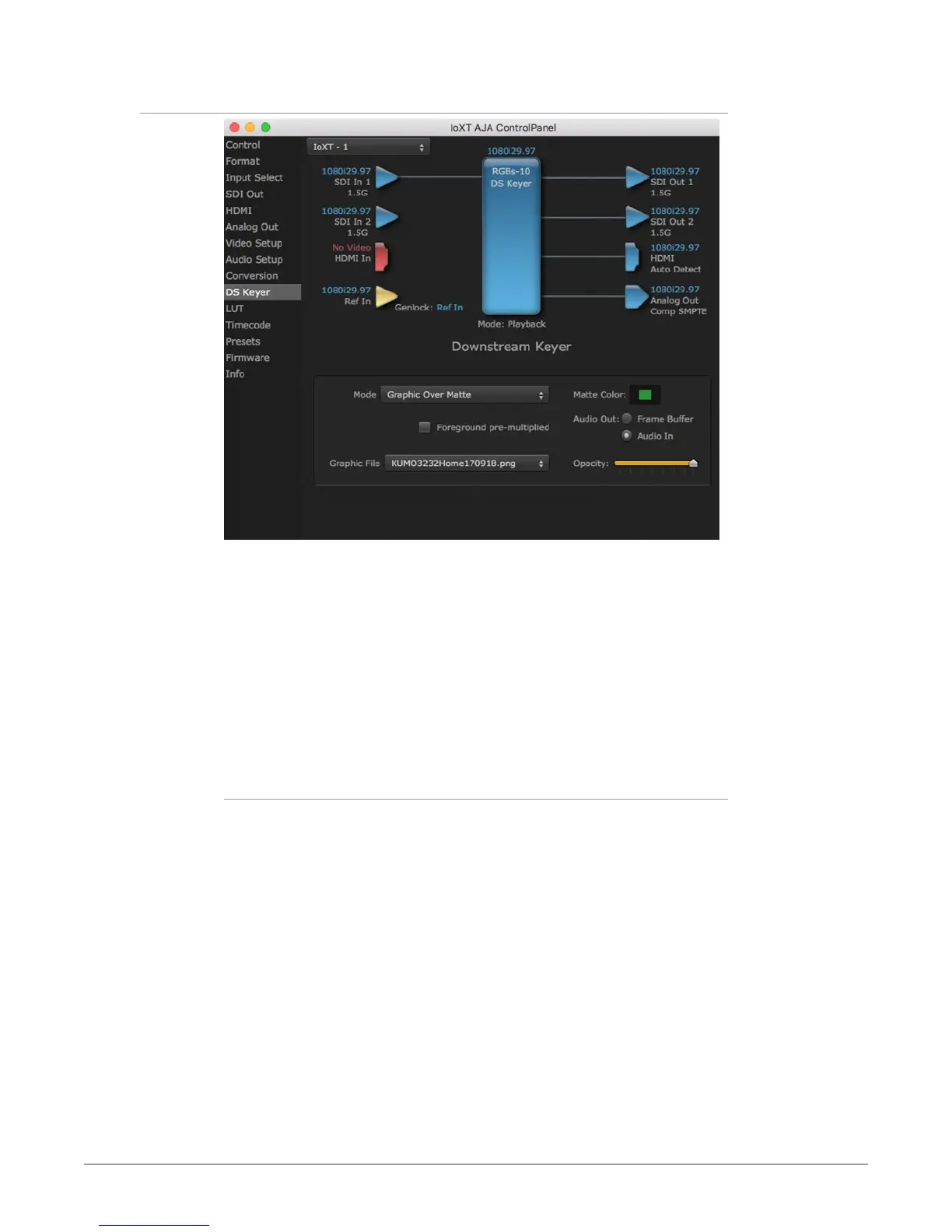
DS Keyer Screen
The Io XT/4K has a hardware-based downstream keyer that is ideal for putting
logos, “bugs” or other video material with an alpha channel on top of video being
played out or printed to tape.
NOTE: Io 4K does not support Downstream Keying in UltraHD and 4K formats.
A typical application would be putting a television station’s call letters or channel
over program video content. Keyed video can be from the Io XT/4K internal
Frame Buffer (from storage, video In, etc.) or from a graphics file that has an alpha
channel (PhotoShop etc.).
Settings in the DS Keyer Screen provide control over how the keyer operates and
whether it’s turned on or off.
Mode
Downstream Keyer Off - When this pulldown menu item is selected the
downstream keyer will be turned off
• Frame Buer over Matte - Places the keyed video with alpha channel currently
in the Frame Buer over a xed color matte determined by the “Matte Color”
setting set separately.
• Frame Buer over Video In - Places the keyed video currently in the Frame
Buer over the video input for playout or print-to-tape.
• Graphic over Matte - Places a graphics le having an alpha channel (chosen in
“Graphic File” pulldown) over a xed color matte determined by the “Matte
Color” setting set separately.
• Graphic over Video In - Places a graphics le having an alpha channel (chosen
in “Graphic File” pulldown) over the video input for playout or print-to-tape.
• Graphic over Frame Buer - Places a graphics le having an alpha channel
(chosen in “Graphic File” pulldown) over the current contents of the Io XT/4K
Frame Buer (which might be from storage, video In, etc.).



 To Next Page