Io XT/4K Capture, Display, Convert v14.0 36 www.aja.com
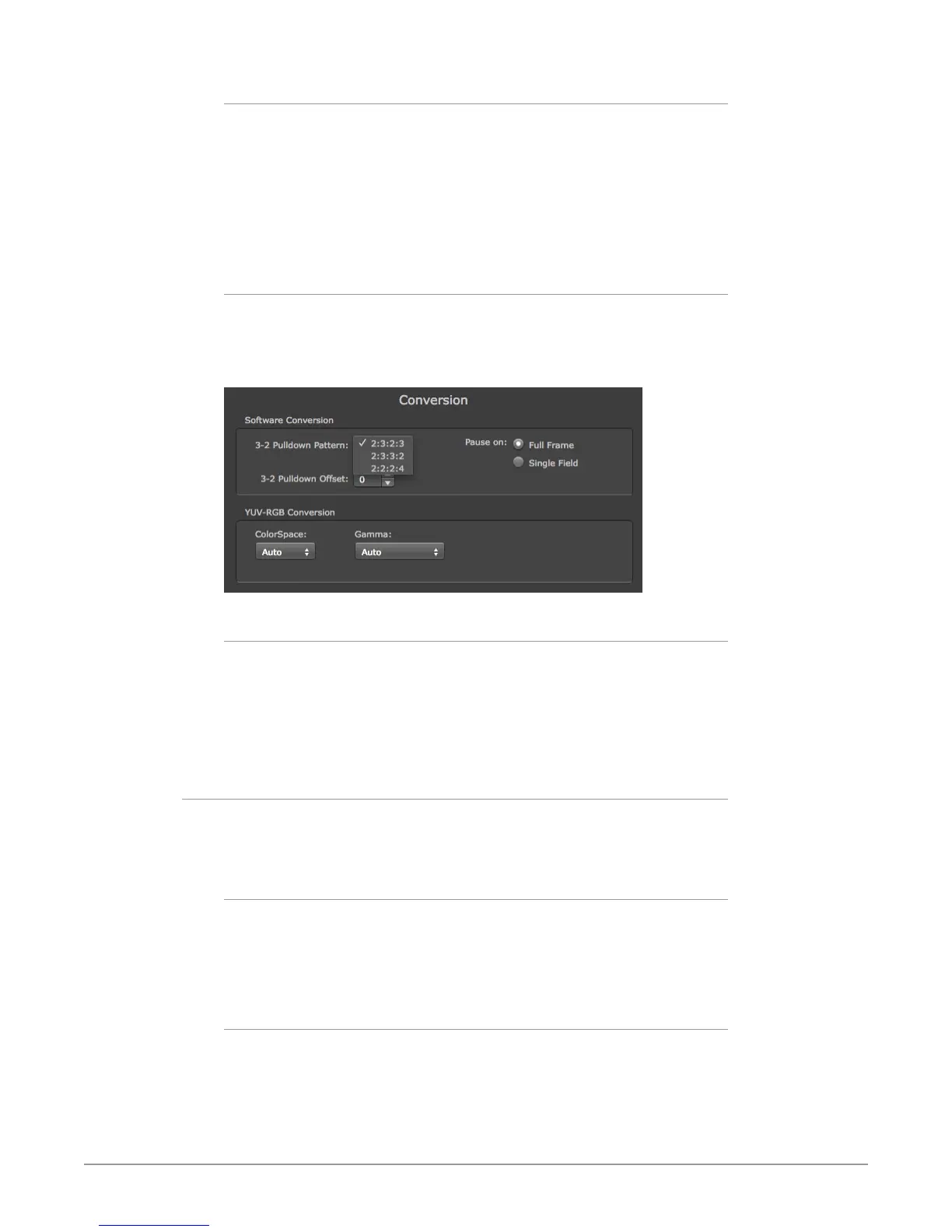
3:2 Pulldown Pattern
The value selected from this list is used whenever, due to format selection,
you’ve chosen to do 24 frames-per-second to 30 conversion where extra fields
will be added to pad the existing ones. Depending on video content, selection
of different field patterns may be useful in reducing jitter due to the content of
adjacent fields. The numbers in the pattern choices specify the frequency with
which inserted fields will be repeated. For example, “2:3:2:3” means duplicate a
field twice, then the next field three times, then the next twice, and then back to
three times.
3:2 Pulldown Offset
The 3-2 Pulldown offset is used if the 3-2 pulldown feature is removing the wrong
frames. This setting lets you adjust when the pulldown begins in a sequence of
frames.
Figure 12. Conversion Screen Frame-padding Pattern Choices
Pause On
These two choices determine what happens when the editing application is
paused in stop mode:
• Full Frame: both elds are displayed resulting in some jitter while paused.
• Single Field: a single eld is displayed, showing no icker (useful when color
correcting or whenever the ickering would be a distraction).
YUV-RGB Conversion
These pulldowns select industry standard color space and gamma transfer
functions for the YUV-RGB conversion, or allow you to direct Io XT to
automatically determine it for you.
Colorspace
Choose from:
• Rec 601
• Rec 709
• Auto
Gamma
Choose from the following:
• Linear (1.8)
• Rec 601 (2.20)
• Rec 709 (2.22)
• Auto



 To Next Page