Io XT/4K Capture, Display, Convert v14.0 35 www.aja.com
Select from:
• Ch 1-2 through Ch 15-16
Analog Audio Monitor Level
This selection determines the analog audio output level (“FSD” is full-scale-
deflection reading as measured on a VU meter). In addition to the front panel
monitor (headphone) output, this setting also effects the analog output via the
DB25 cable. Select from
• +24dBu, +18dBu, +15dBu, or +12dBu
Audio Delay (Io 4K Only)
Here you can set up to 6 frames (in tenths of a frame) of delay for the AJA device’s
audio input and output. The AJA Control Panel delays all audio outputs—SDI,
HDMI, and Analog
IMPORTANT: If you use this Control Panel delay, do not use other delay settings in your
applications. They can conflict.
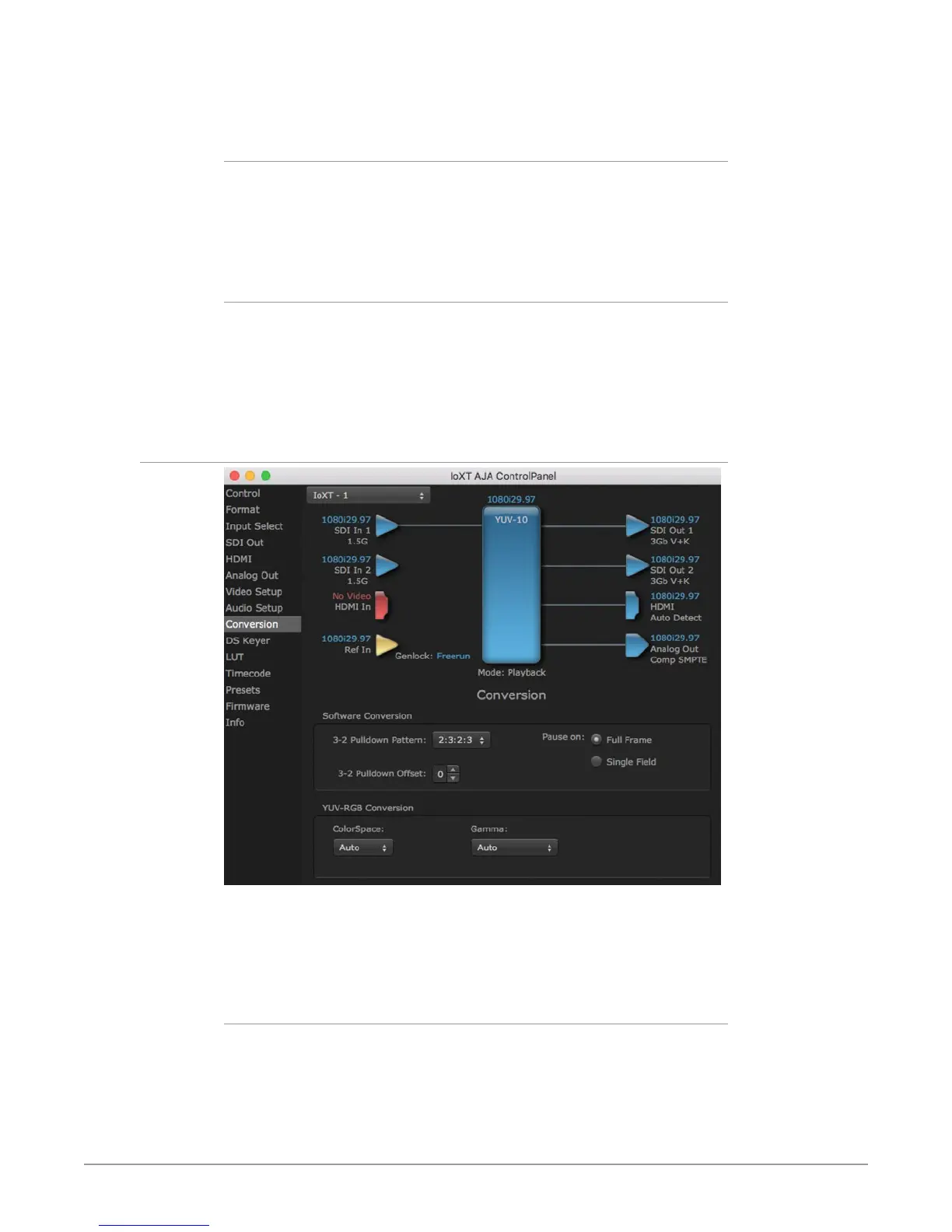
Conversion Screen (Mac OS only)
The Conversion Screen offers controls that determine how the card behaves with
3rd-party applications.
NOTE: This screen is present in the Mac version of AJA Control Panel only and not all
applications support these functions.
Software Conversion
These parameters can affect pulldown and pause behavior. This group of
software conversion parameters apply ONLY when using legacy QuickTime
based applications on Mac OS. These applications include things like FCP7, VTR
Exchange, and AJA TV. Applications like FCPX, Premiere Pro, Media Composer and
Control Room, no longer use these legacy QuickTime Components.



 To Next Page