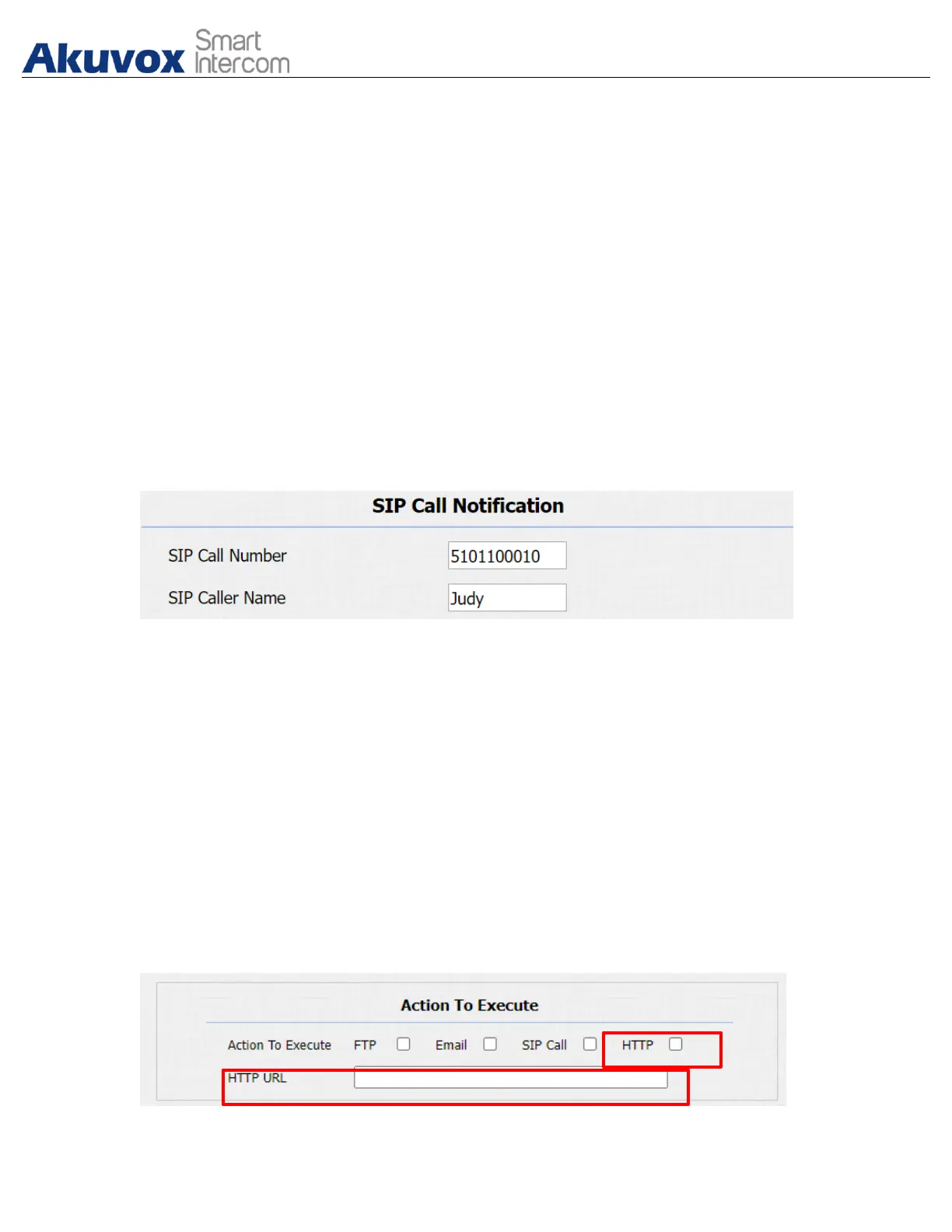
16.4.3.SIP Call Notification Setting
In addition to FTP and Email notification, the door phone can also make a SIP
call when some feature action is triggered. To configure a SIP call notification on
web Intercom > Action > SIP Call Notification interface.
Parameter Set-up:
● SIP Call Number: to configure SIP call number.
● SIP Call Name: to configure display name of door phone.
16.4.4.HTTP URL Notification Configuration
Akuvox door phone support sending the HTTP notification to the third party when
some features are triggered. HTTP notification can be set up in specific chapters,
please check chapter 15.4. The URL format: http://http server IP address/any
information.Refer to: Intercom > Motion > Action to Execute.



 To Next Page
 Loading...











