Access to administrator configuration
7.5.1 Administrator settings menu
• Select the settings icon from the phone menu (see the navigation section of your phone model).
• Admin
• Enter the administrator password.
• This section allows the administrator to set IP parmeters, certificates, LDAP servers, DM URL (for
configuration files), and SIP Accounts. The administrator can also restore factory settings. The DM URL is
used to automatically download the phone's configuration file, including all parameters, when the phone
switches on.
7.5.2 Web Management (WM)
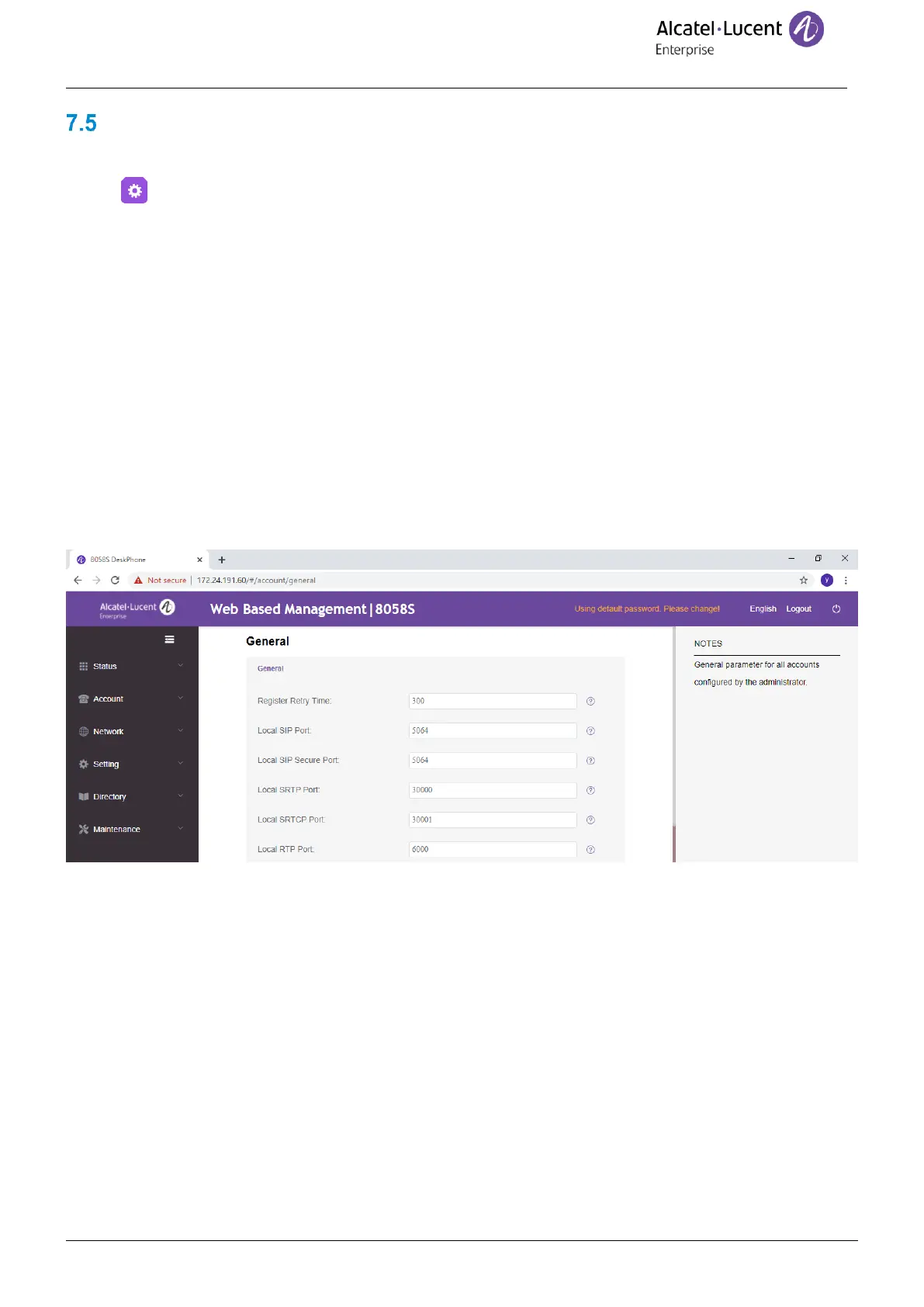
Web Management offers the administrator an easy way to configure the settings of your phone through a web
page hosted by your phone.
When the phone is connected to the network, your administrator can access the Web Management via a web
browser by entering https://phone ip/ . The administrator password of the phone is requested, default user name
and password is “admin/123456”.
From the Web Management, your administrator can configure audio settings (tone country, DTMF, Hearing aid,
…), Bluetooth settings, screensaver, hotline number, programmable keys, ringing, seat mode (ringing on
loudspeaker or on headset or both), telephony settings (dialing rules, voicemail, auto answer, hide identity,
transfer, …). The administrator can manage password, binary update, export/import the configuration of the
phone, export/import contact numbers, ….
Consult the Web Management guide for more information.










 To Next Page