Accessories
8AL90399ENAD ed01 116/141
5.4.4 How to use the keyboard
Use the keyboard to enter text while configuring the phone. Access directly the dial by name
feature by entering the name of your contact on the keyboard.
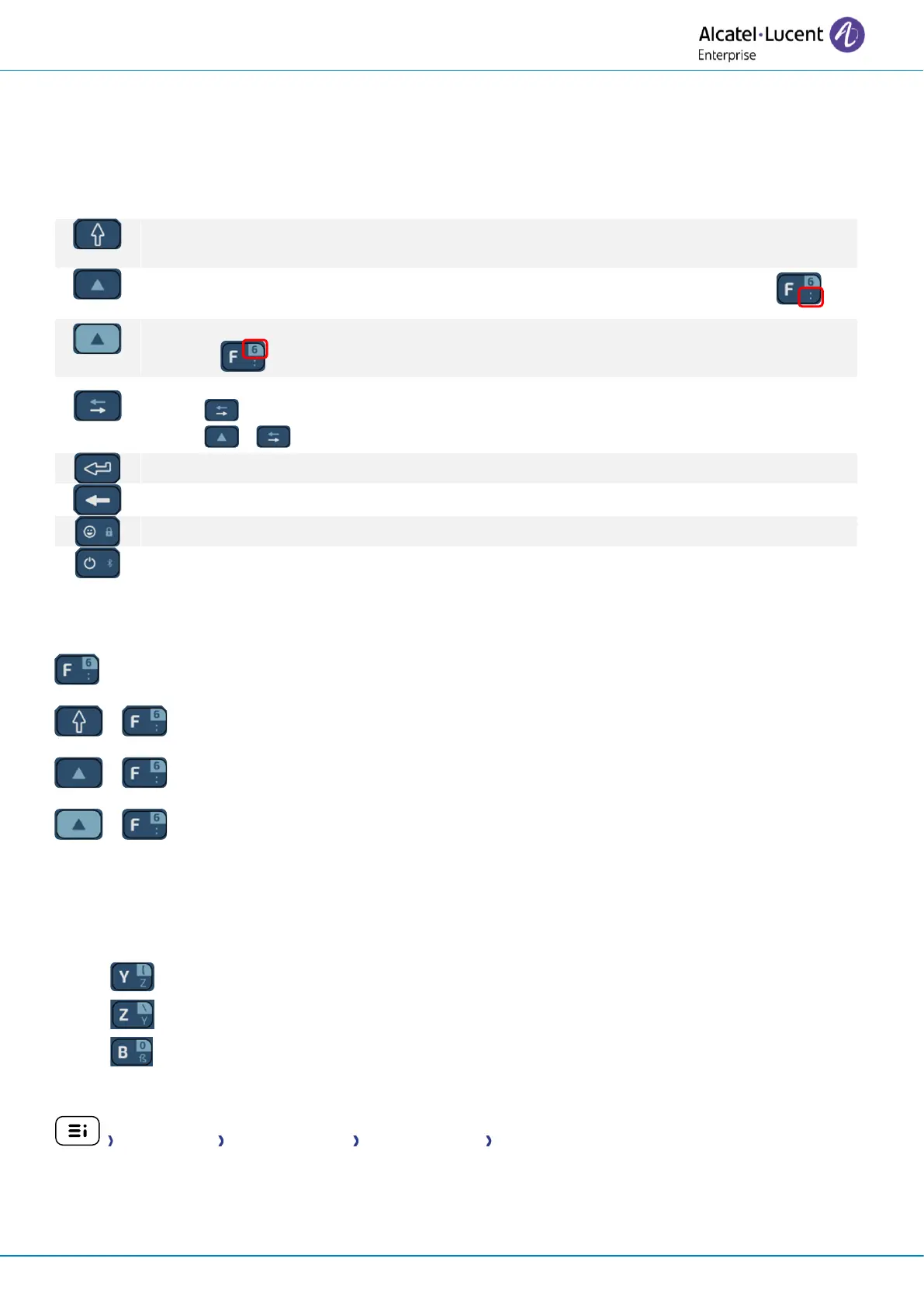
Below is a list of the function keys that allow you to access all the symbols.
Caps lock: to write text in capital letters. Maintain this key and press the letter to display in
capital.
To access specific and punctuation characters in blue on the keyboard. For example: .
To access specific and punctuation characters highlighted in blue on the keyboard. For
example: .
Cursor moving key (left, right). Allows you to navigate edited boxes.
• : Move the cursor to the right.
• + : Move the cursor to the left.
Enter key: to validate edited text
Backspace key: to delete one character in an edit box.
Use cases (international keyboard):
: 'f' is displayed.
+ : 'F' is displayed.
+ : ':' is displayed.
+ : '6' is displayed.
Use the international keyboard in QWERTZ mode
The keyboard will be in QWERTZ mode when you plug it in if your desk phone language is: Deutsch.
This means that the 'z' and 'y' are displayed without using the alt key:
• : 'z' is displayed.
• : 'y' is displayed.
• : 'ß' is displayed.
In this case, you can also use the international keyboard in QWERTY mode by checking the option:
Config. MMI Hardware infos Keyboard Infos Force QWERTY.
Depending on the system configuration, you may not have access to the advanced desk phone
configuration settings. Contact your administrator if necessary.














 To Next Page