Power Supplies Chassis and Power Supplies
page 3-54 OmniSwitch 6900 Hardware Users Guide June 2020
Installing Power Supplies
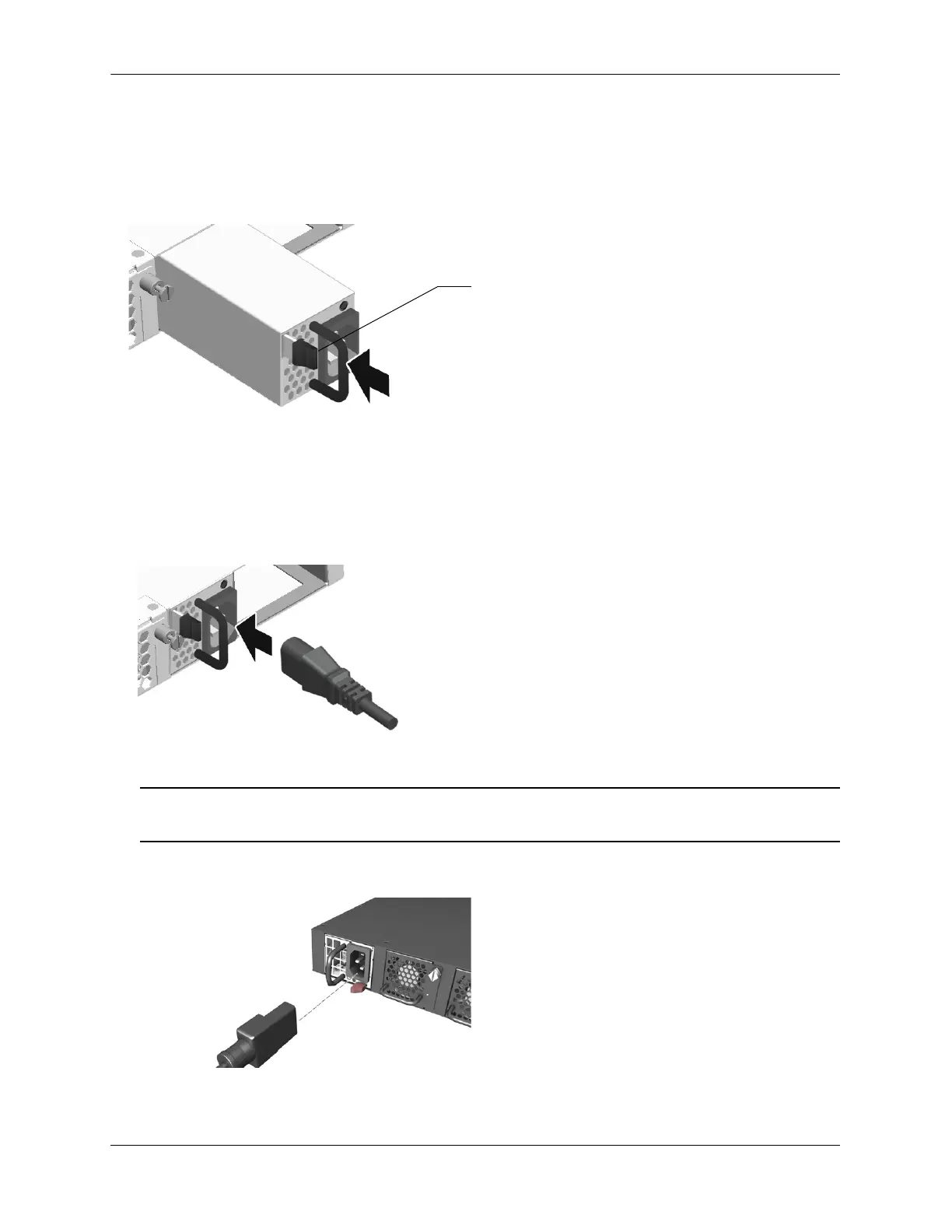
1 Orient the power supply so that the power cord socket is situated at the right of the power supply. Also,
for the power supply to seat properly, make sure that the handle is in the vertical position as show. (Note:
The location and size of the lock tab may differ depending on the power supply model.)
2 Slide the power supply back until it is securely seated in the chassis backplane.When the connector is
fully seated, the lock tab will click and hold the power supply in place.
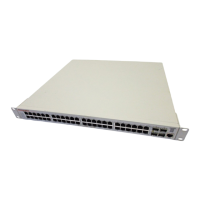
3 Plug the power cord (provided) into the power supply’s socket.
Note. The chassis does not provide an on/off switch. Connecting a the power supplies to a power source
will boot the switch.
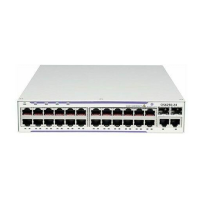
OS6900-V72/C32/X48C6/T48C6 (X48C6/T48C6 shown)
1. Insert power supply.
2. Properly seat power supply, locking tab will click.
3. Plug the power cord into power supply socket.





 To Next Page