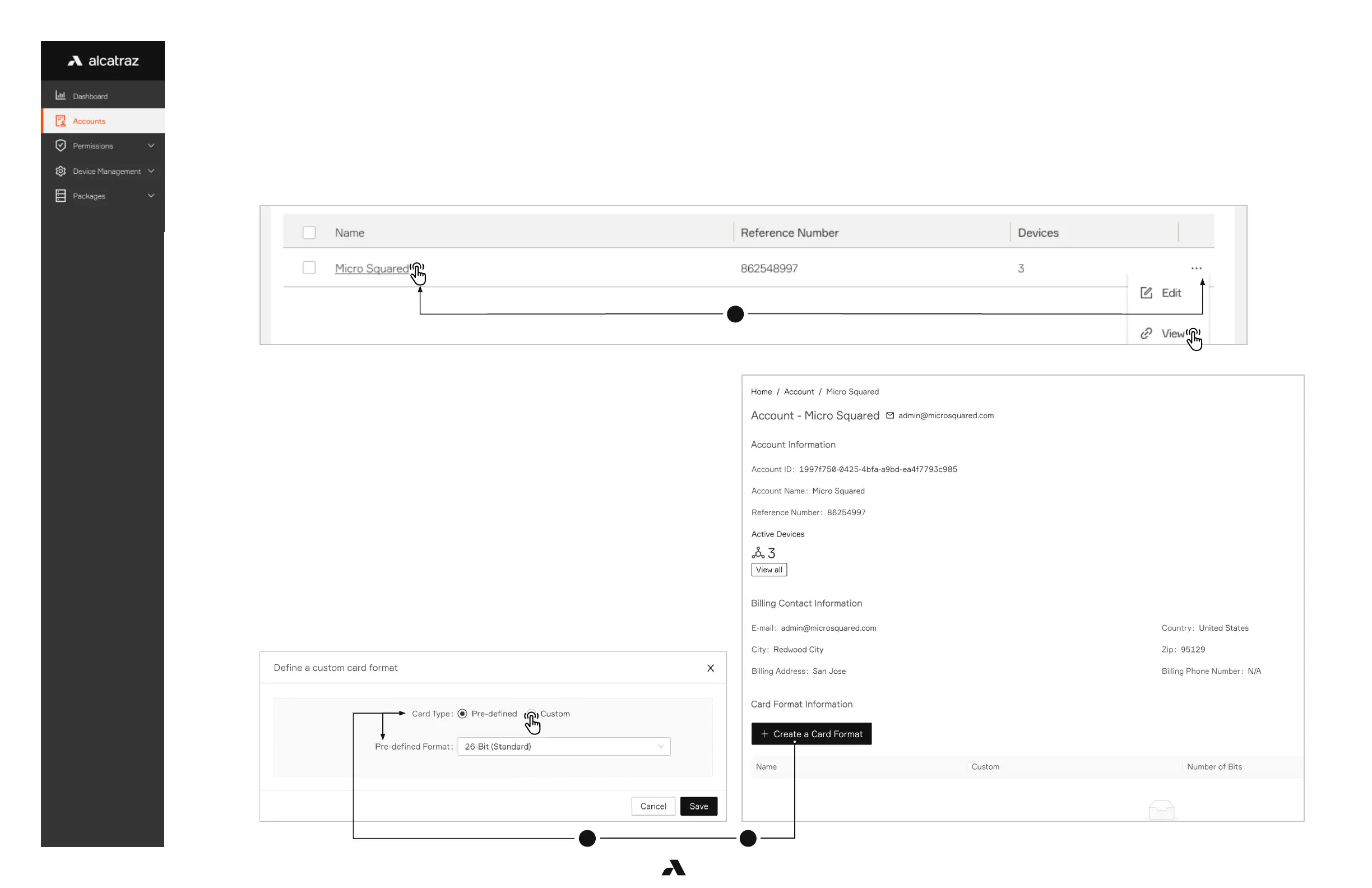
3 2
1
15Ver. 1.01
2. Select Create a Card Format
3. Define a custom card format pop-up window appears
3.5.2 — Configure a Custom Card Type
To configure a custom card format, before proceeding, retrieve the information from your Access Control System (ACS) Administrator.
Information that may be part of your card format and needed as part of the configuration include:
■ The start position and the number of bits for card number
■ The start position and number of bits for the facility code
■ Parity bits info
1. Go to Accounts and click on View Account



 To Next Page